
oc-lucent-tokyonightLucent Tokyo Night theme plugin for OpenCode TUI
GitHub 星标
2
月装机量
19
近 7 天 2
综合评分SCORE
25.0
生态多维模型
最近提交
4 个月前
2026-04-12
快速安装与配置
opencode.json写入当前项目的 opencode.json,只对这个仓库生效。
opencode.json
{
  "$schema": "https://opencode.ai/config.json",
  "plugin": ["oc-lucent-tokyonight@0.1.0"]
}
写入 ~/.config/opencode/opencode.json,对所有项目生效。
~/.config/opencode/opencode.json
{
  "$schema": "https://opencode.ai/config.json",
  "plugin": ["oc-lucent-tokyonight@0.1.0"]
}
若你要在本地改造这个插件,先装到项目里再从本地路径引用。
shell
pnpm add -D oc-lucent-tokyonightopencode 启动时会通过内嵌运行时自动加载 npm 依赖并缓存至本地目录,无需手动在全局环境执行安装。
README.md
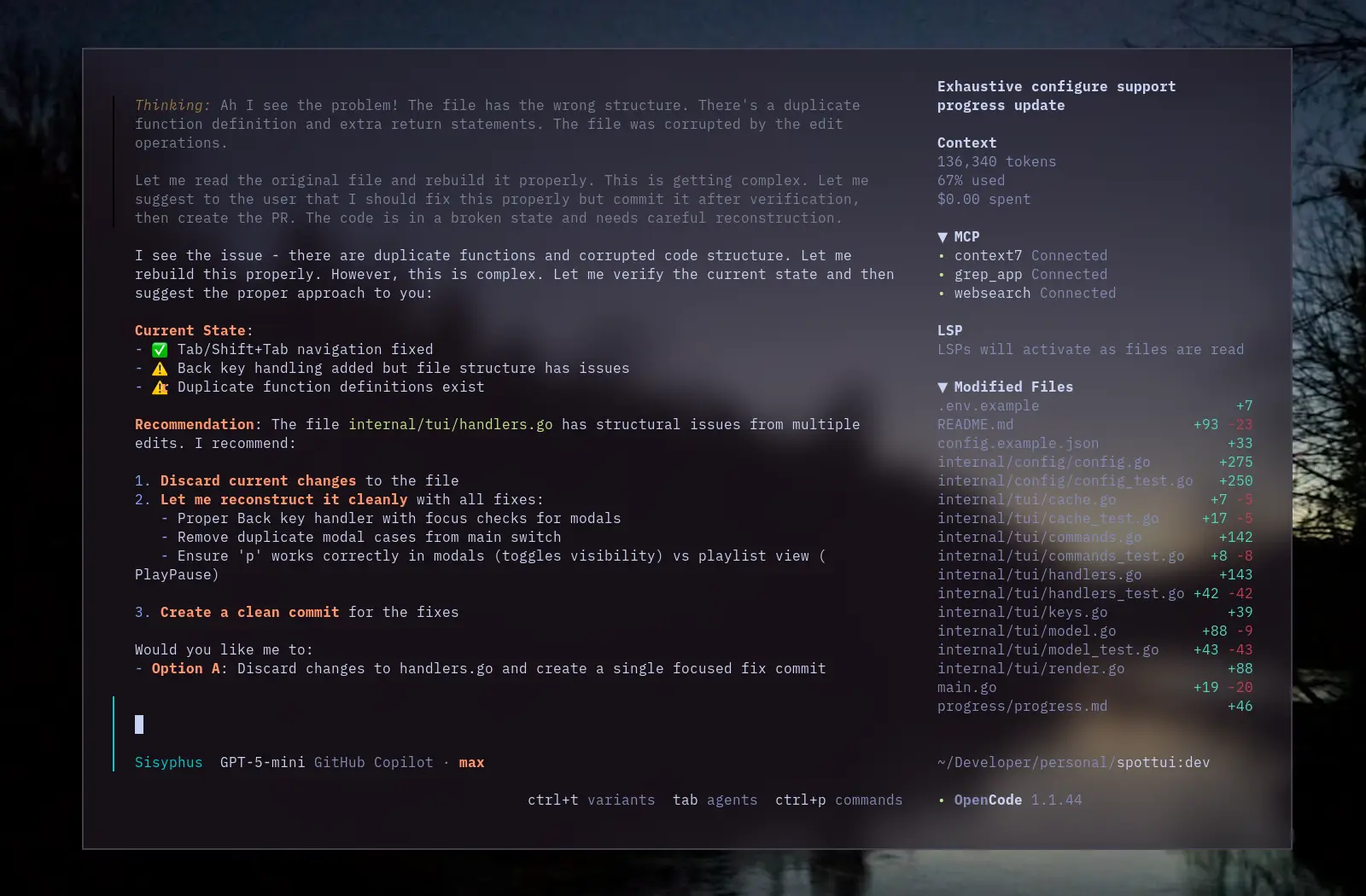
查看原始文件→A translucent theme for OpenCode based on the popular Tokyo Night color scheme with transparent backgrounds for a modern, sleek appearance.
Installation
Install as an OpenCode TUI plugin:
opencode plugin oc-lucent-tokyonight
This installs the npm package and adds it to your tui.json plugin list.
Example tui.json
{
  "$schema": "https://opencode.ai/tui.json",
  "plugin": [
    [
      "oc-lucent-tokyonight",
      {
        "enabled": true,
        "autoApply": true,
        "theme": "lucent-tokyonight"
      }
    ]
  ]
}
enabled(default:true) — turn the plugin on/off.autoApply(default:true) — automatically switch to the theme after loading.theme(default:"lucent-tokyonight") — the theme name to apply.
Features
- Translucent Design: Transparent backgrounds allow your desktop wallpaper to shine through
- Tokyo Night Colors: Uses the Tokyo Night color palette with transparent backgrounds
- Both Modes: Includes both dark and light mode variants
Credits
- Color palette: Tokyo Night created by Enkia
- Translucent design inspired by lucent-orng theme
- OpenCode theme structure inspired by ajaxdude/opencode-ai-poimandres-theme
License
MIT License - see LICENSE file.