
@streetturtle/opencode-session-tokensOpenCode TUI sidebar plugin for session token totals and per-model breakdown
GitHub 星标
49
近 30 天 +2
月装机量
335
近 7 天 202
综合评分SCORE
52.1
生态多维模型
最近提交
5 天前
2026-08-15
快速安装与配置
opencode.json写入当前项目的 opencode.json,只对这个仓库生效。
opencode.json
{
  "$schema": "https://opencode.ai/config.json",
  "plugin": ["@streetturtle/opencode-session-tokens@1.1.1"]
}
写入 ~/.config/opencode/opencode.json,对所有项目生效。
~/.config/opencode/opencode.json
{
  "$schema": "https://opencode.ai/config.json",
  "plugin": ["@streetturtle/opencode-session-tokens@1.1.1"]
}
若你要在本地改造这个插件,先装到项目里再从本地路径引用。
shell
pnpm add -D @streetturtle/opencode-session-tokensopencode 启动时会通过内嵌运行时自动加载 npm 依赖并缓存至本地目录,无需手动在全局环境执行安装。
README.md
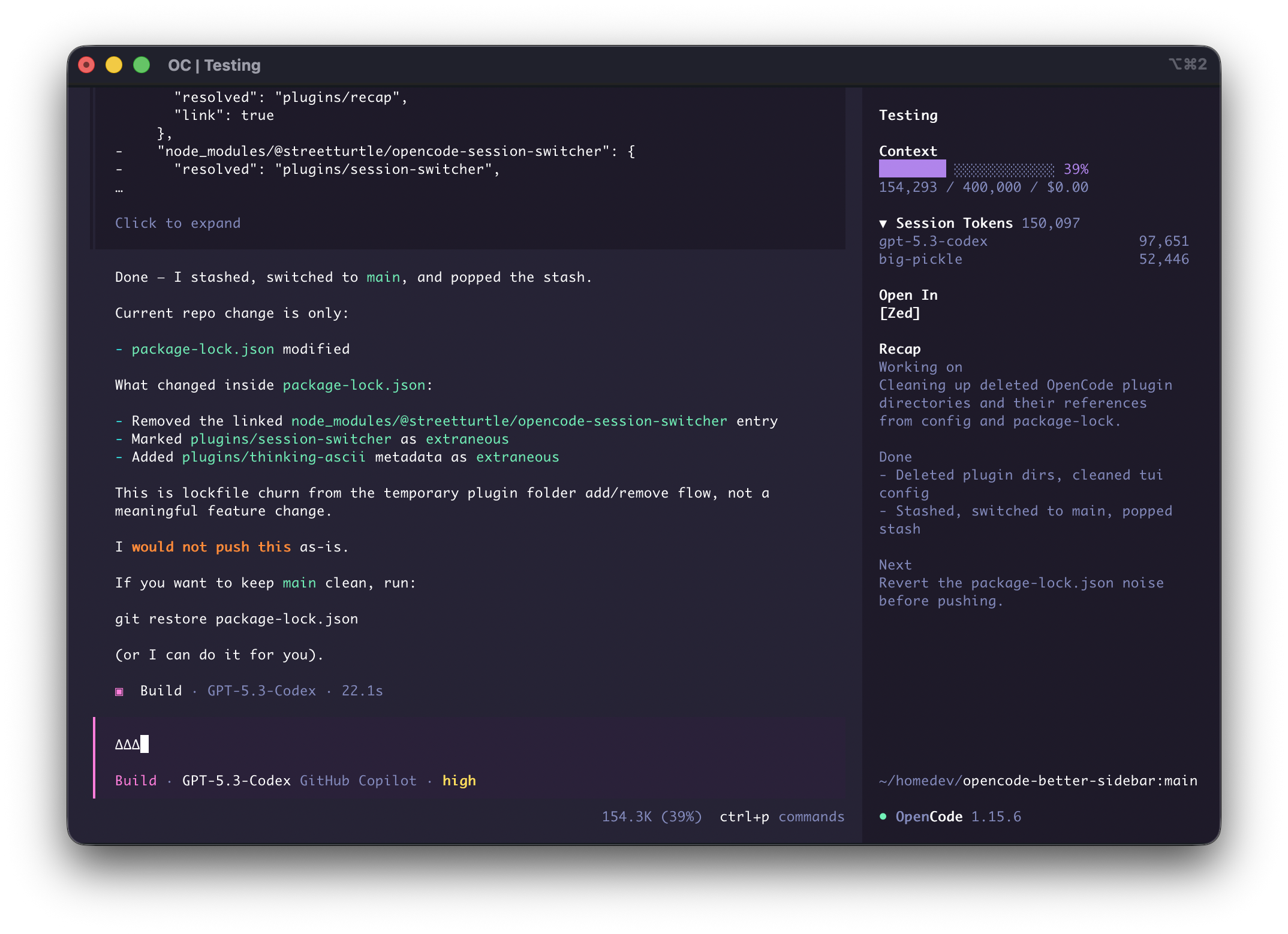
查看原始文件→Small, focused OpenCode sidebar plugins that make daily coding sessions faster.
If this helps your workflow, please star the repo.
Install
opencode plugin --global @streetturtle/opencode-open-in
opencode plugin --global @streetturtle/opencode-context-progress
opencode plugin --global @streetturtle/opencode-recap
opencode plugin --global @streetturtle/opencode-session-tokens
or from OpenCode, press ctrl+p -> "Install Plugin" -> "@streetturtle/opencode-open-in"
Plugin Pack
@streetturtle/opencode-open-in- quick buttons to open the current session folder in Zed, VS Code, or Cursor.@streetturtle/opencode-context-progress` - context usage progress bar with token usage, window limit, and spend.@streetturtle/opencode-recap- one-click AI recap for the current session.@streetturtle/opencode-session-tokens- collapsible session token totals with per-model breakdown.