
@streetturtle/opencode-recapOpenCode TUI plugin - AI session recap in the sidebar
49
353
225 in 7 days
49.5
Multi-signal model
5 days ago
2026-08-15
Install and configure
opencode.jsonWrites to this project's opencode.json — applies to this repository only.
opencode.json
{
  "$schema": "https://opencode.ai/config.json",
  "plugin": ["@streetturtle/opencode-recap@1.0.5"]
}
Writes to ~/.config/opencode/opencode.json — applies to every project.
~/.config/opencode/opencode.json
{
  "$schema": "https://opencode.ai/config.json",
  "plugin": ["@streetturtle/opencode-recap@1.0.5"]
}
If you want to modify the plugin locally, install it into the project and reference the local path.
shell
pnpm add -D @streetturtle/opencode-recapopencode loads npm dependencies through its embedded runtime on startup and caches them locally — no manual global install needed.
Small, focused OpenCode sidebar plugins that make daily coding sessions faster.
If this helps your workflow, please star the repo.
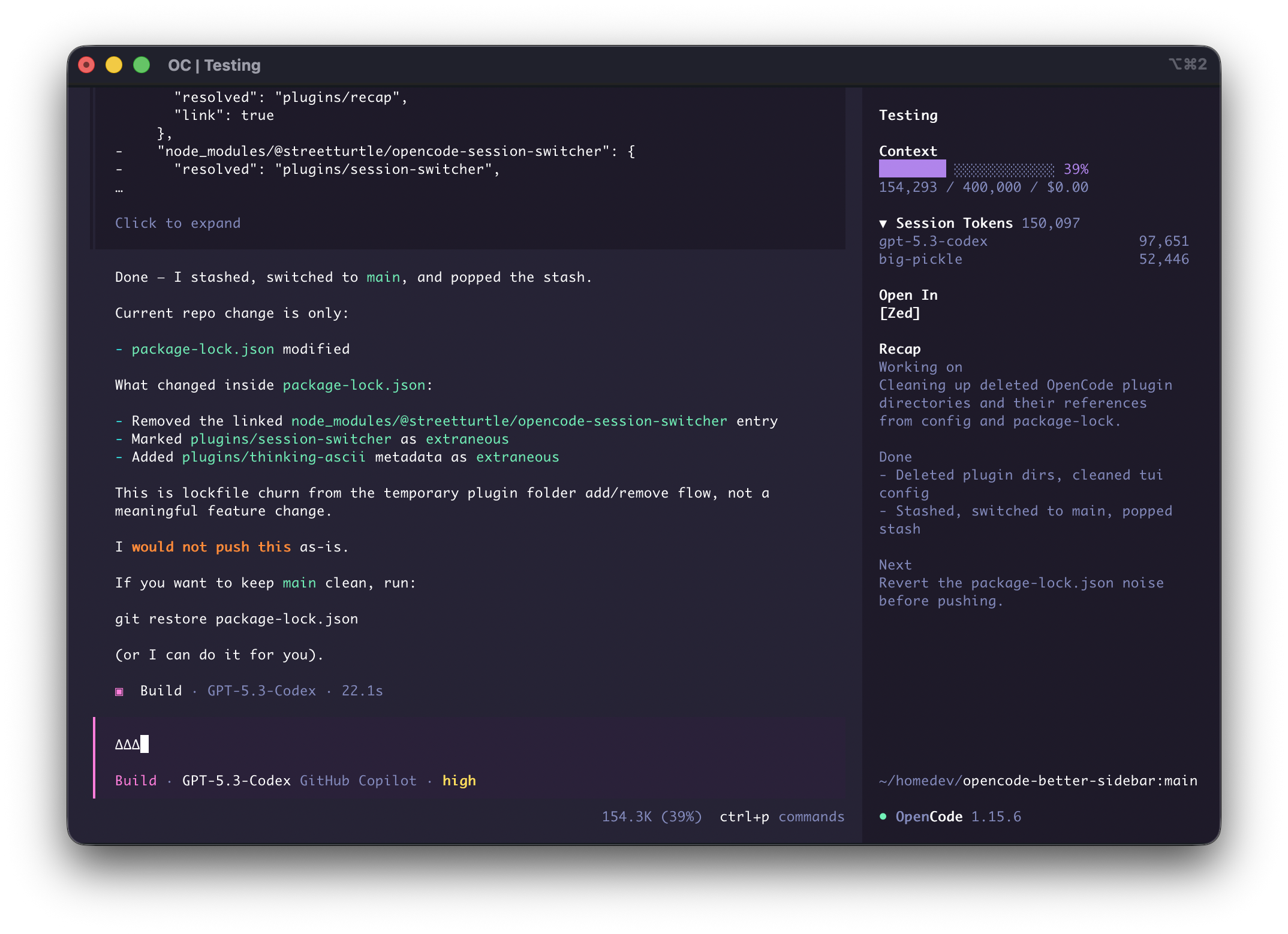
Install
opencode plugin --global @streetturtle/opencode-open-in
opencode plugin --global @streetturtle/opencode-context-progress
opencode plugin --global @streetturtle/opencode-recap
opencode plugin --global @streetturtle/opencode-session-tokens
or from OpenCode, press ctrl+p -> "Install Plugin" -> "@streetturtle/opencode-open-in"
Plugin Pack
@streetturtle/opencode-open-in- quick buttons to open the current session folder in Zed, VS Code, or Cursor.@streetturtle/opencode-context-progress` - context usage progress bar with token usage, window limit, and spend.@streetturtle/opencode-recap- one-click AI recap for the current session.@streetturtle/opencode-session-tokens- collapsible session token totals with per-model breakdown.