
1
174
近 7 天 24
35.8
生态多维模型
15 天前
2026-08-05
快速安装与配置
opencode.json写入当前项目的 opencode.json,只对这个仓库生效。
opencode.json
{
  "$schema": "https://opencode.ai/config.json",
  "plugin": ["opencode-context-tui@0.1.0"]
}
写入 ~/.config/opencode/opencode.json,对所有项目生效。
~/.config/opencode/opencode.json
{
  "$schema": "https://opencode.ai/config.json",
  "plugin": ["opencode-context-tui@0.1.0"]
}
若你要在本地改造这个插件,先装到项目里再从本地路径引用。
shell
pnpm add -D opencode-context-tuiopencode 启动时会通过内嵌运行时自动加载 npm 依赖并缓存至本地目录,无需手动在全局环境执行安装。

Current-session context inspection with a native OpenCode TUI modal.
/context opens a large modal over the current screen with recorded token usage, estimated context utilization, message and tool activity, and the largest retained context contributors. It does not invoke an LLM to build the report.
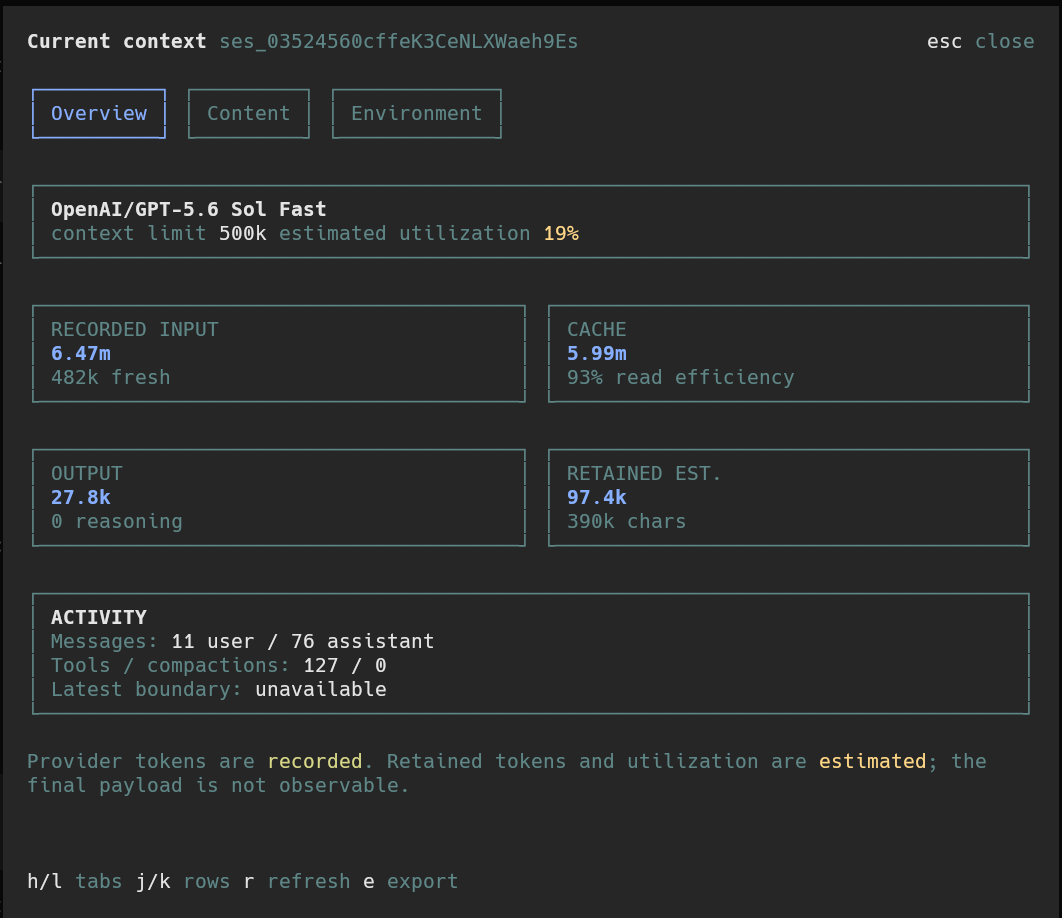
Overview
Provider-recorded token usage, estimated context utilization, cache efficiency, and session activity.
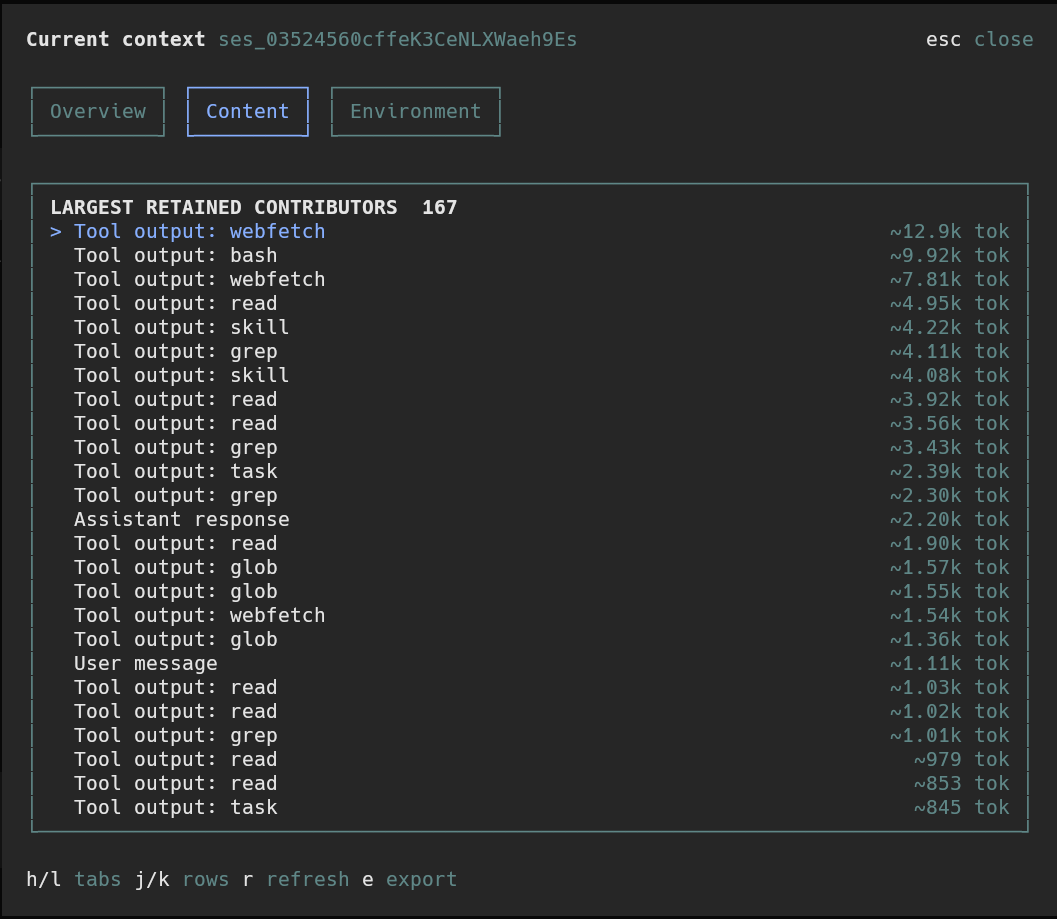
Content
The largest observable retained messages, reasoning, attachments, and tool outputs.
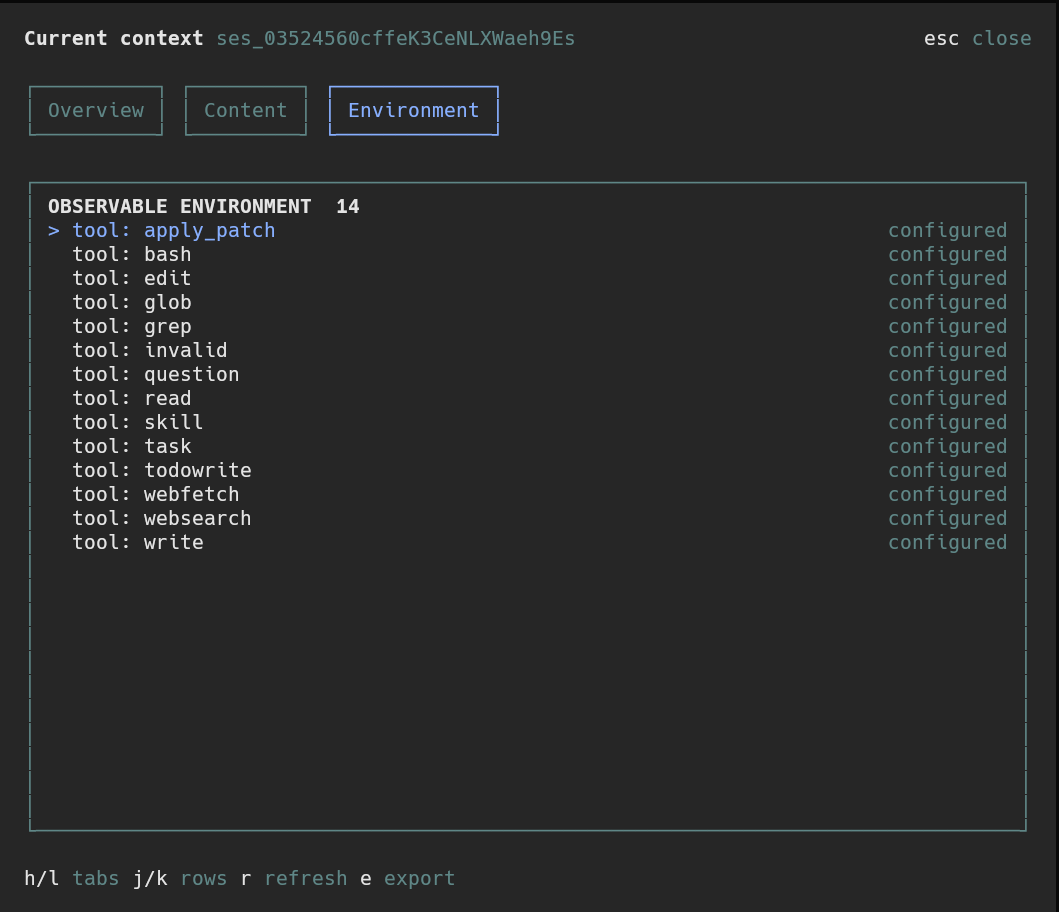
Environment
Observable instructions, agents, skills, MCP servers, and available tools.
Published on npm as opencode-context-tui.
Requirements
- OpenCode 1.18.11 or newer within the 1.x release line
- Bun, which is already used by OpenCode's plugin runtime
The TUI plugin API is new and version-coupled. This package declares an engines.opencode range so incompatible OpenCode versions skip it rather than loading an unsupported interface.
Install
Install globally so /context is available from every project:
opencode plugin --global opencode-context-tui
The package exposes a TUI entrypoint only. OpenCode updates ~/.config/opencode/tui.json for the native modal.
Quit and restart OpenCode after installation. Plugin configuration is loaded only at startup.
Then run inside a session:
/context
Context Modal
h/lor left / right arrows: switch tabsj/kor arrow keys: move selectionr: refresh immediatelye: export a redacted snapshotesc: close the modal
The modal also refreshes automatically when session messages change. It follows the active OpenCode theme and adapts to narrow terminals.
Accounting
The report keeps three kinds of data separate:
- Recorded: input, cache-read, cache-write, output, and reasoning tokens reported on OpenCode assistant messages
- Measured: local character and byte counts from retained message parts available to the TUI
- Estimated: retained token counts and context utilization derived locally from observable content
Estimated values are not provider billing totals or an exact reconstruction of the next provider request. OpenCode does not expose the final provider payload or every hidden system-prompt layer through a stable public API.
Export
Press e to write a redacted JSON snapshot under:
<opencode-state>/opencode-context-tui/exports/
Exports are explicit and stored outside the worktree by default. Likely secrets are redacted, and contributor previews are omitted. Review an export before sharing it.
Development
bun install
bun test
bun run typecheck
bun run build
To load a local checkout, reference its absolute directory in OpenCode's TUI plugin configuration, then restart OpenCode.
Data Model
The modal reads current TUI and SDK state for:
- Current provider, model, and context-window limit
- Provider-recorded token telemetry
- User and assistant message counts
- Tool-call and compaction counts
- Retained text, reasoning, tool output, and file attachment metadata
- Configured instructions, agents, skills, MCP servers, and available tools where exposed
Session content is analyzed locally. The plugin does not upload content, invoke an LLM, read OpenCode's private database, or persist session data during normal use.