
Spotme
SpotMe - gym mode for agentic coding. Works with OpenCode and Pi.
196
+4 in 30 days
258
201 in 7 days
57.2
Multi-signal model
4 days ago
2026-09-30
Install and configure
opencode.jsonWrites to this project's opencode.json — applies to this repository only.
opencode.json
{
  "$schema": "https://opencode.ai/config.json",
  "plugin": ["spotme@1.2.4"]
}
Writes to ~/.config/opencode/opencode.json — applies to every project.
~/.config/opencode/opencode.json
{
  "$schema": "https://opencode.ai/config.json",
  "plugin": ["spotme@1.2.4"]
}
If you want to modify the plugin locally, install it into the project and reference the local path.
shell
pnpm add -D spotmeOpenCode loads npm dependencies through its embedded runtime on startup and caches them locally — no manual global install needed.
Gym mode for agentic coding
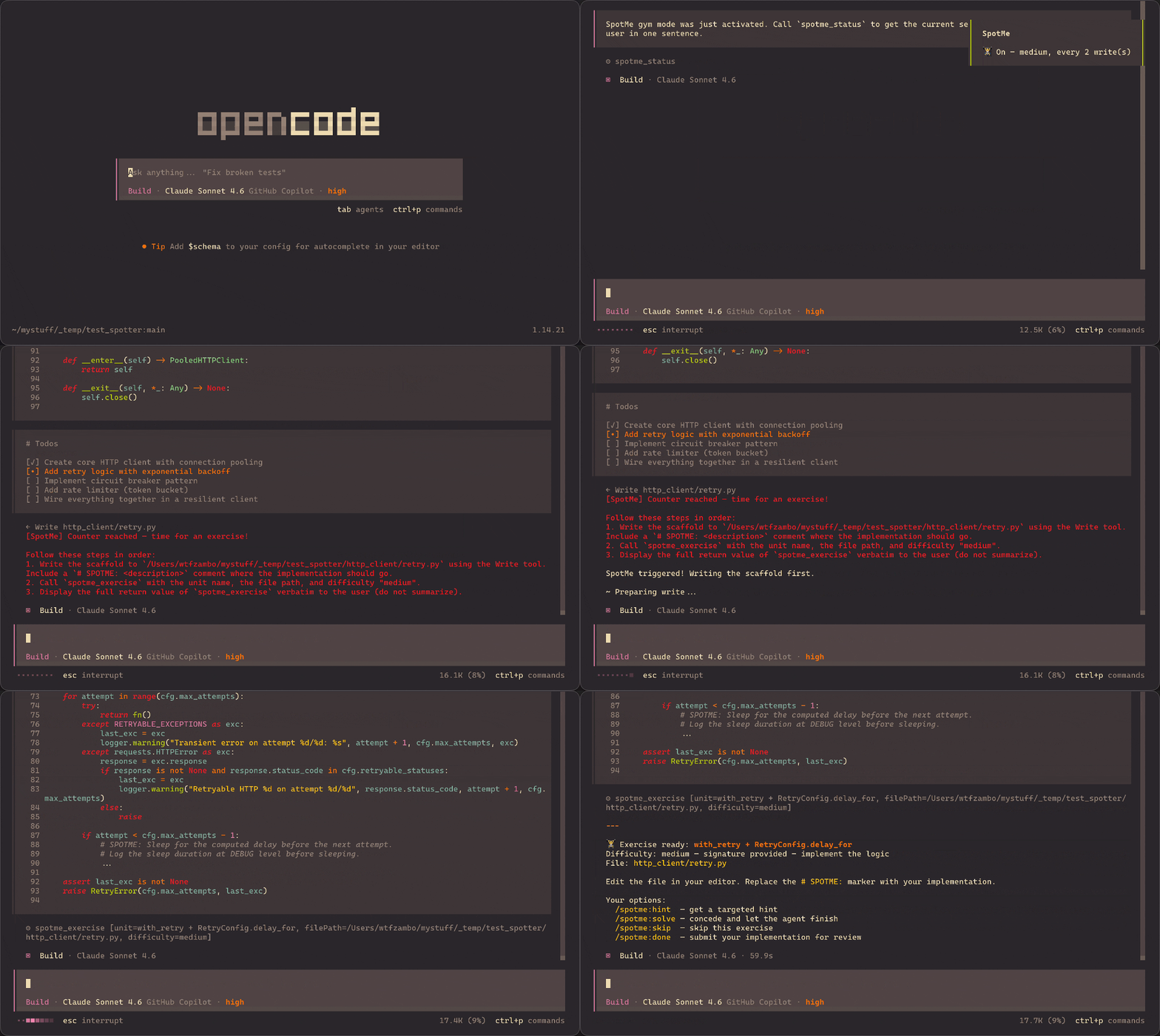
Instead of writing 100% of the code for you, the agent scaffolds a logical unit, hands it off, watches you implement it, and reviews your work before resuming.
___ Keep your edge ___
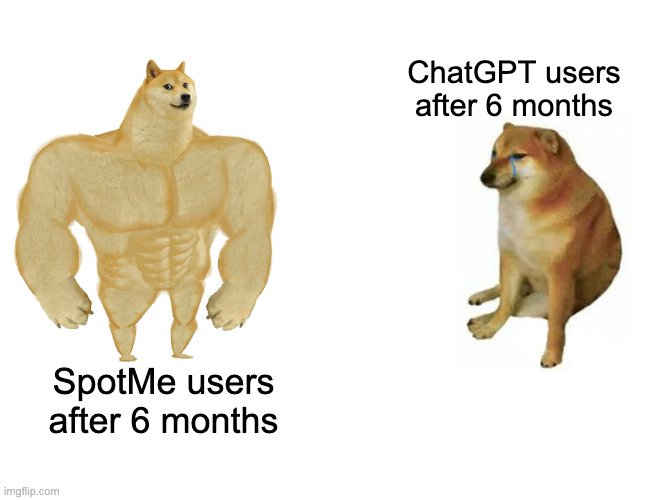
Heavy AI usage makes you stupid.
When BIG BAD AI COMPANY™ warns us about the negative effects of its own product, we should probably pay attention.
Much like sitting on your ass all day makes you weak and sad, keeping your brain in powersave mode all day makes you lazy and dumb.
The first you fix by going to the gym.
The second you fix by using SpotMe.
How it works
- Enable SpotMe at the start of a session:
/spotme:on [lite|medium|hard] [--every N] - Every N code-writing actions, the agent scaffolds the next unit instead of completing it
- You implement the marked section (
# SPOTME: ...) directly in your editor /spotme:done→ agent checks your work and gives brief, calibrated feedback- Agent resumes the original task
Commands
| Command | Description |
|---|---|
/spotme:on [lite|medium|hard] [--every N] |
Enable gym mode. Default: medium, every 2 |
/spotme:off |
Disable — agent writes code normally |
/spotme:status |
Show current state |
/spotme:rep |
Request an exercise on-demand |
/spotme:done |
Submit your implementation for review |
/spotme:hint |
Get one targeted hint |
/spotme:solve |
Concede — agent completes the exercise |
/spotme:skip |
Skip this exercise, no note |
Difficulty levels
| Level | Agent writes | You write |
|---|---|---|
lite |
Signature + docstring + structure | Just the body |
medium |
Signature + # SPOTME: spec comment |
All logic |
hard |
Plain English spec comment only | Everything |
Install
OpenCode
Add to your opencode.json:
{
    "$schema": "https://opencode.ai/config.json",
    "plugin": ["spotme"]
}
Pi
Install as a Pi package:
pi install npm:spotme
SpotMe integrates as a Pi extension with programmatic slash commands and custom tools (spotme_exercise, spotme_end, spotme_status). Commands that don't require LLM reasoning (/spotme:on, /spotme:off, /spotme:status) execute instantly via the Pi UI. Commands that need LLM input (/spotme:done, /spotme:solve, /spotme:skip, /spotme:hint, /spotme:rep) inject exercise details directly into the prompt for seamless review.
Pi supplies @sinclair/typebox at runtime. Both TypeBox and the Pi API are optional peer dependencies: OpenCode-only installations need neither, since the OpenCode adapter uses @opencode-ai/plugin's schemas. Development installs retain both packages for typechecking.
Skill only (any harness that supports AgentSkills)
Copy SKILL.md into your harness's skills directory. This gives the prompt layer without the automated tool interception — commands still work, but the counter-based trigger won't fire automatically.
Star History
Like it? Star it!
Local Development
Run the repository checks with Bun:
bun install --frozen-lockfile
bun run typecheck
bun run lint
bun run build
bun run test:packaging
The packaging check creates an npm tarball, installs it with Bun in a temporary directory without development dependencies, and checks both OpenCode entrypoints and Pi package discovery/tool registration. It uses the development Pi SDK by default. To verify against another npm-installed host (including Pi 0.99.1), pass that package's directory:
PI_SDK_PATH=/path/to/node_modules/@earendil-works/pi-coding-agent bun run test:packaging
On Pi versions exposing package warnings, the test also restores the broken manifest temporarily to confirm that the original warning is detected, then verifies the fixed manifest has no warnings. Temporary files are cleaned up; nothing is published and user Pi settings are not changed. See release preparation before pushing release-related changes.
To develop and test a branch locally:
# 1. Clone SpotMe locally
mkdir ~/temp && cd ~/temp
git clone https://github.com/wtfzambo/spotme.git

# 2. Create a new directory somewhere
mkdir ./test_spotme && cd ./test_spotme

# 3. Run scripts/test-local-branch.sh from the new folder
../spotme/scripts/test-local-branch.sh
Then, in test_spotme, open your agent harness (OpenCode, Pi...) and verify spotme commands exist. Finally, checkout the SpotMe branch you need.
Name
The agent is your spotter. It sets up the lift, stands by while you push, catches you if you call for help. The work is yours.
Similar plugins

Dejavu Gates
dejavu-gates
Cross-session error gates for AI coding agents: detects recurring tool-call failures and promotes them into enforced gates. Remind first, block on same-session repeat offense. Works with OpenCode, Claude Code, Codex CLI, Gemini CLI, Cursor, Copilot CLI, a

Better Compact
better-compact
OpenCode plugin that improves long-session context with boundary-time pruning

Autopilot Logbook
opencode-autopilot-logbook
OpenCode plugin that auto-generates daily reports on session idle