
V2 Slim
Smart context management plugin for OpenCode v2 - semantic compression, cost-aware pruning, adaptive thresholds
2
+1 in 30 days
4,764
1.2k in 7 days
48.6
Multi-signal model
2 days ago
2026-10-02
Install and configure
opencode.jsonWrites to this project's opencode.json — applies to this repository only.
opencode.json
{
  "$schema": "https://opencode.ai/config.json",
  "plugin": ["@serkanalgur/opencodev2-slim@3.2.0"]
}
Writes to ~/.config/opencode/opencode.json — applies to every project.
~/.config/opencode/opencode.json
{
  "$schema": "https://opencode.ai/config.json",
  "plugin": ["@serkanalgur/opencodev2-slim@3.2.0"]
}
If you want to modify the plugin locally, install it into the project and reference the local path.
shell
pnpm add -D @serkanalgur/opencodev2-slimOpenCode loads npm dependencies through its embedded runtime on startup and caches them locally — no manual global install needed.
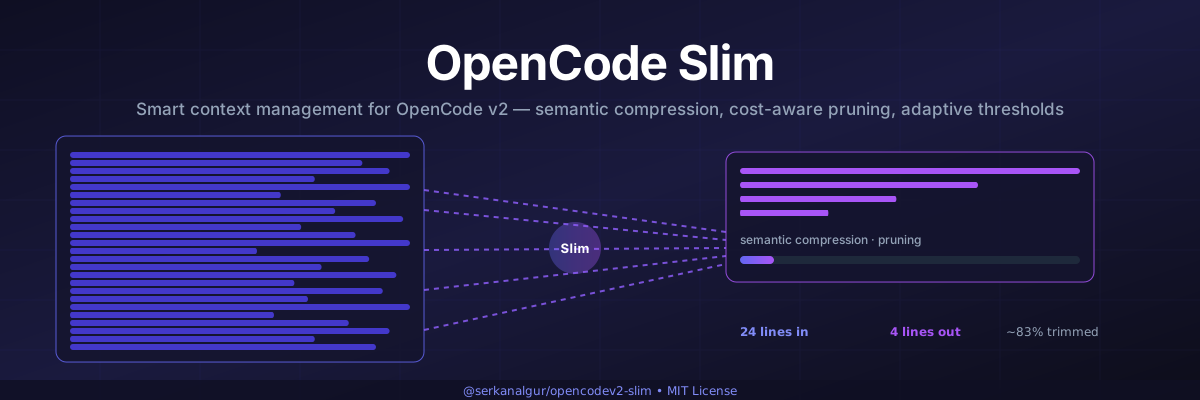




Smart context management plugin for OpenCode v2 — semantic compression, cost-aware pruning, adaptive thresholds
Installation • Usage • Features • Configuration • How It Works • Commands • Changelog
Features
- TUI Panel - Rich context usage visualization with status indicators
- Enhanced Compress - Auto/range/topic modes for flexible compression
- Semantic Compression - Groups related tool calls and compresses them intelligently
- Cost-Aware Pruning - Considers token pricing when deciding what to compress
- Adaptive Thresholds - Learns from compression history to optimize timing
- Session Persistence - Saves state across restarts
- Deduplication - Removes repeated tool calls automatically
- Error Purging - Cleans up failed tool call outputs after configurable turns
- Tool-Output Pruning - Replaces old, large tool-result payloads on the outgoing request (opt-in, off by default)
- Measured vs Estimated Tokens - Merges the server's real usage with a full-prompt estimate, and labels which one the panel is showing
- Topic Extraction - Identifies and tracks conversation topics
- Smart Recommendations - Provides actionable suggestions for context optimization
Installation
opencode plugin @serkanalgur/opencodev2-slim@latest --global
This installs the plugin globally. The TUI features (panel, slash commands) are automatically loaded when OpenCode starts.
Manual Installation
If the CLI command doesn't work, add to your ~/.config/opencode/opencode.json:
{
  "plugins": ["@serkanalgur/opencodev2-slim"]
}
Usage
Slash Commands
After installation, these slash commands are available in the TUI:
/panel— Context window panel in a dialog: message/token breakdown for the active context, the resolved compression trigger, and live measurements/compress— Sends the assistant a compression instruction (see below)/status— One-line context health report (tokens / limit / %, model, cost)/slim-debug— Togglesdebugin~/.config/opencode/slim.jsonc
/panel, /status and /slim-debug are display-only: they render through
context.ui.dialog.alert and never append anything to the session transcript.
/compress is the exception — it is a deliberate instruction to the model.
TUI Panel
/panel prints:
- Session id and the scope of the numbers — they come from
session.context, i.e. messages since the last compaction, not session totals. The panel states this on aScope:line. - Message breakdown by role (user/assistant/system), tool calls, and compactions within that scope
- Estimated tokens per role plus a total estimate
- The resolved compression trigger, as a token count and as a percentage of the
context window, then the floor on a continuation line —
Trigger: … tokens (…% of … window)followed byfloor …— the same two lines thepaneltool prints - Live measurements: tokens, usage %, status, cost, model
panel tool
The panel tool prints a richer, boxed report. Two lines make the numbers
self-explanatory:
Source: measured (server-reported)/Source: estimated (approximate)— where the headlineContexttoken figure came from (see Measurement trust). An estimate is a magnitude, not an exact count.Prune: N outputs · ~X chars (~Y tokens), with the caveatsaved on the last request only, not cumulativeon a continuation line — tool-output pruning activity from the most recent request. It is a per-request figure (the plan is re-applied every request), not a cumulative saving, and the line appears only when pruning is enabled or the last request actually pruned something.
Compress Tool
The enhanced compress tool supports multiple modes:
// Auto mode (default) - intelligently selects what to compress
compress({ focus: "old exploration" })

// Range mode - compress specific message range
compress({ focus: "completed tasks", mode: "range", start: 0, end: 50 })

// Topic mode - compress messages matching a topic
compress({ focus: "database work", mode: "topic", topic: "database" })
/compress delivery
/compress does not compress anything itself — it writes a short instruction
(the focus/mode/keep-recent you passed) into the transcript so the assistant
calls the compress tool. Because the point is to make the model act now,
the synthetic message is sent with an explicit delivery: "steer":
steer(chosen) — delivered immediately: it interrupts an in-flight turn, andsession.syntheticwakes an idle session (resumestays at its defaulttrue). This matches both the server default (delivery ?? "steer") and the TUI's own default prompt delivery, so/compressbehaves like typing a message.queue(rejected) — a queued item is only taken when the runner is not already consuming a turn, so the instruction would wait for the next user turn instead of compressing now.
/panel, /status and /slim-debug write nothing to the session.
Configuration
Create ~/.config/opencode/slim.jsonc:
{
    "enabled": true,
    "compress": {
        "enabled": true,
        "permission": "allow",
        // Absolute token count (e.g. 200000) or percent of the model context
        // window ("80%"). Broken values fall back to the default, never 0.
        "maxContextLimit": "80%",
        "minContextLimit": "40%",
        "nudgeFrequency": 5,
        "protectUserMessages": false,
        "protectedTools": ["task", "skill", "todowrite", "todoread"]
    },
    "strategies": {
        "deduplication": {
            "enabled": true,
            "protectedTools": []
        },
        "purgeErrors": {
            // OFF by default. In 3.0.2 this was configured as `true` but
            // matched nothing, because it looked for the pairing id on
            // `toolCallID`/`callID` while the id lives on `part.id` — see
            // "Purge-errors migration" below before turning it on.
            "enabled": false,
            "turns": 4,
            "protectedTools": []
        },
        // OFF by default. When enabled, replaces the payload of old, large,
        // non-protected tool results on the outgoing request only.
        "pruneOutputs": {
            "enabled": false,
            "minChars": 2000,
            "maxPerRequest": 50,
            "protectedTools": []
        },
        // Never prune a tool result produced within the last `turns` turns.
        "turnProtection": {
            "enabled": true,
            "turns": 4
        },
        // ON by default, escape hatch only. Set to false only if you have a
        // reason to: it lets a range split a tool pair again, and the provider
        // will reject the next request with `invalid_request_error`.
        "guardToolPairs": true
    },
    // Measured-vs-estimated token accounting (see "Measurement trust" below).
    "usage": {
        "trustRatio": 0.5,
        "capRatio": 3
    },
    "adaptive": {
        "enabled": true,
        "learningRate": 0.1,
        "minCompressionRatio": 0.3
    },
    "costAware": {
        "enabled": true,
        "cacheBoostFactor": 0.5
    },
    "persistence": {
        "enabled": true,
        // Primary store is OpenCode's plugin storage, keyed per project.
        // This directory is the migration source and fallback mirror, and is
        // left in place after an upgrade — see "Session Persistence" below.
        "directory": "~/.config/opencode/slim"
    }
}
Configuring with opencode.jsonc (plugin options)
Instead of editing the machine-wide slim.jsonc, the plugin accepts options
inline through the object form of the plugins array. This is what you want
for per-project or per-checkout settings:
{
  "plugins": [
    {
      "package": "@serkanalgur/opencodev2-slim",
      "options": {
        "compress": {
          "maxContextLimit": "80%",
          "minContextLimit": "40%"
        },
        "strategies": {
          "pruneOutputs": { "enabled": true }
        }
      }
    }
  ]
}
The options object uses exactly the same shape and keys as slim.jsonc — a
partial override is merged, not replaced, so the keys you leave out keep their
values from the file (and their built-in defaults where the file is silent).
That includes compress.modelMaxLimits and compress.modelMinLimits, which
merge per model key: an override naming one model leaves the others alone.
Precedence, lowest to highest:
- built-in defaults
slim.jsoncin the config directory- the
optionsobject above
Options win because they are the more specific statement of intent: they are
written per project, while slim.jsonc is one machine-wide file. slim.jsonc
remains the fallback for every key the options object does not mention, so you
can keep shared defaults there and override only what differs per project.
The whole feature is opt-in. With no options key present, behaviour is
unchanged.
Context thresholds
compress.maxContextLimit and compress.minContextLimit (and their per-model
overrides compress.modelMaxLimits / compress.modelMinLimits, keyed
"providerId/modelId") accept two forms:
| Form | Example | Meaning |
|---|---|---|
| Number | 200000 |
Absolute token count — triggers once the session reaches 200k tokens. |
| Percent string | "80%" |
Percentage of the model's context window (80% of 200k = 160k tokens). |
Percent strings accept a decimal comma for locale-typed configs: if the plain
parse fails, every comma is retried as the decimal separator, so "80,5%"
means 80.5% of the window (write absolute counts as JSON numbers — thousands
separators are not supported). A value that still cannot be parsed falls back
to the built-in default with a console warning, deduplicated per
(config key, issue, offending value) — repairing a value and breaking the key
again with a different bad value warns again.
Values that cannot be used (unparsable, negative, or a percent while the model
window is unknown) fall back to the built-in default (100000 / 50000) with a
one-time console warning — never to 0, which would disable triggering. An
absolute threshold above the context window is clamped to that window so it can
still fire. Both panel surfaces — the panel tool and the TUI /panel dialog —
show the resolved trigger as a token count and as its percentage of the window
(Trigger: … tokens (…% of … window)), with the floor on its own continuation
line (floor …), and with the percentage omitted when the window is unknown.
What the threshold is actually compared against. maxContextLimit /
minContextLimit are compared against the size of the outgoing prompt we are
about to send — the real measured usage of the last completed request when the
provider reported one, otherwise a full-prompt estimate (system prompt, tool
schemas, message text, tool-call inputs and tool results). They are never
compared against the session's lifetime cumulative token counter, which grows
without bound because cache.read re-reads the whole context every turn. The
panel reflects this split explicitly:
Context: [█…] …%(the bar) is the current prompt size — the figure the threshold applies to, with its magnitudes on the continuation line… / … tokens.Lifetime: … tokens · cumulative spend, NOT context sizeis the separate lifetime total (Session.Info.tokens), shown only when it differs from the prompt size. It is a cost statistic, not occupancy.
The Context figure also carries a Source: line naming where it came from —
see Measurement trust below.
Tool-output pruning and turn protection
strategies.pruneOutputs replaces the payload of old, large, non-protected
tool results (e.g. a huge read, grep or bash output) with a short
placeholder on the outgoing request only — session history is never touched.
It is OFF by default (enabled: false): pruning rewrites an earlier part of
the prompt and therefore invalidates the provider's prefix cache, so it costs a
one-time full-price request per newly pruned turn.
| Key | Default | Meaning |
|---|---|---|
pruneOutputs.enabled |
false |
Master switch. Opt-in; an absent block leaves the prompt untouched. |
pruneOutputs.minChars |
2000 |
Minimum serialized size (characters) for an output to be eligible. |
pruneOutputs.maxPerRequest |
50 |
At most this many outputs pruned per request. Never splits a turn. |
pruneOutputs.protectedTools |
[] |
Extra tool names kept, on top of the always-protected set (task, skill, todowrite, todoread, write, edit, …). purgeErrors.protectedTools is folded into this set too. It says nothing about errored results: those are never pruned, whatever the list says. |
turnProtection.enabled |
true |
Keep the most recent turns intact. |
turnProtection.turns |
4 |
Number of recent turns never pruned — the working set the model is actively using. |
Because the prune plan is rebuilt and re-applied on every request, any
saving it produces is a per-request figure, not a cumulative or permanent one.
The panel tool states this on its Prune: block
(Prune: … outputs · … chars (… tokens) followed by
… saved on the last request only, not cumulative) and shows it only when
pruning is enabled or the last request actually pruned something; with the
default (off) the block is absent.
Purge-errors migration
strategies.purgeErrors used to default to enabled: true, and if you never
wrote the key into slim.jsonc you were running it. It did nothing. The
strategy matches an errored tool result to its call, and it was reading the
pairing id from toolCallID / callID — fields that do not exist on the v2
message shape, where the id lives on part.id. Every lookup came back empty, so
the purge never fired, on any request, for any session.
The lookup is fixed, which means the strategy now does what its name says: for
a tool call whose result errored, and which is at least turns positions behind
the end of the conversation, every string value longer than 80 characters in its
input is replaced with [input removed due to failed tool call]. The error
itself and the rest of the input are kept.
Because that is a visible change to the outgoing prompt from a path that had
never executed, the default is now enabled: false.
- You never set the key. Nothing changes for you. It stays off until you ask for it.
- You set
purgeErrors.enabled: trueexplicitly. It now works. Expect the rewritten inputs described above on the first request after upgrading, and check that losing those long input values does not break anything you rely on for error recovery — a failed call is exactly the one you may want to re-read.
The purge and the Tool-pair guard both act on
event.messages in the same context hook, so enabling one does not leave the
other passive: whatever the guard is protecting, the purge is rewriting.
purgeErrors.protectedTools is the escape hatch for that. A tool named there is
skipped on both sides of a pair: its errored result never registers the call as
a purge candidate, and the rewrite pass re-checks the name before touching the
input. Because the two sides can carry the name differently, the name is read
per part — name on the v2 tool-call / tool-result parts, tool on the v1
{ type: "tool" } part — and falls back to the other side of the pair. If
neither side carries a name, the tool is not protected: an unknown name is
not in your list, and silently sparing every nameless tool would make the purge
appear to do nothing.
| Key | Default | Meaning |
|---|---|---|
purgeErrors.enabled |
false |
Master switch. Opt-in after 3.0.2. |
purgeErrors.turns |
4 |
A call is only purged once it is at least this many messages from the end. |
purgeErrors.protectedTools |
[] |
Tool names exempt from the purge: an errored call to one of these keeps its input verbatim. Only the input is spared — the error message itself is never rewritten, and an errored result's output is never pruned by anything. The list is also folded into pruneOutputs.protectedTools, so it additionally protects that tool's successful outputs from size-based pruning. A tool whose name cannot be read from either side of a pair is not protected. |
Tool-pair guard
Compression blocks and deduplication both drop whole messages, which can
split a tool call from its result. The host repairs one direction of that split
(it synthesises Tool result missing for a surviving call) but not the other: a
surviving role:"tool" result whose call is gone is emitted with an orphan
tool_call_id and the next request fails with [invalid_request_error] invalid request.
strategies.guardToolPairs therefore forbids removing a tool-call whose
tool-result is not removed by the same pass. It is ON by default; set it
to false only as an escape hatch, because turning it off on a range that
splits a pair restores the 400. A block whose covered range ends up entirely
locked by the guard is skipped altogether rather than injecting a summary with
no removal behind it.
The summary itself is injected as a role:"user" message wrapped in a
<conversation-checkpoint> envelope, so the model can see where the replaced
range began and ended. The tags are part of what your model reads on every
compressed turn — mention them if you need to.
Nothing the guard does can be undone by the
Purge-errors migration, because that one rewrites
input values in place and never removes a message — it leaves every pairing
intact. Order only matters when you are debugging: the guard runs first, on the
unpurged messages.
| Key | Default | Meaning |
|---|---|---|
guardToolPairs |
true |
ON by default, escape hatch only. Never remove a message carrying a tool-call whose tool-result survives. Applies to compression blocks and deduplication; anything other than an explicit false counts as on. |
Measurement trust (usage)
The trigger merges two independent numbers:
- measured — what the provider actually reported for the last completed
request (
session.step.ended:input + output + reasoning + cache.read + cache.write). Exact for that request, but it describes the previous prompt, so it goes stale the moment pruning/compression shrinks the next one. - estimated — a character-count approximation of everything on the wire for this request (system prompt, tool schemas, text, reasoning, tool-call inputs, tool results, compaction summaries), divided once by ~4 chars/token. No tokenizer is invoked, so it is a magnitude, not an exact count.
Neither is safe alone, so the two are clamped in both directions:
| Key | Default | Meaning |
|---|---|---|
usage.trustRatio |
0.5 |
A measurement below this fraction of the estimate is treated as stale and the estimate wins. |
usage.capRatio |
3 |
A measurement above this multiple of the estimate is treated as a broken reading and capped at capRatio × estimated. |
Both fields are optional and fall back to the defaults, so an absent block is
safe. The panel's Source: line reports where the panel's own headline
figure came from — measured (server-reported) when the server reported usage
for that request, otherwise estimated (approximate) — so an approximation is
never mistaken for an exact count. It does not replay the merge above: the
trigger applies its own trustRatio/capRatio rules to the measured total
(input + output + reasoning + cache.read + cache.write) against the
outgoing-prompt estimate, a different quantity from the panel's Context figure.
The panel's Context: line is the last request's prompt size
(input + cache.read + cache.write) and its Lifetime: line is the session's
cumulative spend; the two are never mixed, and Source: labels only the
Context figure.
Global limits are only resolved when they are actually needed: a model with a
valid compress.modelMaxLimits / compress.modelMinLimits override never
reads — and never warns about — the global maxContextLimit /
minContextLimit. The fallback chain itself is unchanged and covered by the
test suite: a broken per-model override degrades to the configured global
(not straight to the built-in default), a broken global degrades to the
built-in default, and warnings fire once per (key, issue, value) across
repeated calls.
How It Works
Semantic Compression
Unlike simple text truncation, slim analyzes the semantic content of messages and groups related tool calls together. This preserves context while removing redundancy.
Cost-Aware Pruning
Slim considers the cost of tokens when deciding what to compress. It prioritizes compressing expensive operations (like large file reads) while preserving cheap but important context.
Adaptive Thresholds
The plugin learns from your compression patterns and adjusts thresholds over time. If you tend to need more context, it will compress less aggressively. If you're efficient, it will compress more.
Session Persistence
State is saved so compression history and learning persist across restarts.
State now lives in OpenCode's plugin storage (ctx.storage) rather than a
single machine-wide directory, and is keyed by project directory. Two
checkouts on one machine no longer share one flat store, so a session in one
project cannot collide with a same-named session in another.
Upgrading from an earlier version: nothing to do. When slim starts and finds
state for a session only in the old ~/.config/opencode/slim directory, it
loads that state, carries it into the new store, and continues from it — your
compression history and adaptive thresholds survive the upgrade rather than
resetting. The old files are copied forward and then left in place; slim never
deletes them, so you can inspect or remove them yourself.
Two details worth knowing if you tune this:
- The old directory is still used as a fallback mirror, so state is recoverable even if the storage write fails.
- If the two copies ever disagree, slim resolves them by which was written last, not by preferring one store. Both copies record when they were written, so this works in either direction: running an older slim version that writes only the file does not roll your state back, and a failed mirror write that leaves storage ahead does not let a stale file overwrite it. The losing copy is then brought up to date so they converge.
Commands
| Command | Description |
|---|---|
/panel |
Open the Slim TUI panel in a dialog with context usage, stats, and trigger thresholds |
/compress |
Send the assistant a compression instruction (delivery: "steer") |
/status |
Show a one-line context health report in a dialog (never written to the session) |
/slim-debug |
Toggle debug in ~/.config/opencode/slim.jsonc and show the result in a dialog |
Note: Compression is performed by the AI assistant using the compress tool. The slash command provides guidance on usage; it is the only slash command that writes to the session, and it does so with an explicit delivery: "steer" (see Compress Tool).
Changelog
3.2.0
NEW
- Configuration can now be passed inline through the object form of the
pluginsarray inopencode.jsonc, instead of only through the machine-wideslim.jsonc. Theoptionsobject takes the same shape and keys as the file, and a partial override is merged rather than replaced, so anything you leave out keeps its value from the file and its built-in default. Precedence is defaults, thenslim.jsonc, thenoptions— options win because they are the per-project statement of intent. With nooptionskey present, behaviour is unchanged. - Session state now persists through OpenCode's plugin storage, keyed by project directory. Previously every project on the machine shared one flat directory, so two checkouts could collide on a same-named session.
MIGRATION
- No action is needed on upgrade. When slim finds state for a session only in
the old
~/.config/opencode/slimdirectory, it loads that state, carries it into the new store, and continues from it, so compression history and adaptive thresholds survive rather than resetting. The old files are copied forward and left in place — slim never deletes them, so you can inspect or remove them yourself. - The old directory is retained as a fallback mirror, so state remains recoverable if a storage write fails. If the two copies ever disagree, slim resolves them by which was written last, not by preferring one store — so neither running an older slim that writes only the file, nor a failed mirror write, can roll your state back or lose the newer copy.
FIXES
- The context window now follows the model the request is actually running.
It was resolved once at startup from the default model and then held for the
session's whole life, so switching from a 200k model to a 1M model mid-session
left every percent threshold resolving against the 200k window —
"80%"fired at 160k on a model that could hold 800k. The window is now resolved from each request's own model. Resolution only re-runs when the model actually changes, and a model that cannot be resolved never borrows another model's window; it keeps the last one it had. - A model id containing slashes (
openrouter/meta-llama/llama-3-70b-instruct) is now resolved instead of silently failing to match its own entry, which left such a model measuring against the wrong window. - A transient failure while reading the model list no longer latches: the window is re-resolved on a later request instead of staying wrong for the rest of the session.
compress.modelMaxLimitsandcompress.modelMinLimitsnow merge per model key instead of being replaced wholesale. Previously an override naming one model discarded every other model's entry, and because a missing key falls back to the global threshold, the affected models were quietly measured against the wrong limit rather than failing visibly. This affected every layer, so a partial override insideslim.jsoncwas affected too.persistence.enabled: falsenow stops all persistence again. When state moved to plugin storage, the flag was checked after the storage write, so turning persistence off stopped only the on-disk mirror while history kept accumulating silently. It now gates both layers.- Session hooks are now disposed when the plugin unloads. Previously the registrations were discarded, so a reload left the old callbacks attached to the host and stacked a second copy of the compression pipeline onto them — after N reloads, every request ran the pipeline N times. A dispose that throws no longer strands the remaining hooks.
3.1.0
FIXES
- Over-long panel values are now shortened instead of breaking the box. The
model id, topic name and recommendation lines are rendered from strings the
plugin does not control — a model id comes from the server, a topic name from
the model's own output — and a long enough value would run past the panel's
border. Each is now elided to fit, with a visible
…. - A model id is shortened in the middle, keeping both ends. An id reads as
provider/model, and you recognise it by the provider at the front and the model name at the end, so both are kept and the elision sits between them. Topic names and recommendations are shortened at the end, where their meaning is. - Values that already fit are never touched. No trimming, no normalisation, no marker — a value that fits, or that fits exactly, is printed byte for byte as received. The marker is the only thing that indicates shortening, and it is placed so a reader can tell the value was cut from the middle or the end.
DOCS
- The panel's width guarantee is now complete. The three previously-documented exceptions are gone, and the test suite's overflow allowlist is empty again: the sweep drives all three lines past the raw boundary and confirms the shortening is what makes them fit. The panel measures code points, so a status icon occupies more cells than the count suggests.
3.0.4
FIXES
strategies.purgeErrors.protectedToolsnow protects the tool's input. The option was documented but never consulted on the input side, so a tool named there still had the input of its failed call rewritten. It is honoured now, on every message shape. Note that the list is also folded into output pruning, so naming a tool here exempts it from the errored-input purge and from size-based output pruning of its successful results.- A tool whose name cannot be determined on a message part is now purged rather than protected, so opting a tool in can never turn into a purge that silently does nothing.
- Two panel lines no longer overflow the panel frame. The compression-trigger line and the pruning line were each split across two lines so every value fits; nothing was dropped and nothing was truncated. The trigger's floor and the pruning line's "last request only, not cumulative" caveat each moved to a continuation line, and both are still shown.
NEW
- Panel overflows from unbounded text are now disclosed rather than hidden. The model id, topic name and recommendation lines are emitted from unbounded server- or user-supplied strings and can exceed the frame at extreme lengths. They are not truncated — that is a deliberate decision deferred to a later change — but the exception is now recorded in the test suite with its reason, so a future change that fixes one of them cannot happen silently.
DOCS
- Corrected two panel-output descriptions that did not match what the renderer actually emits. A test now extracts the README's quoted output and checks it against rendered output, so this class of documentation drift fails the build instead of accumulating.
3.0.3
BREAKING CHANGES
strategies.purgeErrorsnow defaults toenabled: false. The strategy was configured to run but could not match a call to its errored result: it read the pairing id fromtoolCallID/callID, fields the v2 message shape does not carry, so every lookup came back empty and the purge never fired on any request. The lookup is fixed, and because it rewrites the outgoing prompt from a path that had never executed, it is now opt-in. If you set the key explicitly you get the working behaviour; if you never set it, nothing changes for you until you ask for it — see Purge-errors migration.
FIXES
- Compression summaries no longer leave out the output half of a protected tool.
The same lookup bug meant
part.outputwas silently missing from every protected tool's section, so restoring it exposed a section bounded only by the tool's own output size. The section is now capped and says so when it has been truncated, so a compression is always smaller than the range it replaced. - Compression statistics can no longer report a negative saving. If a summary
ends up larger than the range it replaces, the recorded saving is now
0%rather than a negative figure, and the panel no longer prints negative tokens or a negative dollar amount saved. A compression that does not shrink is not a saving. - A very large token count is no longer rendered as a string that overflows the panel. The token formatter was duplicated in two files and scaled in a single step, so a large value printed as a ten-character run that broke out of the panel frame. It is now one implementation with progressive units; values below a billion are formatted exactly as before.
NEW
- The README banner is now included in the published package, so it renders on npmjs without relying on npm to rewrite a relative image path.
DOCS
- Documented the
purgeErrorsopt-in default in Purge-errors migration, alongside the Tool-pair guard it interacts with on the same messages.
3.0.2
FIXES
- A compressed message range could leave a tool result behind without the tool
call that produced it, and the next model request was rejected with
[invalid_request_error] invalid request. The covered range was selected on token size, and a message carrying only tool calls counts as zero text tokens — so such a message fell outside the range while its (large) tool result fell inside it, leaving an orphanedtool_call_idon the wire. This affected thecompresstool and automatic compression alike. - Compression no longer breaks a tool call/result pair. The rule is one-directional: a tool call may only be removed when every tool result carrying the same id is removed by the same pass. A surviving call whose result is missing is repaired by the host, but a surviving result whose call is missing is not. A block whose covered range ends up removing nothing is skipped entirely rather than injecting its summary, so compression can never grow the prompt.
- The same protection now applies to output deduplication, which could orphan a tool pair the same way.
- Sessions compressed by an earlier version are repaired automatically. The protection is applied when the request is built, so a block registered before the fix that covers a broken range is corrected on the next request — no state reset and no manual intervention.
- The injected summary is now wrapped in a
<conversation-checkpoint>envelope, so the model can see where the replaced range began and ended. - Session state is more robust against a corrupt or hand-edited state file: malformed compression-block entries are dropped on load and the file heals itself, the block-id counter can no longer be reset into a collision with an existing block, and a failure inside the compression step is rolled back instead of leaving half-applied state on disk.
NEW
strategies.guardToolPairs(default on) is the escape hatch for the pair protection described above. Turn it off only if you are debugging the guard itself — see Tool-pair guard for the full semantics.
3.0.1
FIXES
- The context window is no longer resolved by borrowing an arbitrary model's
limit. When the active model is not found in the model list, the resolver no
longer falls back to "the first listed model with any limit"; it now uses the
active model's
default()limit and, failing that, the documentedDEFAULT_MODEL_LIMITwith a warning. A usage percentage computed against another model's context window is meaningless. The TUI's resolver was tightened the same way, from a modelID-only match to an exact providerID+modelID match. - The panel and TUI no longer fall back to the lifetime-cumulative token counter
when showing how full the context window is. When the transcript carries no
per-call prompt measurement, the displayed occupancy now falls back to our own
per-message transcript estimate rather than the session's cumulative total —
which grows every turn, because
cache.readre-reads the whole context, and which therefore produced bogus "100% critical" readings. The cumulative figure is still reported where it is legitimate (as lifetime spend/cost) and is still explicitly labelled as not being a context size. Thestatus/CRITICALderivation is now clamped to 0..100. - The welcome toast no longer reports a stale version. The
Slim Plugin vX.Y.Ztitle was a hardcoded literal that had drifted tov2.1.0; it is now derived from a singlePLUGIN_VERSIONconstant, guarded by a test that keeps it in sync withpackage.json.
DOCS
- Refreshed the README: banner, badge row, and a
## Creditssection.
3.0.0
BREAKING CHANGES
- The compression trigger threshold is now compared against the outgoing
prompt's measurement/estimate. The old
Session.Info.tokenslifetime cumulative cost counter is no longer used to decide the trigger, so existing config files with tunedmaxContextLimit/minContextLimitcan behave differently and may need re-tuning. In the panel,Context:is the last request's prompt size (input + cache.read + cache.write) andLifetime:is the session's cumulative spend; the two are shown separately. When the transcript carries no per-turn usage the old figure is still shown, explicitly labelled as lifetime cumulative. /panel,/statusand/slim-debugno longer write to the session (no transcript message); their output is shown in a modal dialog (context.ui.dialog.alert). Previous versions wrote the output into the message stream. Only/compressstill writes (it is an instruction to the model) and now passes an explicitdelivery: "steer"instead of relying on the server default.
FIXES
- Session corruption: removed v1 API remnants (
client.session.synthetic,data.session.message.*) and migrated to the OpenCode v2 API. - Compression blocks did not work in production: in the v2 context hook,
messages have no
idfield, so the old code always found an empty id and deleted every block. Now uses deterministic content-based key generation plus an ambiguity lock. - The token metric only counted text parts (tool input/output, system prompt,
tool schemas and reasoning were not counted), so auto-compress effectively
never triggered. Now uses the real API measurement (
session.step.ended) plus a full-prompt-scoped estimate. - In v2 a tool result is an array of content blocks, not a string;
String()produced[object Object]. - The panel threw
RangeErrorwhen above 100% (negative repeat on a full bar). - An invalid threshold value silently fell back to 0, so the trigger never fired. It now falls back to the default and emits a warning.
- Context-window resolution: the model list was called without
await, so it always fell back to 200000. - Decimal comma support (
80,5%).
NEW
maxContextLimit/minContextLimitaccept absolute token counts (a bare number); percentage forms (80%,80,5%) keep working.strategies.pruneOutputsprunes tool output (default OFF, opt-in) with turn protection. Auto-compress keys are captured before pruning replaces pruned messages with clones, so pruning no longer desynchronises the persisted compression block's anchors from the messages it covered (which left the block inert and re-triggered every throttle window).usage.trustRatio/usage.capRatiomeasurement-trust settings.- State reset after compaction (
compressionBlocks, nudge anchors, token measurement). - The panel shows a
Source: measured (server-reported)line (orSource: estimated (approximate)) and prune statistics. TheSource:line describes where the headline figure came from —measured (server-reported)when the server reported usage, otherwiseestimated (approximate)— so an approximation is never read as an exact count. ThePrune:line reports outputs pruned and characters/tokens saved on the last request (a per-request figure, since pruning is re-applied every request; the line is absent while the default-off feature has not pruned anything). /panelstates its scope: the stats come fromsession.context("all messages after the last compaction"), soMessages:/Tokens (est)are window counts, not session totals, and it now shows the resolved compression trigger over two lines (Trigger: … tokens (…% of … window)thenfloor …), matching thepaneltool.deriveStatscounts unknown message types (agent-switched,model-switched,location-switched,idle, …) assysteminstead ofassistant, keepinguser + assistant + system === total messages.- Documented
strategies.pruneOutputs(off by default) andstrategies.turnProtectionin the config reference, plus theusagemeasurement-trust ratios (trustRatio/capRatio), and clarified thatmaxContextLimitis compared against the outgoing prompt estimate/measurement — not the lifetime cumulative counter.
2.0.13
- Fix
/panelin the TUI not reflecting real context usage:- The TUI command now reads live server measurements (
Session.Info.tokens+cost+model+ context window) viacontext.client.session.get()and prints them (measured tokens, %, cost, model) at the bottom of the panel, matching what thepaneltool reports. - Resolve the active session from
context.ui.router.current()instead of a non-existentcontext.router, so the panel targets the focused session rather than always the first one. - Call
context.data.session.message.sync()before reading the transcript so stats aren't computed from an empty/stale cache.
- The TUI command now reads live server measurements (
2.0.12
- Bind panel/nudge to real OpenCode context measurements:
- Resolve the active model's real context window from
ctx.model.default().data.limit.contextinstead of the hard-coded 200k. /panelnow reads live server measurements (Session.Info.tokens+cost) viactx.session.get()and feeds them tobuildPanelData, so the headline tokens/percent/cost match what OpenCode's UI reports.- The nudge decision prefers the measured token count over the rough 4-char estimation.
- Resolve the active model's real context window from
2.0.11
- Fix CI publish: add
solid-js,@opentui/core,@opentui/solidtodevDependencies. The workflow runsnpm ci --legacy-peer-deps, which skips peer deps, so loading@opencode/plugin/tuifailed withCannot find package 'solid-js'.
2.0.10
- Fix
/paneloutput showingUser tokens: 0: user/system messages carry their text on a top-leveltextfield (not insidecontent), whichderiveStatsnow captures. - Add regression tests for CLI panel stats.
2.0.9
feat(panel-as-message):/panelandslim-panelnow print the context stats as plain text into the message stream viaclient.session.synthetic, instead of taking over OpenCode's own panel UI (session.panelslot +ui.panel.openremoved).- The TUI panel now derives its own stats (token estimate, role breakdown, tool/compaction counts) directly from the session transcript rather than deferring to the server tool.
2.0.8
- Fix
keymap.provider is missingin the CLI plugin: register the keymap layer inside anappslot render (where the keymap provider is available) instead of insetup().
2.0.7
- Fix
Cannot find package 'react'when the plugin is loaded from the global npm cache: add a per-file/** @jsxImportSource @opentui/solid */pragma tosrc/tui.tsxso JSX always compiles against@opentui/solid/jsx-runtime - Ship
tsconfig.jsonin the published package so loaders that readjsxImportSourcefrom config pick it up
2.0.6
- Add real
compactionhook so history actually shrinks (thecontexthook only affects the outgoing request) - Resolve the active model's real context limit instead of hard-coding 200k
- Register
compress/paneltools withoptions.codemodeso they appear in agent/codemode environments - Fix token-by-role panel bug where
toolsalways equalled zero - Replace toast-only CLI panel with a real
session.panelslot (slim-panel//panel) - Add regression test for the tool-token bucket
2.0.3
- Fix v2 API compatibility issues
- Remove namespace from tool registration
- Handle both v1 and v2 message part types
- Make context hooks synchronous
2.0.2
- Update README documentation
- Add GitHub Actions workflow for automated npm publish
2.0.1
- Fix npm publish conflict
2.0.0
Breaking Changes: Migrated to OpenCode v2 plugin API.
- Migrate from
@opencode-ai/pluginto@opencode/plugin - Use
Plugin.define()pattern instead of server function - Register tools via
ctx.tool.transform()with JSON Schema input - Replace experimental hooks with
ctx.session.hook() - Replace event callback with
ctx.event.subscribe() - Update cleanup to use setup return function
- Minimum OpenCode version: 2.0.0
1.0.1
- Initial release
Credits
- PrakharSrivastav — reported issue #11, suggesting that a context window should not be resolved by borrowing an arbitrary model's limit, and that current context usage should be measured per model call rather than read off session lifetime totals. Both suggestions shipped in 3.0.1.
License
MIT
Similar plugins

Slim
@serkanalgur/opencode-slim
Smart context management plugin for OpenCode - semantic compression, cost-aware pruning, adaptive thresholds

Smartsnip
opencode-smartsnip
Cuts shell-output tokens in opencode. Wraps only what snip can filter — everything else runs byte-identical.

Context Pruner
opencode-context-pruner
Continuous verbatim context pruning for OpenCode, powered by TypeSafe Jev. Port of fast-jev-compaction adapted to OpenCode's context hook.