
Cost Details
OpenCode TUI plugin: adds current and previous turn cost to the sidebar Context section
1
478
48 in 7 days
38.9
Multi-signal model
6 days ago
2026-09-29
Install and configure
opencode.jsonWrites to this project's opencode.json — applies to this repository only.
opencode.json
{
  "$schema": "https://opencode.ai/config.json",
  "plugin": ["opencode-cost-details@0.5.0"]
}
Writes to ~/.config/opencode/opencode.json — applies to every project.
~/.config/opencode/opencode.json
{
  "$schema": "https://opencode.ai/config.json",
  "plugin": ["opencode-cost-details@0.5.0"]
}
If you want to modify the plugin locally, install it into the project and reference the local path.
shell
pnpm add -D opencode-cost-detailsOpenCode loads npm dependencies through its embedded runtime on startup and caches them locally — no manual global install needed.
Small plugins for OpenCode. Each package supports OpenCode 1 and OpenCode 2.
Plugins
opencode-cost-details
Shows the current and previous prompt-turn cost in the sidebar Context section.
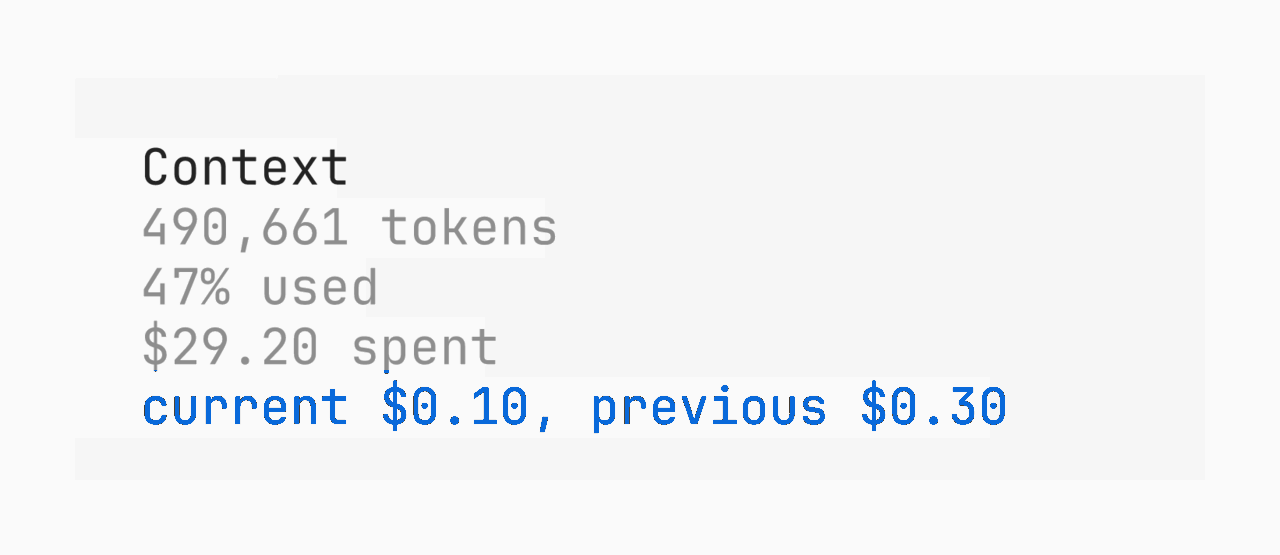
opencode2 plugin add opencode-cost-details
opencode-prs
Shows GitHub pull requests opened by the current session. Every title links to GitHub.
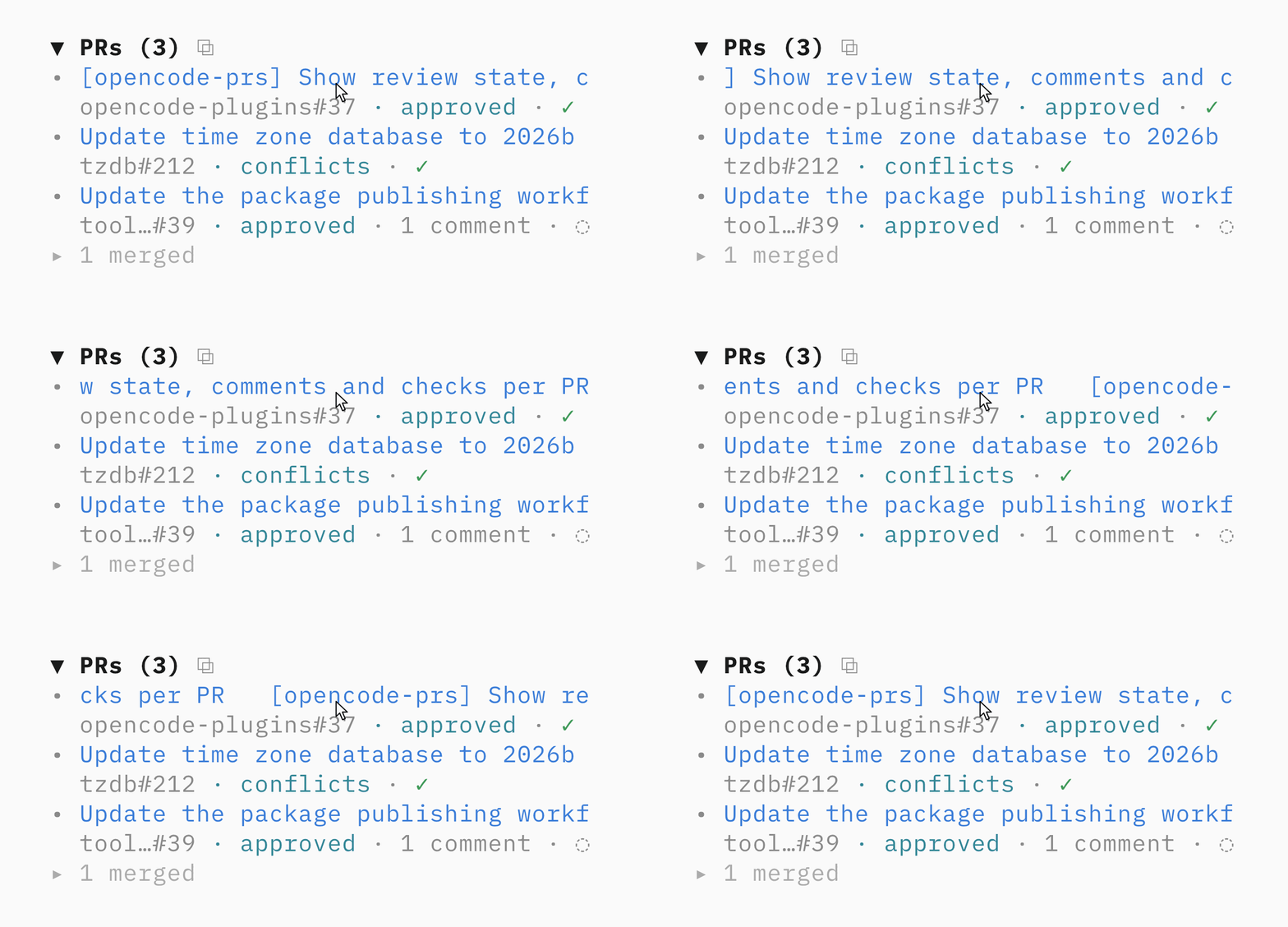
opencode2 plugin add opencode-prs
opencode-awake
Keeps your computer awake while a session works, including with the laptop lid closed on macOS and Linux.
opencode2 plugin add opencode-awake
See each plugin README for OpenCode 1 installation and configuration.
Development
pnpm install
pnpm typecheck
pnpm test
Packages live under packages/. Each package builds its TypeScript and JSX into dist/ before publishing because OpenCode loads published plugins from node_modules.
To use both plugins from this checkout:
pnpm dev:link
pnpm dev
dev:link configures both compiled plugin directories in cli.json and removes the published versions. dev rebuilds both plugins when their source changes. Restart the OpenCode client after a rebuild to load it.
Restore the published configuration with:
pnpm dev:unlink
Releasing
Releases use Changesets and npm trusted publishing. There is no npm token in the repository.
- Run
pnpm changesetin a feature branch and commit the generated file. - Merge the feature PR. CI opens or updates
release: version packages. - Merge the release PR. CI publishes every changed package to npm.
Each npm package must trust the release.yml workflow in vvo/opencode-plugins.
License
MIT
Similar plugins

Oc Usage
@taraksh011/oc-usage
OpenCode plugin — live token usage, cost, and TPS display

Usage Panel
opencode-usage-panel
Sidebar token-usage and cost panel for the opencode TUI. Breaks a session down by model with per-model cost, context usage, and configurable peak/off-peak pricing.

Openrouter Costs
opencode-openrouter-costs
OpenCode TUI plugin — sidebar widget showing OpenRouter session cost and account balance