
Operator Opencode
Operator Memory: durable context for agent-driven development.
295
+273 in 30 days
77
12 in 7 days
61.7
Multi-signal model
48 minutes ago
2026-10-05
Install and configure
opencode.jsonWrites to this project's opencode.json — applies to this repository only.
opencode.json
{
  "$schema": "https://opencode.ai/config.json",
  "plugin": ["@aerovato/operator-opencode@1.1.1"]
}
Writes to ~/.config/opencode/opencode.json — applies to every project.
~/.config/opencode/opencode.json
{
  "$schema": "https://opencode.ai/config.json",
  "plugin": ["@aerovato/operator-opencode@1.1.1"]
}
If you want to modify the plugin locally, install it into the project and reference the local path.
shell
pnpm add -D @aerovato/operator-opencodeOpenCode loads npm dependencies through its embedded runtime on startup and caches them locally — no manual global install needed.
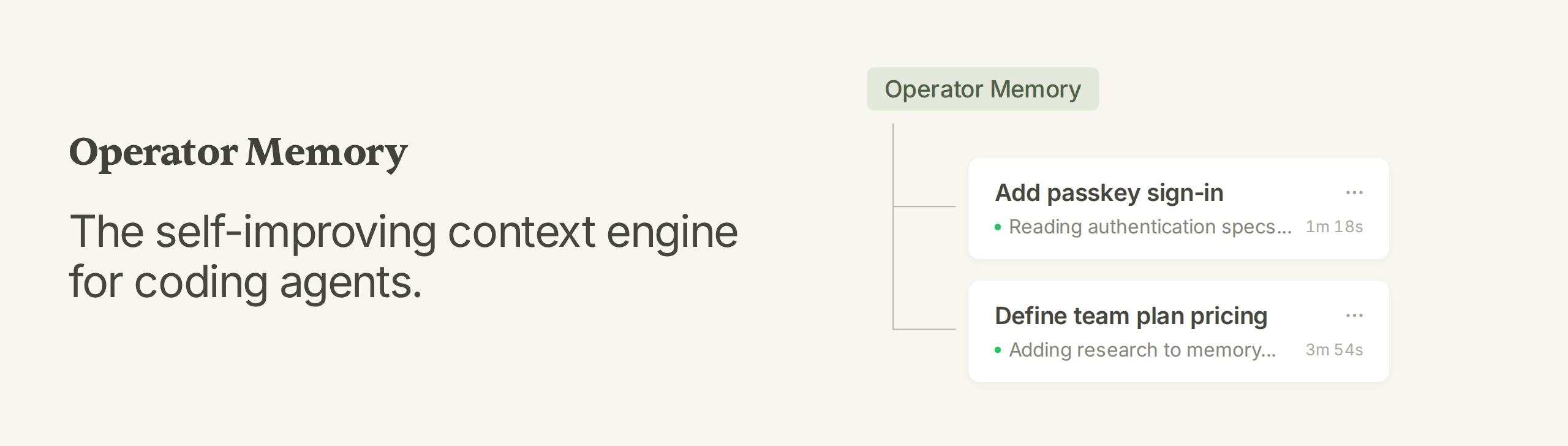
Operator Memory: The self-improving context engine for coding agents.
Operator Memory gives your agent a brain for documenting all their work. As the agent works, it automatically documents within this brain — specs, decisions, standards, research, lessons. Every new session starts knowing everything the last one learned.
Features
- Complete Context Engine — Documentation, memory, indexes, and skills within a single integrated system.
- Automatic Documentation — Specs, decisions, research, and more are automatically documented by the agent.
- Transparent Memory — Memory is stored as Markdown documents you can read, update, and delete.
- Sharable Knowledge — Track documents with Git and share knowledge with your team.
- Zero Infrastructure — No background agents, no embeddings, no vector database, no model configuration.
Installation
Operator is managed via the Operator Helper, which also provides setup and agent instructions. Install the Helper with npm:
npm install --global @aerovato/operator-helper
Or Bun:
bun add --global --minimum-release-age 0 @aerovato/operator-helper@latest
Then install the Operator adapter for your harness. Click each link for harness-specific information.
| Harness | Status | Install |
|---|---|---|
| Claude Code (CLI + Desktop) | 🟢 Fully Supported | operator-helper install claude-code |
| Codex (CLI + Desktop) | 🟢 Fully Supported | operator-helper install codex |
| OpenCode V2 | 🟢 Fully Supported | operator-helper install opencode-v2 |
| OpenCode V1 | 🟡 Supported, Legacy | operator-helper install opencode |
| Pi | 🟢 Fully Supported | operator-helper install pi |
| DeepSeek Harness | 🟢 Fully Supported | operator-helper install deepseek |
| Kiro | 🟡 Supported | operator-helper install kiro |
Setup is a conversation with your agent. Run each command in a new conversation.
- First time only:
/operator:user-init— set up your global user partition. - In each new project:
/operator:project-init— scaffold Operator, migrate existing documents, and index the repo. - Start a new conversation and do normal work.
When starting cold on an existing project, expect a sparse brain at first; ask the agent to write the first specifications for the modules you work on. Once those documents exist, later sessions maintain them as part of ordinary work.
New to Operator? Read the Getting Started guide.
How Operator Works
Agents excel in a single session but forget everything the moment it ends. Future sessions waste tokens re-gathering an incomplete context: re-exploring the codebase, re-learning the architecture, re-teaching decisions and corrections.
Operator gives the agent a durable workspace of Markdown, kept in three places:
.operator/— private project knowledge, stays on your machine.operator-shared/— project knowledge published with the repository~/.operator/user/— your personal rules and knowledge, used across projects
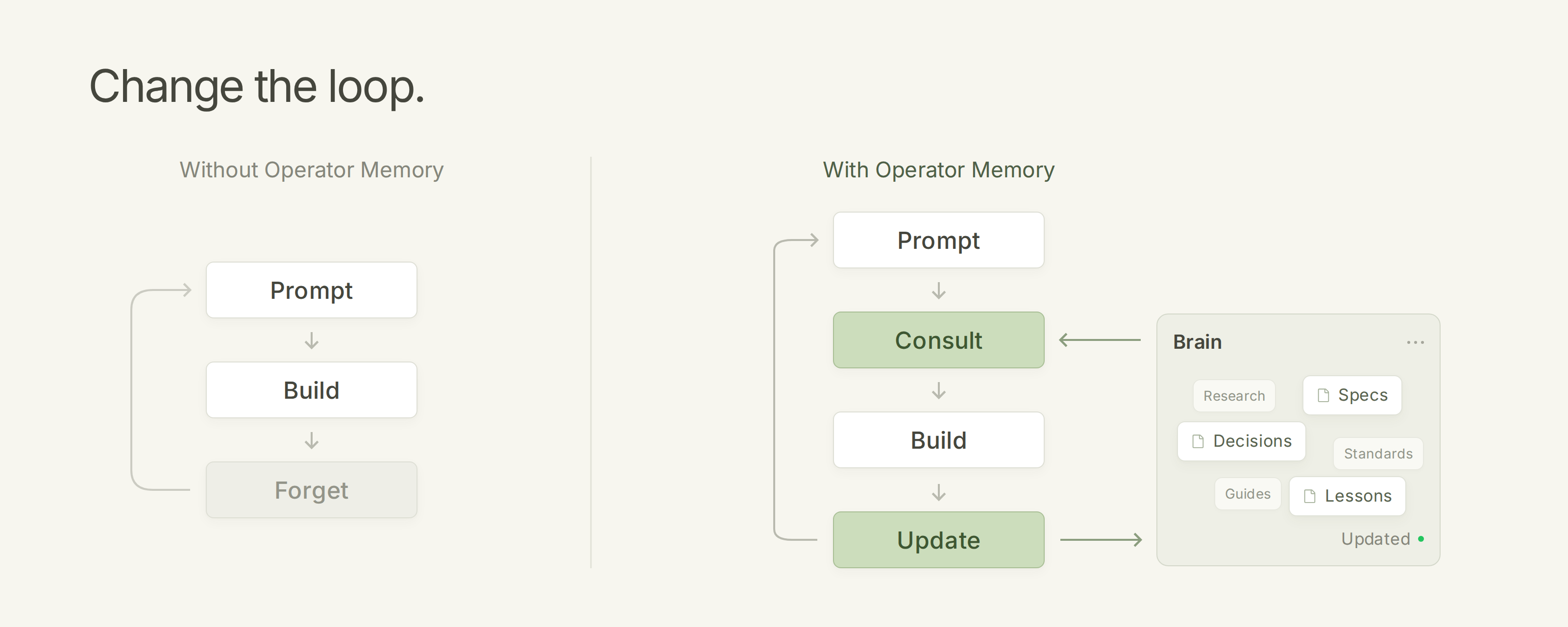
Every session runs the same loop:
- Consult — the agent starts from your Brain: instructions, codebase index, specs, guides.
- Build — the agent does normal development work, informed by that knowledge.
- Update — the agent records what changed: new specs, decisions, standards, lessons.
When project truth changes, the agent updates the canonical file instead of adding a RAG database record. For more details, see Architecture.
Everyday Workflow
- Give the agent normal development work.
- The agent automatically consults existing knowledge: index for navigating code, specs for module contracts, guides for third-party integration details.
- The agent automatically updates existing knowledge: When project truth changes, the relevant documents are automatically updated.
- The next session continues from the updated knowledge.
Sometimes agents hesitate to create, consolidate, or split documents. In that case, steer the agent towards making larger architectural decisions:
- "Write a spec for this feature before implementing it."
- "Record this research so we do not repeat the investigation."
- "These two documents overlap. Consolidate them."
- "This document is too large. Split it."
- "Promote this spec to Shared so the team receives it."
Roadmap
Operator Memory is under active development. More features are on the way. Each will come with an explicit on/off switch in case you prefer the vanilla Operator experience.
Brain Improvements
- Observation Engine — Learn durable user observations over time, kept separate from explicit User Instructions.
- Reliable Brain Updates — Keep specs and other Brain documents current during long conversations, instead of relying only on the agent to remember.
Context Management
- Cache-Aware Preamble Rendering — Automatically refresh preamble when cache expires.
- Context Management — Custom strategies for compaction, pruning, and context management.
- Lossless Context Compression — Losslessly extend context via lossless context compression.
VS Other Memory Plugins
Snippet capture, RAG retrieval, and context compression all fail the same way.
Learn More
- Getting Started - onboarding and usage guide: how Operator works, setup, daily use, directing the agent, and reviewing the Brain. Includes the command reference.
- Architecture - how partitions, catalogs, indexes, and deterministic context loading work.
- Harness docs - per-harness installation, verification, commands, updates, and troubleshooting.
- Troubleshooting - validation, repair, and update recovery.
License
BSD 3-Clause. See LICENSE.
Similar plugins

Operator Opencode V2
@aerovato/operator-opencode-v2
Operator Memory adapter for OpenCode V2.

Claude Smart
claude-smart
Self-improving Claude Code, Codex, and OpenCode plugin that turns corrections into Preferences, Project-specific skills, and Shared skills
Magic Compact
magic-compact
Lossless context compression plugin for OpenCode.