
@a-r-m-i-n/opencode-openai-usageOpenCode plugin that shows ChatGPT/OpenAI usage in the sidebar and command palette.
0
105
21 in 7 days
30.3
Multi-signal model
1 month ago
2026-07-05
Install and configure
opencode.jsonWrites to this project's opencode.json — applies to this repository only.
opencode.json
{
  "$schema": "https://opencode.ai/config.json",
  "plugin": ["@a-r-m-i-n/opencode-openai-usage@0.1.5"]
}
Writes to ~/.config/opencode/opencode.json — applies to every project.
~/.config/opencode/opencode.json
{
  "$schema": "https://opencode.ai/config.json",
  "plugin": ["@a-r-m-i-n/opencode-openai-usage@0.1.5"]
}
If you want to modify the plugin locally, install it into the project and reference the local path.
shell
pnpm add -D @a-r-m-i-n/opencode-openai-usageopencode loads npm dependencies through its embedded runtime on startup and caches them locally — no manual global install needed.
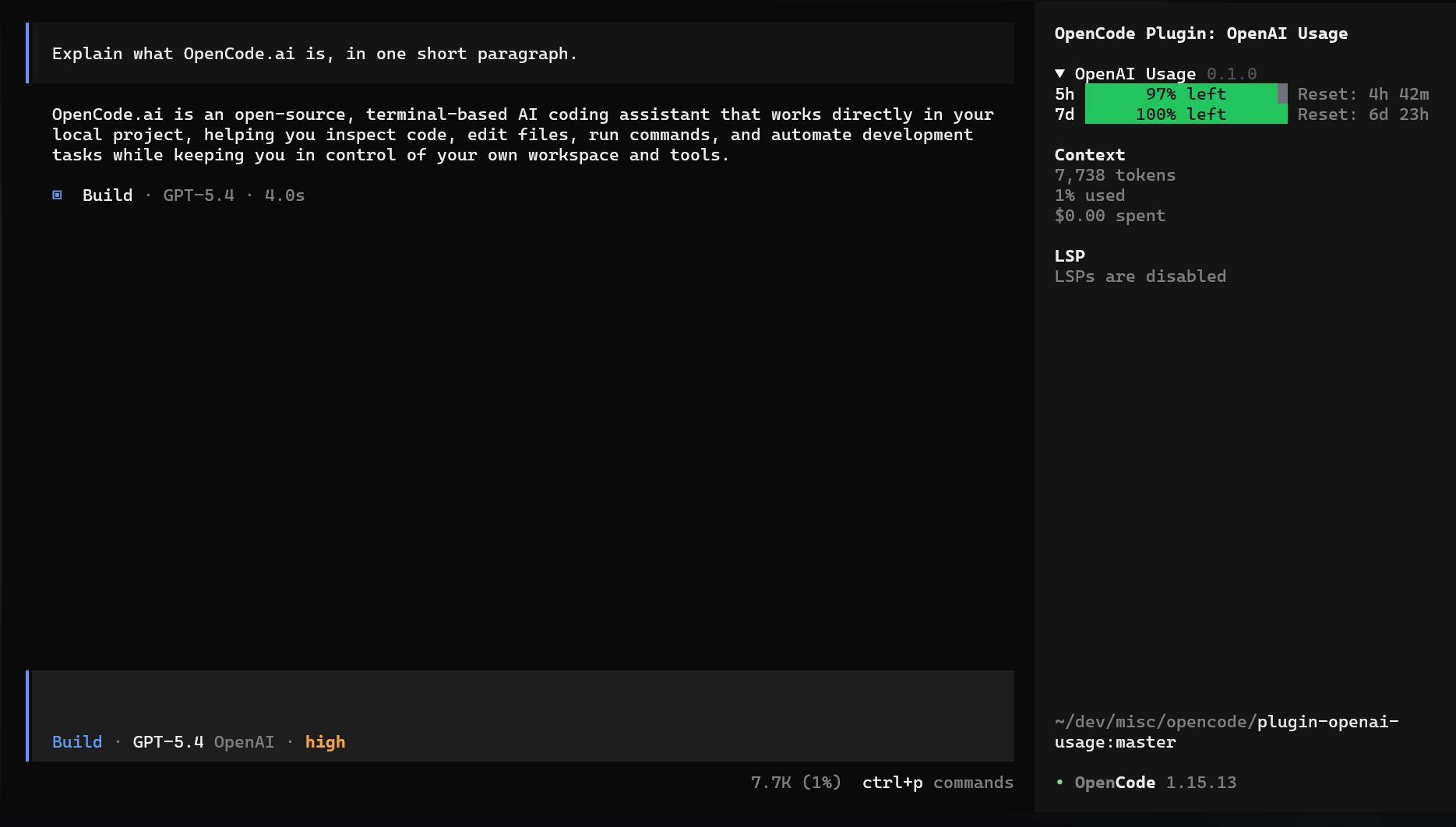
OpenCode plugin that reads your ChatGPT account usage and shows it in the TUI sidebar and command palette.
The sidebar panel starts expanded and can be collapsed.
What It Does
- fetches usage data from OpenAI Backend API
- reads the OpenCode OpenAI OAuth token from OpenCode's local state
- shows usage windows in the collapsible sidebar
- adds
OpenAI Usage,OpenAI Usage: Toggle Sidebar Display, andOpenAI Usage: Show/Hide Sidebar Sectioncommands to the TUI command list
Screenshots
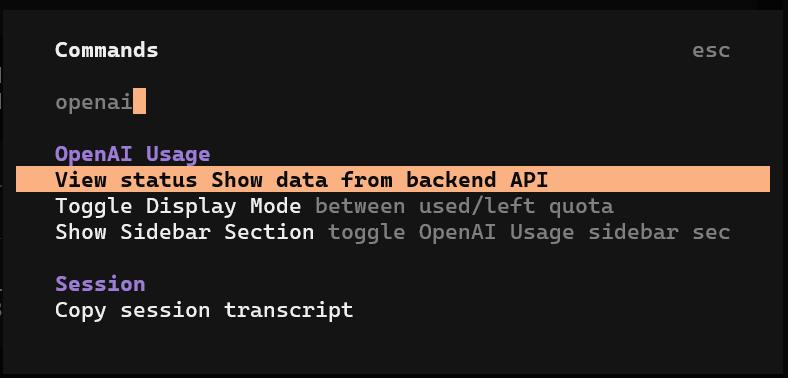
Command Palette
Shows the OpenAI-specific commands added by the plugin.
OpenAI Usage: opens the detailed usage dialogOpenAI Usage: Toggle Sidebar Display: switches the sidebar between used quota and remaining quotaOpenAI Usage: Show Sidebar Section/OpenAI Usage: Hide Sidebar Section: toggles the sidebar section and persists the setting across restarts
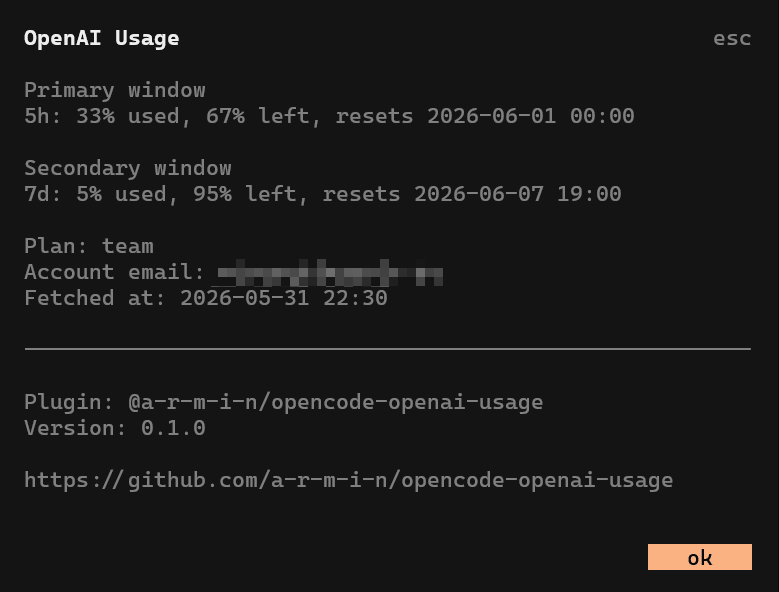
Usage Dialog
Shows the detailed usage summary, including the current usage windows and account details returned by the upstream endpoint.
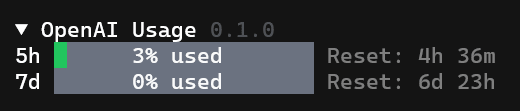
Sidebar Display Modes
The sidebar can show either used quota or remaining quota.
Used mode:
Left mode:

Requirements
- OpenCode with an OpenAI account connected via OAuth
- Node.js and npm available for installation/build steps
Install From npm
npm install @a-r-m-i-n/opencode-openai-usage
Add the runtime plugin in opencode.json:
{
  "$schema": "https://opencode.ai/config.json",
  "plugin": ["@a-r-m-i-n/opencode-openai-usage"]
}
Add the TUI plugin in tui.json:
{
  "$schema": "https://opencode.ai/tui.json",
  "plugin": [["@a-r-m-i-n/opencode-openai-usage/tui", { "invert": false }]]
}
After changing config, quit and restart OpenCode.
TUI Options
The TUI plugin accepts options in tui.json:
{
  "$schema": "https://opencode.ai/tui.json",
  "plugin": [["@a-r-m-i-n/opencode-openai-usage/tui", { "invert": true }]]
}
| Option | Default | Description |
|---|---|---|
invert |
false |
Default sidebar mode. false shows used quota like 60% used; true shows remaining quota like 40% left. After the OpenAI Usage: Toggle Sidebar Display command is used, the last selected mode is persisted across restarts. |
Project Structure
src/
  index.ts
  tui.tsx
  lib/openai-usage.ts
.opencode/
  plugins/openai-usage.ts
  tui/openai-usage.tsx
  tui.json
Notes And Limitations
- The plugin depends on OpenCode's locally stored
auth.jsonformat. - The usage endpoint is an internal ChatGPT web endpoint and may change without notice.
- The plugin caches usage data locally in OpenCode's state directory.
- The plugin hides its sidebar panel when OpenCode has no OpenAI OAuth account configured.
- Usage-specific commands are hidden when OpenCode has no OpenAI OAuth account configured, but the sidebar visibility toggle remains available.
- The command summary currently includes the account email returned by the upstream endpoint.
License
MIT