
0
52
近 7 天 17
25.2
生态多维模型
3 个月前
2026-05-08
快速安装与配置
opencode.json写入当前项目的 opencode.json,只对这个仓库生效。
opencode.json
{
  "$schema": "https://opencode.ai/config.json",
  "plugin": ["opencode-usage-viewer@1.0.7"]
}
写入 ~/.config/opencode/opencode.json,对所有项目生效。
~/.config/opencode/opencode.json
{
  "$schema": "https://opencode.ai/config.json",
  "plugin": ["opencode-usage-viewer@1.0.7"]
}
若你要在本地改造这个插件,先装到项目里再从本地路径引用。
shell
pnpm add -D opencode-usage-vieweropencode 启动时会通过内嵌运行时自动加载 npm 依赖并缓存至本地目录,无需手动在全局环境执行安装。
OpenCode Go plugin that displays token usage (rolling, weekly and monthly) in two ways:
- Tool - Run
/usageat any time to see current usage - Automatic toast - On session start, shows a toast with current usage
Requirements
- OpenCode Go installed and configured
- Environment variables:
OPENCODE_GO_WORKSPACE_ID- Your workspace ID (found in the opencode URL)OPENCODE_GO_AUTH_COOKIE- Authentication cookie (authcookie from opencode.ai)
How to get the variables
WORKSPACE_ID: Found in the URL when you access your workspace:
https://opencode.ai/workspace/[YOUR_ID_IS_HERE]/go
AUTH_COOKIE: You need to extract the auth cookie from your browser while logged into opencode.ai. In Chrome/Edge you can find it in DevTools > Application > Cookies.
Installation
npm install -g opencode-usage-viewer
The postinstall script automatically adds opencode-usage-viewer to your global opencode config (~/.config/opencode/opencode.json or opencode.jsonc). After installing, restart opencode.
How it works
/usage Tool
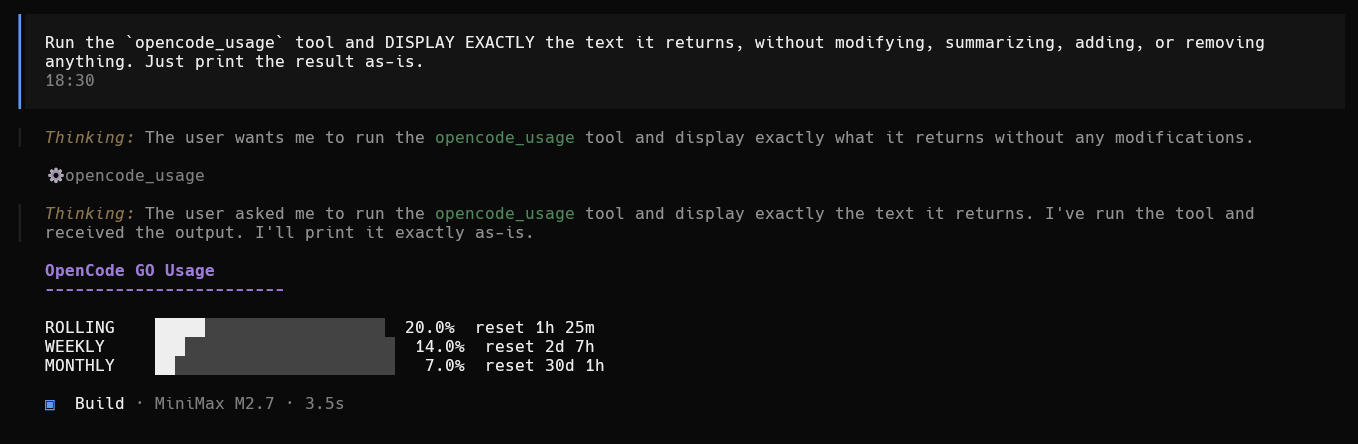
> /usage

  OpenCode GO Usage
------------------------

ROLLING   ████████░░░░░░░░░░░░░░░░  33.0%  reset 6h 12m
WEEKLY    ██░░░░░░░░░░░░░░░░░░░░░░   8.0%  reset 3d 0h
MONTHLY   ░░░░░░░░░░░░░░░░░░░░░░░░   0.0%  reset 12d 0h
Session Toast
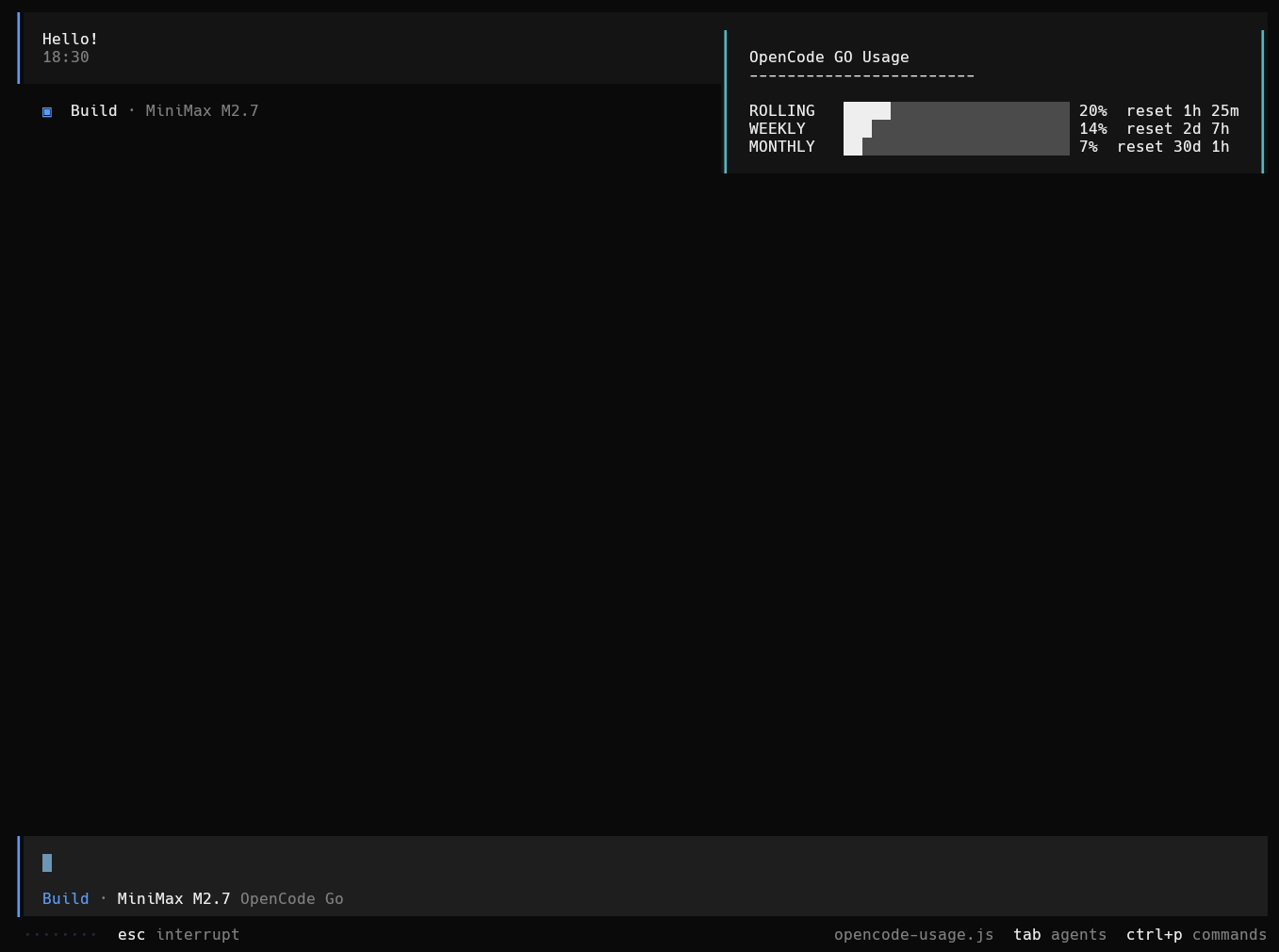
When a session starts, a toast automatically appears showing:
OpenCode GO Usage
------------------------

ROLLING   ████████░░░░░░░░░░░░░░░░  33.0%  reset 6h 12m
WEEKLY    ██░░░░░░░░░░░░░░░░░░░░░░   8.0%  reset 3d 0h
MONTHLY   ░░░░░░░░░░░░░░░░░░░░░░░░   0.0%  reset 12d 0h
Uninstall
npm uninstall -g opencode-usage-viewer
Also remove opencode-usage-viewer from the plugin array in your opencode config (~/.config/opencode/opencode.json or opencode.jsonc).
Project structure
opencode-usage-viewer/
  index.js            # Main plugin (exports OpenCodeUsagePlugin)
  postinstall.js      # Adds plugin entry to opencode config
  package.json        # npm package config
  README.md           # This file
  screenshot-tool.png # Tool output screenshot
  screenshot-toast.png # Toast notification screenshot
Troubleshooting
Toast not appearing
- Verify that environment variables are set
- Check opencode console for errors
Tool not working
- Make sure you are logged into opencode.ai
- Verify the
authcookie has not expired
Fetch errors
- May be a network issue or credentials problem