
opencode-insightsOpenCode plugin — generates interactive HTML analytics reports from your session history.
7
27
近 7 天 7
27.3
生态多维模型
5 个月前
2026-03-05
快速安装与配置
opencode.json写入当前项目的 opencode.json,只对这个仓库生效。
opencode.json
{
  "$schema": "https://opencode.ai/config.json",
  "plugin": ["opencode-insights@2026.3.4"]
}
写入 ~/.config/opencode/opencode.json,对所有项目生效。
~/.config/opencode/opencode.json
{
  "$schema": "https://opencode.ai/config.json",
  "plugin": ["opencode-insights@2026.3.4"]
}
若你要在本地改造这个插件,先装到项目里再从本地路径引用。
shell
pnpm add -D opencode-insightsopencode 启动时会通过内嵌运行时自动加载 npm 依赖并缓存至本地目录,无需手动在全局环境执行安装。
Install · Usage · How It Works · Configuration
A custom /insights command for OpenCode that generates
an interactive HTML analytics report from your session history — same format as Claude Code's /insights.
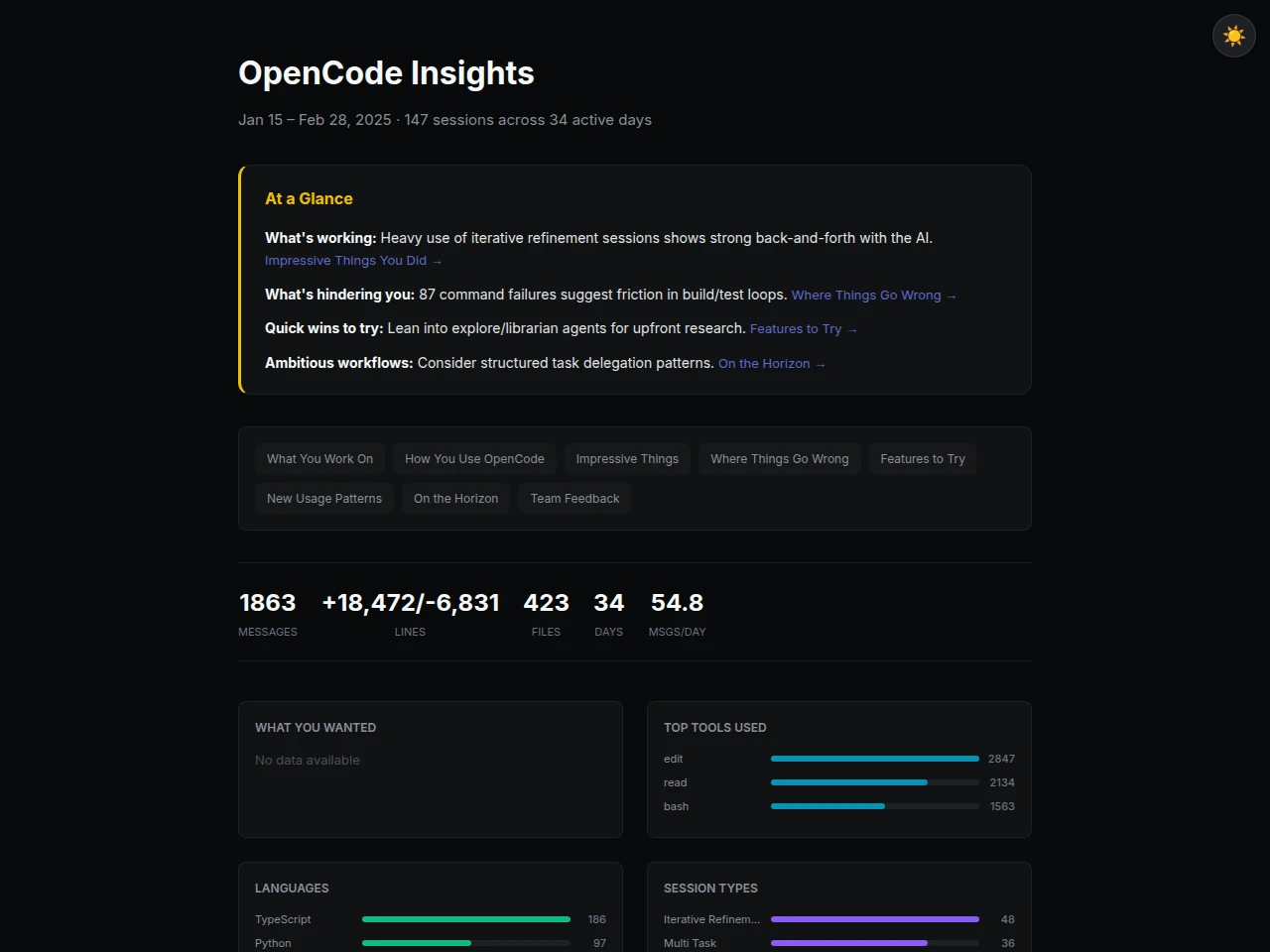
Dark mode preview
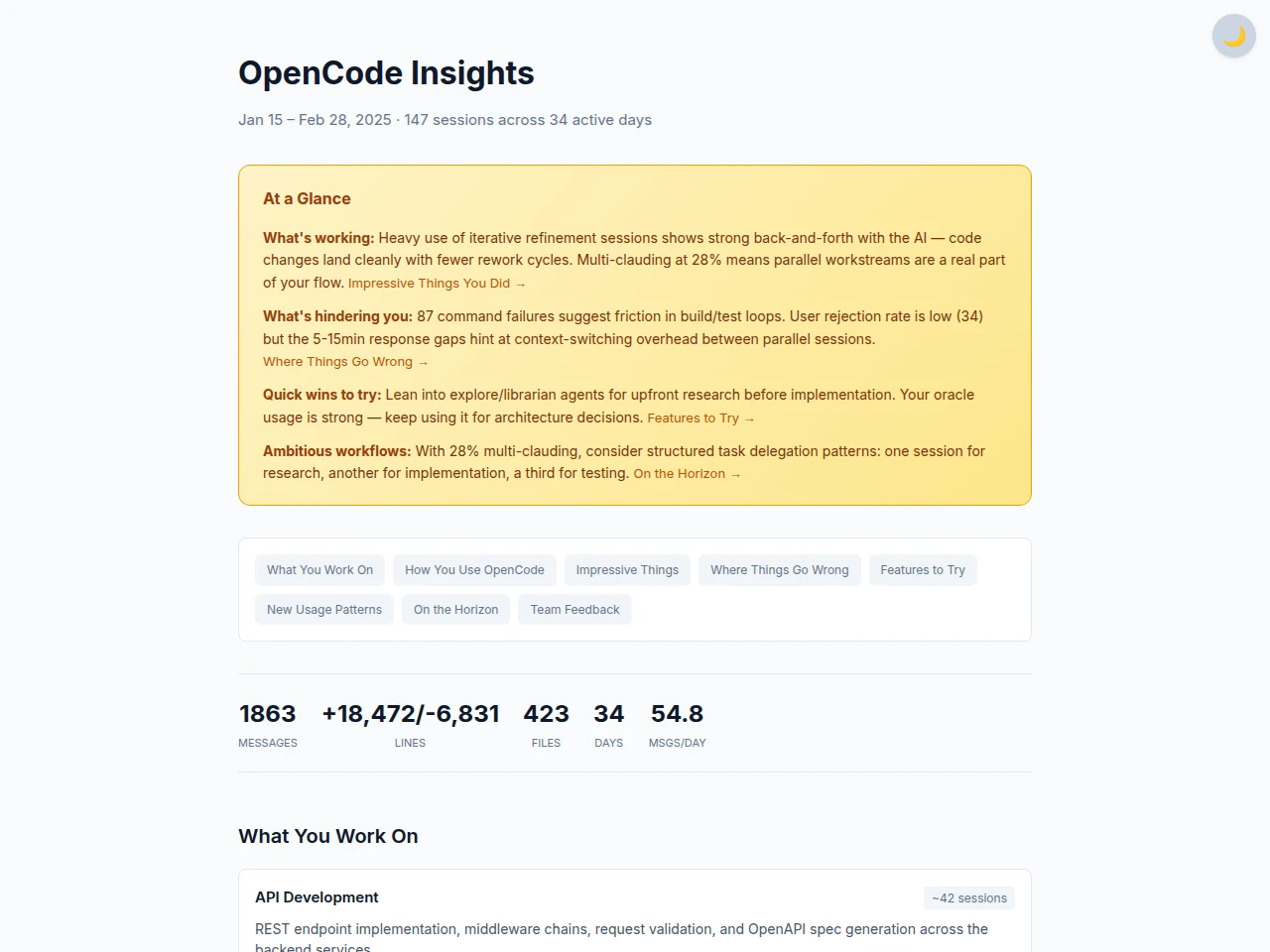
What It Shows
- Per-session work summaries and project area classification
- Tool usage, agent distribution, language breakdown
- Response time distribution and activity by time of day
- Wins / friction points / actionable suggestions
- AGENTS.md recommendations and new workflow patterns
Requirements
- Python 3.10+ (zero external packages — stdlib only)
- OpenCode installed with session history (
~/.local/share/opencode/opencode.db)
Install
Plugin Install (Recommended)
Add opencode-insights to your opencode.json:
// ~/.config/opencode/opencode.json
{
  "plugin": ["opencode-insights"]
}
That's it. OpenCode automatically installs the plugin and registers the /insights command and tools (insights_collect, insights_generate).
Script Install
curl -sL https://raw.githubusercontent.com/rapidrabbit76/OpenCodeInsights/main/install.sh | bash
This will clone to ~/.local/share/opencode-insights/, register the /insights command, and set OPENCODE_INSIGHTS_HOME in your shell rc.
Manual Install
git clone https://github.com/rapidrabbit76/OpenCodeInsights.git ~/.local/share/opencode-insights
cp ~/.local/share/opencode-insights/insights.md ~/.config/opencode/command/insights.md
echo 'export OPENCODE_INSIGHTS_HOME="$HOME/.local/share/opencode-insights"' >> ~/.zshrc
Usage
Via OpenCode Command (Recommended)
In an OpenCode session:
/insights
With options:
/insights --days 30
/insights --project <PROJECT_ID>
Manual Execution
Run directly without the OpenCode command:
# 1. Optionally use the helper script (recommended)
#    This still expects narratives.json to exist in the output folder.
./scripts/generate-insights-report.sh --days 14

# 1. Collect metrics
python3 src/collector.py --days 14 -o output/raw_metrics.json

# 2. LLM generates narratives (this step is performed by the AI)
#    Analyze raw_metrics.json and write output/narratives.json

# 3. Merge and generate report
python3 -c "
import json
metrics = json.load(open('output/raw_metrics.json'))
narratives = json.load(open('output/narratives.json'))
with open('output/report_data.json', 'w') as f:
    json.dump({'metrics': metrics, 'narratives': narratives}, f, indent=2, ensure_ascii=False)
"
python3 src/generator.py -i output/report_data.json -o output/report.html

# 4. Open in browser
open output/report.html  # macOS
xdg-open output/report.html  # Linux
Optional helper script output
- Script:
scripts/generate-insights-report.sh - Creates/updates:
output/raw_metrics.jsonoutput/report_data.jsonoutput/report.html
- Keeps manual control over
--days,--project, and--narrativespaths.
How It Works
flowchart LR
  DB[(opencode.db)] --> C[collector.py]
  C -->|raw_metrics.json| OC{OpenCode}
  OC -->|narratives.json| M[merge]
  C -->|raw_metrics.json| M
  M -->|report_data.json| G[generator.py]
  G --> R([report.html])

  style DB fill:#e2e8f0,stroke:#64748b
  style OC fill:#fef3c7,stroke:#f59e0b
  style R fill:#f0fdf4,stroke:#22c55e
| File | Role |
|---|---|
src/collector.py |
Extracts session, message, and tool metrics from OpenCode's SQLite DB → JSON |
src/generator.py |
Merges metrics + AI narratives → interactive HTML report |
insights.md |
OpenCode /insights command definition (AI agent instructions) |
Key point: collector.py and generator.py handle pure data processing.
Narratives (analysis, summaries, recommendations) are written by the LLM based on the collected metrics.
Configuration
Plugin Mode
No configuration needed. Paths are resolved automatically at runtime.
Script / Manual Mode
Environment Variables
| Variable | Description | Default |
|---|---|---|
OPENCODE_INSIGHTS_HOME |
Installation path of this project | Auto-detected under $HOME (4 levels deep) |
# Add to .bashrc or .zshrc
export OPENCODE_INSIGHTS_HOME="$HOME/.local/share/opencode-insights"
If unset, the /insights command auto-discovers the installation via find under $HOME.
Collector Options
python3 src/collector.py [options]

--db PATH       Path to OpenCode DB (default: ~/.local/share/opencode/opencode.db)
--days N        Only include sessions from the last N days
--project ID    Filter by project ID
--output, -o    Output file path (default: stdout)
Generator Options
python3 src/generator.py [options]

--input, -i     Input JSON file (merged metrics + narratives) [required]
--output, -o    Output HTML file path [required]
Project Structure
OpenCodeInsights/
├── assets/            # Branding assets (banner, logo, favicon)
├── index.ts           # Plugin entry point (registers command + tools)
├── package.json       # npm package config
├── tsconfig.json      # TypeScript build config
├── dist/              # Compiled plugin (built by tsc)
├── src/
│   ├── collector.py   # Metrics collector (SQLite → JSON)
│   └── generator.py   # HTML report generator (JSON → HTML)
├── output/            # Generated files (gitignored)
├── insights.md        # OpenCode command definition
├── install.sh         # One-command installer (script mode)
├── .gitignore
└── README.md
License
MIT