
@swalker326/opencode-sidebar-sessionsClickable, keyboard-driven session navigation for the OpenCode TUI sidebar.
Actively maintained
GitHub stars
2
Monthly installs
752
37 in 7 days
Composite scoreSCORE
40.6
Multi-signal model
Last commit
23 days ago
2026-07-28
Install and configure
opencode.jsonWrites to this project's opencode.json — applies to this repository only.
opencode.json
{
  "$schema": "https://opencode.ai/config.json",
  "plugin": ["@swalker326/opencode-sidebar-sessions@0.1.4"]
}
Writes to ~/.config/opencode/opencode.json — applies to every project.
~/.config/opencode/opencode.json
{
  "$schema": "https://opencode.ai/config.json",
  "plugin": ["@swalker326/opencode-sidebar-sessions@0.1.4"]
}
If you want to modify the plugin locally, install it into the project and reference the local path.
shell
pnpm add -D @swalker326/opencode-sidebar-sessionsopencode loads npm dependencies through its embedded runtime on startup and caches them locally — no manual global install needed.
README.md
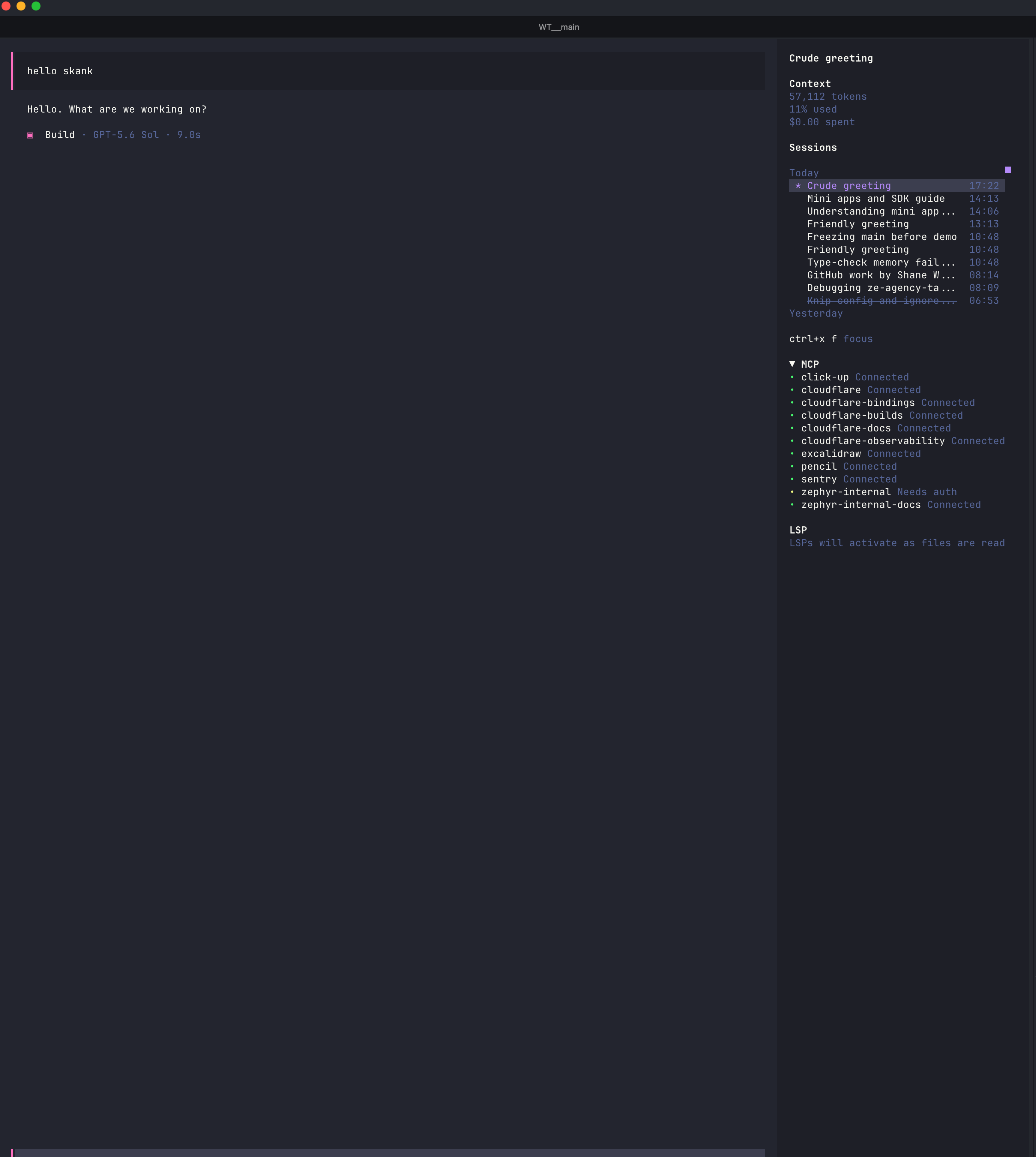
View original→Browse and switch OpenCode sessions without leaving the sidebar.
Install
opencode plugin @swalker326/opencode-sidebar-sessions --global
Restart OpenCode after installation.
Use
| Shortcut | Action |
|---|---|
<leader>f |
Focus the session list |
up / down |
Select a session |
enter |
Open the selected session |
r |
Rename the selected session |
a |
Archive the selected session |
esc |
Return to the prompt |
Highlights
- Groups sessions by recent activity day.
- Keeps active sessions first and archived sessions at the bottom of each day.
- Highlights the current session and strikes through archived titles.
- Uses your configured OpenCode leader and navigation keys.
- Updates automatically as sessions change.