
@otto-assistant/opencode-cursor-oauthOpenCode plugin that connects Cursor's API to OpenCode via OAuth, model discovery, and a local OpenAI-compatible proxy.
9
+1 in 30 days
3,257
239 in 7 days
51.4
Multi-signal model
11 days ago
2026-08-08
Install and configure
opencode.jsonWrites to this project's opencode.json — applies to this repository only.
opencode.json
{
  "$schema": "https://opencode.ai/config.json",
  "plugin": ["@otto-assistant/opencode-cursor-oauth@2.2.0"]
}
Writes to ~/.config/opencode/opencode.json — applies to every project.
~/.config/opencode/opencode.json
{
  "$schema": "https://opencode.ai/config.json",
  "plugin": ["@otto-assistant/opencode-cursor-oauth@2.2.0"]
}
If you want to modify the plugin locally, install it into the project and reference the local path.
shell
pnpm add -D @otto-assistant/opencode-cursor-oauthopencode loads npm dependencies through its embedded runtime on startup and caches them locally — no manual global install needed.
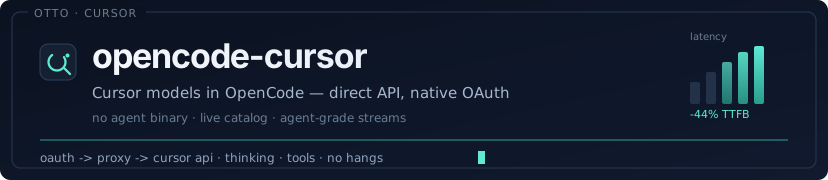




Cursor models inside OpenCode — browser OAuth, live catalog discovery,
and a local OpenAI-compatible proxy tuned for agent loops.
Quick start · Authenticate · Why this plugin · Architecture · Troubleshooting · Changelog
Use every model on your Cursor subscription from OpenCode: Claude, GPT, Gemini, Grok, Composer, and Cursor Auto — with thinking, effort variants, streaming, and tool calls that actually finish.
No cursor-agent binary. No SDK child-process gymnastics. Direct Cursor API over HTTP/2.
Quick start
1. Install the plugin
npm install -g @otto-assistant/opencode-cursor-oauth
2. Register it in OpenCode
Add (or merge) this into ~/.config/opencode/opencode.json:
{
  "$schema": "https://opencode.ai/config.json",
  "plugin": ["@otto-assistant/opencode-cursor-oauth"],
  "provider": {
    "cursor": { "name": "Cursor" }
  }
}
3. Sign in with Cursor (browser OAuth — not an API key)
opencode auth login --provider cursor
A browser window opens. Approve access. Tokens land in ~/.local/share/opencode/auth.json and refresh automatically.
4. Use a Cursor model
opencode run "Summarise this repository in five bullets." --model cursor/default
In the TUI: pick provider cursor, then a model (including Thinking / Fast / effort variants when Cursor exposes them).
From source (optional)
git clone https://github.com/otto-assistant/opencode-cursor.git
cd opencode-cursor
bun install && bun run build
npm install -g .
Authenticate
| Step | What happens |
|---|---|
opencode auth login --provider cursor |
Starts PKCE browser OAuth |
| You approve in the browser | Cursor returns access + refresh tokens |
| Plugin stores credentials | ~/.local/share/opencode/auth.json |
| Access expires | Plugin refreshes silently; permanent 4xx → re-login |
If you use OpenChamber and never see an OAuth button, the plugin still prints a login URL and embeds it in the placeholder model name — open that URL, then reload.
You do not need a Cursor API key. Browser OAuth is the only supported path.
Why this plugin
| Direct API | Talks to Cursor over HTTP/2. No cursor-agent install, no brittle CLI wrapper. |
| Native OAuth | opencode auth login — PKCE browser flow with automatic token refresh. |
| Live models | Discovers your account's catalog, including Thinking, Fast, 1M context, and effort levels. |
| Agent-grade streaming | Tool calls continue correctly; parked bridges resume with results instead of restating forever. |
| Phase-aware stalls | Reasoning gets time to think; silent post-tool hangs recover in ~90s, not minutes. |
| Measured speed | v2.2: first message −39% to −44% TTFB vs prior release (cold start + H2 pre-connect). |
Architecture
OpenCode
  └─ /v1/chat/completions
       └─ Local OpenAI-compatible proxy
            └─ Node HTTP/2 bridge
                 └─ Cursor API (api2.cursor.sh)
| Layer | Responsibility |
|---|---|
| Plugin hooks | OAuth, provider config, model catalog, selection headers |
| Proxy | OpenAI ↔ Cursor protocol, tool loops, stalls, checkpoints |
| Transport | Persistent / one-shot HTTP/2 bridges to Cursor |
Model listings map Cursor's variant catalog into OpenCode-native choices (Opus 4.8, Opus 4.8 Thinking, effort low→max, Fast, …). Selection is encoded for the proxy so Cursor receives the exact RequestedModel parameters your account supports.
Performance notes
From the v2.2.0 release:
| Scenario | Before | After |
|---|---|---|
First message, gpt-5.4-nano |
8.5s | 4.8s |
First message, cursor/default |
6.1s | 3.7s |
| Post-tool silent stall budget | 180s | 90s |
Knobs (optional): OPENCODE_CURSOR_PRE_OUTPUT_STALL_TIMEOUT_MS, OPENCODE_CURSOR_POST_TOOL_PRE_OUTPUT_STALL_TIMEOUT_MS, OPENCODE_CURSOR_TOOL_DEBOUNCE_MS.
Debug logs: OPENCODE_CURSOR_DEBUG=1.
Requirements
- OpenCode
- Active Cursor subscription
- Bun (plugin runtime) · Node.js ≥ 18 (HTTP/2 bridge)
Development
bun install
bun run build
bun run test
Troubleshooting
| Symptom | Fix |
|---|---|
| Cursor missing from provider list | Confirm plugin includes @otto-assistant/opencode-cursor-oauth and restart OpenCode |
| "sign in required" / login URL in model name | Open the printed URL, approve OAuth, reload |
| Refresh rejected / re-login required | Run opencode auth login --provider cursor again |
| Model not found | Wait for live discovery after login; avoid relying on stale offline catalogs |
| Tool loop restates forever | Update to latest plugin — post-tool resume + phase-aware stalls are required |
FAQ
Do I need to clone the repo?
No. Configure the npm package in opencode.json and OpenCode installs it.
Is this the same as cursor-agent bridges?
No. This plugin authenticates with Cursor OAuth and proxies the Cursor API directly. You do not need the cursor-agent CLI.
Where are releases?
GitHub Releases · npm · Changelog