
@openspoon/subtask2Opencode plugin for enhanced subtask control with return context and prompt chaining
247
+3 in 30 days
497
97 in 7 days
48.4
Multi-signal model
6 months ago
2026-01-31
Install and configure
opencode.jsonWrites to this project's opencode.json — applies to this repository only.
opencode.json
{
  "$schema": "https://opencode.ai/config.json",
  "plugin": ["@openspoon/subtask2@0.3.9"]
}
Writes to ~/.config/opencode/opencode.json — applies to every project.
~/.config/opencode/opencode.json
{
  "$schema": "https://opencode.ai/config.json",
  "plugin": ["@openspoon/subtask2@0.3.9"]
}
If you want to modify the plugin locally, install it into the project and reference the local path.
shell
pnpm add -D @openspoon/subtask2opencode loads npm dependencies through its embedded runtime on startup and caches them locally — no manual global install needed.
A better opencode /command handler
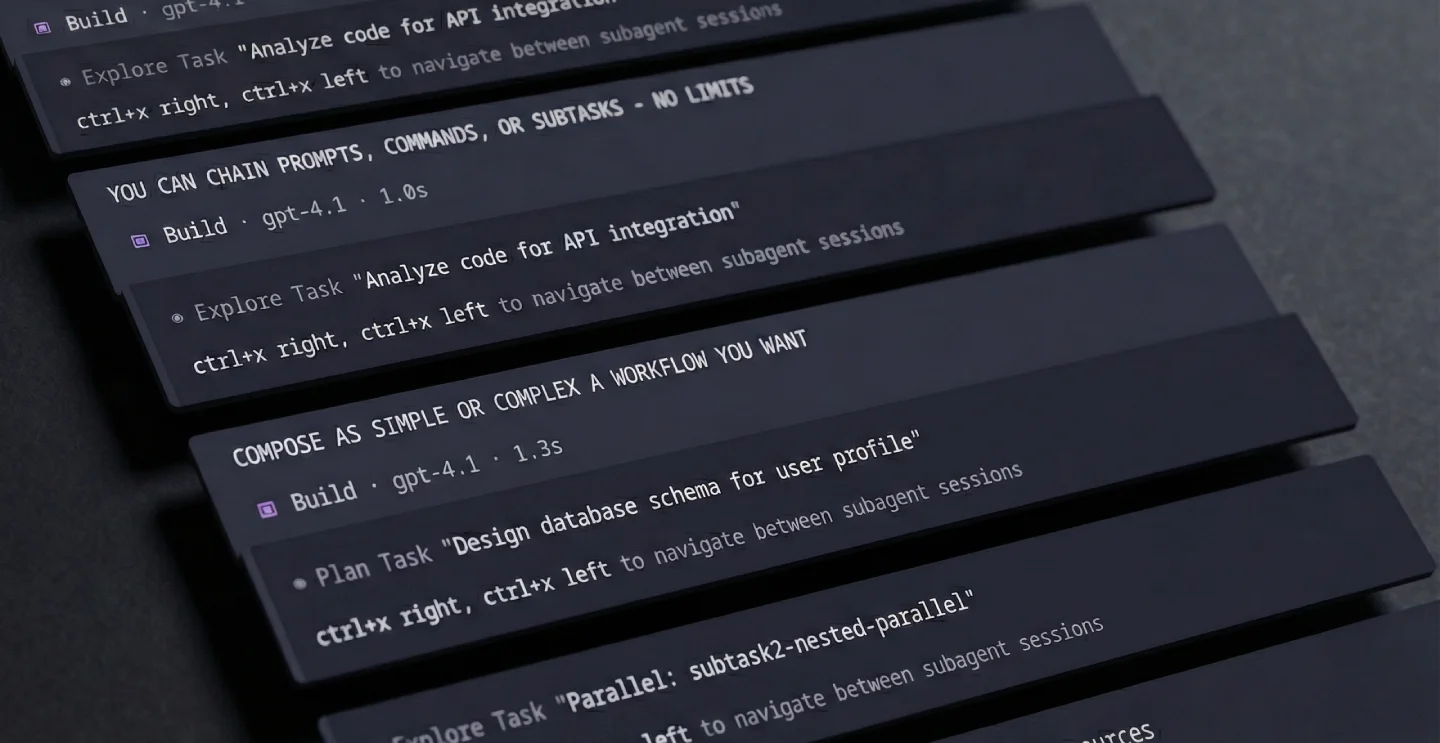
TL:DR - Lower session entropy with a more deterministic agentic loop
This plugin allows your opencode /commands to:
- Chain
prompts,/commandsandsubagentsseamlessly - Relay subagent results or session context to other subagents
- Loop or parallelize subagents
- Run commands on the fly with the
/subtaskcommand - Override
/commandsparameters inline (model, agent, return, parallel...)
If you already use opencode /commands, you'll be right at home, if not, start with this page

To install, add subtask2 to your opencode configuration
{
  "plugins": ["@spoons-and-mirrors/subtask2@latest"]
}
Key Features
returninstruct main session on command/subtask(s) resultlooploop subtask until user condition is metparallelrun subtasks concurrently - pending PR$TURN[n]pass session turns (user/assistant messages){as:name}+$RESULT[name]capture and reference subtask outputs- Inline syntax for model, agent, and ad-hoc subtasks
Requires this PR for the parallel feature
1. return - Chaining prompts and commands
1. return - Chaining prompts and commands
Use return to tell the main agent what to do after a command completes. Supports prompts, /commands, and chaining.
subtask: true
return: Look again, challenge the findings, then implement the valid fixes.
---
Review the PR# $ARGUMENTS for bugs.
For multiple sequential prompts, use an array:
subtask: true
return:
  - Implement the fix
  - Run the tests
---
Find the bug in auth.ts
Trigger /commands in return
subtask: true
return:
  - /revise-plan make the UX as horribly impractical as imaginable
  - /implement-plan
  - Send this to my mother in law
---
Design the auth system for $ARGUMENTS
How return prompts work:
When a subtask: true completes, OpenCode normally injects a hidden synthetic user message asking the model to "summarize the task tool output..." - Subtask2 completely removes this message and handles returns differently:
- Prompt returns: Fired as real user messages visible in your conversation. You'll see the return prompt appear as if you typed it.
- Command returns (starting with
/): The command executes immediately.
This gives you full visibility into what's driving the agent's next action.
/commands are executed as full commands with their own parallel and return
2. loop - Repeat until condition is met
2. loop - Repeat until condition is met
Run a command repeatedly, either a fixed number of times or until a condition is satisfied.
Unconditional loop (fixed iterations):
/generate-tests {loop:5} generate unit tests for auth module
Runs exactly 5 times with no evaluation - the main session just yields between iterations.
Conditional loop (with evaluation):
/fix-tests {loop:10 && until:all tests pass with good coverage}
Frontmatter:
---
loop:
  max: 10
  until: "all features implemented correctly"
---
Implement the auth system.
In return chains:
return:
  - /implement-feature
  - /fix-tests {loop:5 && until:tests are green}
  - /commit
How it works (orchestrator-decides pattern):
- Subtask runs and completes
- Main session receives evaluation prompt with the condition
- Main LLM evaluates: reads files, checks git, runs tests if needed
- Responds with
<subtask2 loop="break"/>(satisfied) or<subtask2 loop="continue"/>(more work needed) - If continue → loop again. If break → proceed to next step
- Max iterations is a safety net
Why this works:
- The main session (orchestrator) has full context of what was done
- It can verify by reading actual files, git diff, test output
- No fake "DONE" markers - real evaluation of real conditions
- The
until:is a human-readable condition, not a magic keyword
Best practices:
- Write clear conditions:
until: "tests pass"notuntil: "DONE" - Always set a reasonable
maxas a safety net - The condition is shown to the evaluating LLM verbatim
Priority: inline {loop:...} > frontmatter loop:
3. parallel - Run subtasks concurrently
3. parallel - Run subtasks concurrently
Spawn additional command subtasks alongside the main one:
plan.md
subtask: true
parallel:
  - /plan-gemini
  - /plan-opus
return:
  - Compare and challenge the plans, keep the best bits and make a unified proposal
  - Critically review the plan directly against what reddit has to say about it
---
Plan a trip to $ARGUMENTS.
This runs 3 subtasks in parallel:
- The main command (
plan.md) plan-geminiplan-opus
When ALL complete, the main session receives the return prompt of the main command
With custom arguments per command
You can pass arguments inline when using the command with || separators.
Pipe segments map in chronological order: main → parallels → return /commands
/mycommand main args || pipe1 || pipe2 || pipe3
and/or
parallel:
  - command: research-docs
    arguments: authentication flow
  - command: research-codebase
    arguments: auth middleware implementation
  - /security-audit
return: Synthesize all findings into an implementation plan.
research-docsgets "authentication flow" as$ARGUMENTSresearch-codebasegets "auth middleware implementation"security-auditinherits the main command's$ARGUMENTS
You can use /command args syntax for inline arguments:
parallel: /security-review focus on auth, /perf-review check db queries
Or for all commands to inherit the main $ARGUMENTS:
parallel: /research-docs, /research-codebase, /security-audit
Note: Parallel commands are forced into subtasks regardless of their own subtask setting. Their return are ignored - only the parent's return applies. Nested parallels are automatically flattened with a maximum depth of 5 to prevent infinite recursion.
Priority: pipe args > frontmatter args > inherit main args
4. Context & Results - $TURN, {as:name}, $RESULT
4. Context & Results
Pass conversation context to subtasks and capture their outputs for later use.
$TURN[n] - Reference previous conversation turns
Use $TURN[n] to inject the last N conversation turns (user + assistant messages) into your command. This is powerful for commands that need context from the ongoing conversation.
---
description: summarize our conversation so far
subtask: true
---
Review the following conversation and provide a concise summary:

$TURN[10]
Syntax options:
$TURN[6]- last 6 messages$TURN[:3]- just the 3rd message from the end$TURN[:2:5:8]- specific messages at indices 2, 5, and 8$TURN[*]- all messages in the session
Usage in arguments:
/my-command analyze this $TURN[5]
Format output:
--- USER ---
What's the best way to implement auth?

--- ASSISTANT ---
I'd recommend using JWT tokens with...

--- USER ---
Can you show me an example?
...
Works in:
- Command body templates
- Command arguments
- Parallel command prompts
- Piped arguments (
||)
{as:name} and $RESULT[name] - Named results
Capture command outputs and reference them later in return chains. Works with any command type - subtasks, parallel commands, inline subtasks, and even regular non-subtask commands.
Multi-model comparison with named results:
subtask: true
parallel:
  - /plan {model:anthropic/claude-sonnet-4 && as:claude-plan}
  - /plan {model:openai/gpt-4o && as:gpt-plan}
return:
  - /deep-analysis {as:analysis}
  - "Compare $RESULT[claude-plan] vs $RESULT[gpt-plan] using insights from $RESULT[analysis]"
This runs two planning subtasks with different models, then a deep analysis, then compares all three results in the final return.
In return chains:
return:
  - /research {as:research}
  - /design {as:design}
  - "Implement based on $RESULT[research] and $RESULT[design]"
With inline subtasks:
return:
  - /subtask {model:openai/gpt-4o && as:gpt-take} analyze the auth flow
  - /subtask {model:anthropic/claude-sonnet-4 && as:claude-take} analyze the auth flow
  - "Synthesize $RESULT[gpt-take] and $RESULT[claude-take] into a unified analysis"
Syntax: {as:name} - can be combined with other overrides using &&.
How it works:
- When a subtask with
as:namecompletes, its final output is captured - The result is stored and associated with the parent session
- When processing return prompts,
$RESULT[name]is replaced with the captured output - If a result isn't found, it's replaced with
[Result 'name' not found]
5. Inline Syntax - Overrides and ad-hoc subtasks
5. Inline Syntax
Override command parameters or create subtasks on the fly without modifying command files.
{model:...} - Model override
Override the model for any command invocation:
/plan {model:anthropic/claude-sonnet-4} design auth system
return:
  - /plan {model:github-copilot/claude-sonnet-4.5}
  - /plan {model:openai/gpt-5.2}
  - Compare both plans and pick the best approach
This lets you reuse a single command template with different models - no need to duplicate commands just to change the model.
{agent:...} - Agent override
Override the agent for any command invocation:
/research {agent:explore} find auth patterns
return:
  - /implement {agent:build}
  - /review {agent:plan}
Combining overrides
Use && to combine multiple overrides:
/plan {model:openai/gpt-4o && agent:build} implement the feature
/subtask {...} prompt - Ad-hoc subtasks
Create a subtask directly in return chains or chat without needing a command file. Use /subtask {...} (with a space before the brace) followed by your prompt:
return:
  - /subtask {loop:10 && until:tests pass} Fix failing tests and run the suite
  - /subtask {model:openai/gpt-4o && agent:build} Implement the feature
  - Summarize what was done
Combining all overrides:
return:
  - /subtask {model:anthropic/claude-sonnet-4 && agent:build && loop:5 && until:all done} Implement and verify the auth system
Inline returns - chain returns directly within inline subtasks:
return:
  - /subtask {return:validate the output || run tests || deploy} implement the feature
Returns execute in order after the subtask completes, before continuing with the parent chain.
Syntax: /subtask {key:value && ...} prompt text. Use && to separate parameters, and || to separate multi-value params like return and parallel.
Important: The space between /subtask and { is required for instant execution.
/subtask prompt - Simple inline subtasks
For simple subtasks without overrides:
/subtask tell me a joke                                                # simple subtask
/subtask {model:openai/gpt-4o} analyze this code                       # with model override
/subtask {agent:build && loop:3 && until:all tests pass} fix tests     # with agent + loop
This lets you spawn ad-hoc subtasks without creating command files or using return chains.
Subtask2 registers /subtask via the plugin config hook. No manual command file is needed.
6. OpenCode's Generic Message
6. OpenCode's Generic Message
When a subtask: true command completes, OpenCode injects a synthetic user message asking the model to "summarize the task tool output..." This message is hidden from the user but visible to the model.
Subtask2 completely removes this message from the conversation history, whether or not you define a return prompt. This prevents the generic summarization behavior and gives you full control over what happens next.
When return is defined:
- The synthetic message is removed from history
- For prompt returns: a real user message (visible to you) is sent with the return prompt
- For
/commandreturns: the command executes immediately
When return is not defined:
If replace_generic is enabled (default), subtask2 still removes the synthetic message and fires a fallback prompt:
Review, challenge and verify the task tool output above against the codebase. Then validate or revise it, before continuing with the next logical step.
Configure in ~/.config/opencode/subtask2.jsonc:
{
  // Replace generic prompt when no 'return' is specified
  "replace_generic": true, // defaults to true

  // Custom fallback (optional - has built-in default)
  "generic_return": "custom return prompt",
}
Priority: return param > config generic_return > built-in default > opencode original
Examples
Parallel subtask with different models (A/B/C plan comparison)
---
description: multi-model ensemble, 3 models plan in parallel, best ideas unified
model: github-copilot/claude-opus-4.5
subtask: true
parallel: /plan-gemini, /plan-gpt
return:
  - Compare all 3 plans and validate each directly against the codebase. Pick the best ideas from each and create a unified implementation plan.
  - /review-plan focus on simplicity and correctness
---
Plan the implementation for the following feature
> $ARGUMENTS
Isolated "Plan" mode
---
description: two-step implementation planning and validation
agent: build
subtask: true
return:
  - Challenge, verify and validate the plan by reviewing the codebase directly. Then approve, revise, or reject the plan. Implement if solid
  - Take a step back, review what was done/planned for correctness, revise if needed
---
In this session you WILL ONLY PLAN AND NOT IMPLEMENT. You are to take the `USER INPUT` and research the codebase until you have gathered enough knowledge to elaborate a full fledged implementation plan

You MUST consider alternative paths and keep researching until you are confident you found the BEST possible implementation

BEST often means simple, lean, clean, low surface and coupling
Make it practical, maintainable and not overly abstracted

Follow your heart
> DO NOT OVERENGINEER SHIT

USER INPUT
$ARGUMENTS
Multi-step workflow
---
description: design, implement, test, document
agent: build
model: github-copilot/claude-opus-4.5
subtask: true
return:
  - Implement the component following the conceptual design specifications.
  - Write comprehensive unit tests for all edge cases.
  - Update the documentation and add usage examples.
  - Run the test suite and fix any failures.
---
Conceptually design a React modal component with the following requirements
> $ARGUMENTS
Inline subtask with parallel and nested models
/subtask {parallel: /subtask {model:anthropic/claude-opus-4.5} || /subtask {model:openai/gpt-5.2} && return:Compare both outputs and synthesize the best approach} Design the auth system architecture
This runs 3 subtasks:
- Main task with
agent:build - Parallel subtask with Claude Sonnet
- Parallel subtask with GPT-4o
After all complete, the return prompt synthesizes the results.
Contributing: By submitting a PR, you assign copyright to spoons-and-mirrors. See CONTRIBUTING.md.
License: PolyForm Noncommercial 1.0.0. Commercial use requires a separate commercial license. Contact spoons-and-mirrors via the repository.