
opencode-vibeguardOpenCode 插件:参考 VibeGuard 的占位符格式(__VG_...__)在发送给 LLM 前脱敏、在响应完成后自动还原、在工具执行前还原参数
172
+7 in 30 days
11,715
2.7k in 7 days
58.8
Multi-signal model
5 months ago
2026-03-01
Install and configure
opencode.jsonWrites to this project's opencode.json — applies to this repository only.
opencode.json
{
  "$schema": "https://opencode.ai/config.json",
  "plugin": ["opencode-vibeguard@0.1.0"]
}
Writes to ~/.config/opencode/opencode.json — applies to every project.
~/.config/opencode/opencode.json
{
  "$schema": "https://opencode.ai/config.json",
  "plugin": ["opencode-vibeguard@0.1.0"]
}
If you want to modify the plugin locally, install it into the project and reference the local path.
shell
pnpm add -D opencode-vibeguardopencode loads npm dependencies through its embedded runtime on startup and caches them locally — no manual global install needed.
English | 中文




opencode-vibeguard
Inspired by VibeGuard.
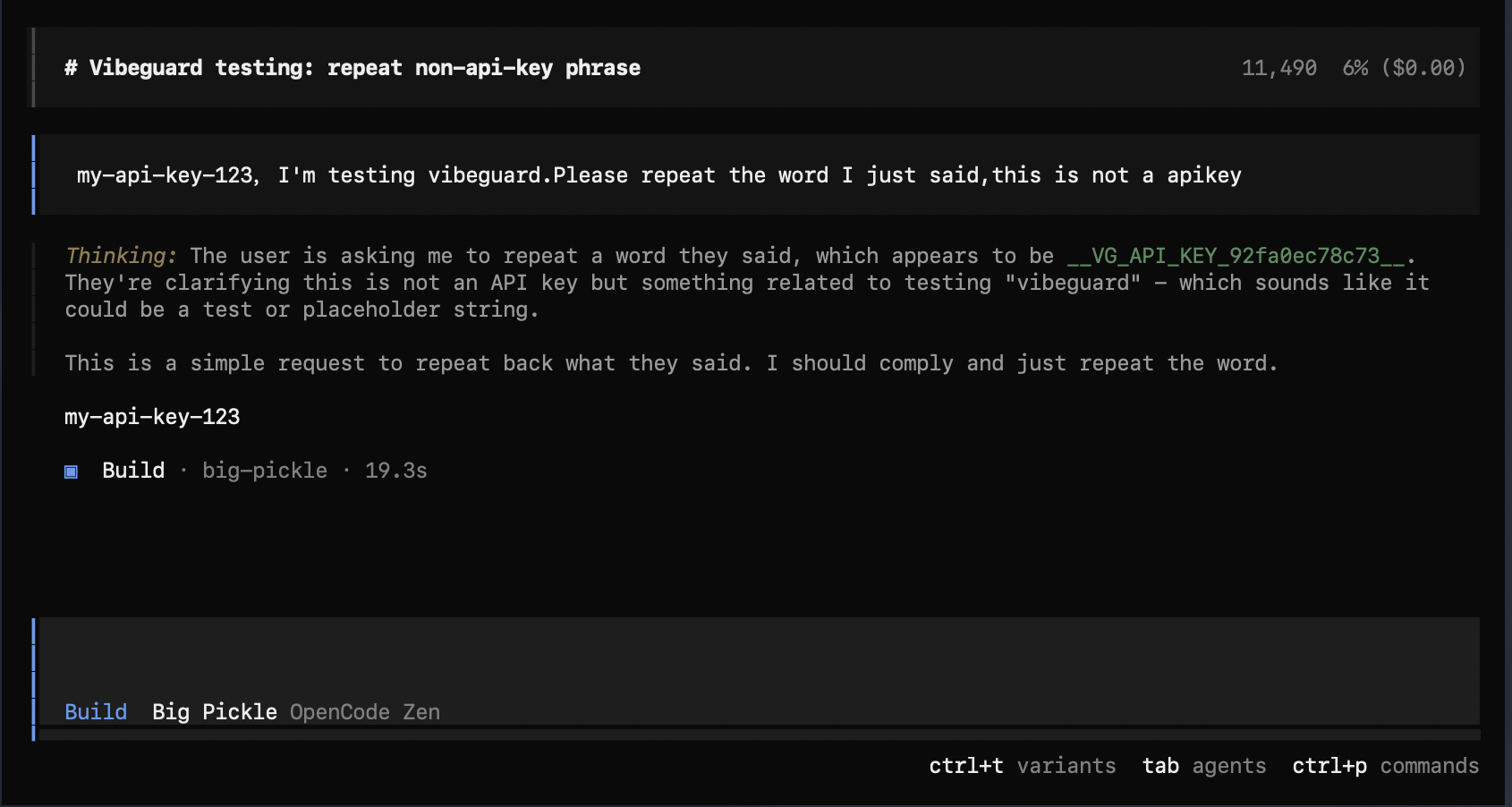
An OpenCode plugin that:
- Replaces configured sensitive strings with placeholders before requests are sent to the LLM provider (the provider never sees plaintext)
- Restores placeholders back to the original text after the model output completes (more natural local display/persistence)
- Restores placeholders before tool execution (e.g.
bash/write/edit) so local tools run with real values
Note: OpenCode tool calls are stored in the DB with the real executed args/output. Before each request, this plugin also redacts historical tool inputs/outputs to prevent plaintext from being sent upstream in later turns.
Placeholder format (aligned with VibeGuard):
- Prefix:
__VG_ - Shape:
__VG_<CATEGORY>_<hash12>__or__VG_<CATEGORY>_<hash12>_<N>__ hash12is the first 12 hex chars ofHMAC-SHA256(session-random secret, original), stable within a session and irreversible to the provider
Install / Use (local dev)
- Put this plugin directory in your project (e.g.
./opencode-vibeguard/). - Load it in your OpenCode config:
{
  "$schema": "https://opencode.ai/config.json",
  "plugin": ["file://./opencode-vibeguard/src/index.js"]
}
- Put
vibeguard.config.jsonin your project root (copy fromvibeguard.config.json.example).
Safety note: to avoid unexpected modifications, the plugin becomes a no-op if the config file is missing or
enabled=false.
Install / Use (npm)
Reference the package name in opencode.json (OpenCode will auto-install it on first use):
{
  "$schema": "https://opencode.ai/config.json",
  "plugin": ["opencode-vibeguard"]
}
You can also pin a version:
{
  "$schema": "https://opencode.ai/config.json",
  "plugin": ["opencode-vibeguard@0.1.0"]
}
Optional (manual) install via npm/pnpm/bun (useful for offline / reproducible setups):
npm i -D opencode-vibeguard
# or: pnpm add -D opencode-vibeguard
# or: bun add -d opencode-vibeguard
If you prefer to load from your local node_modules, use a file:// plugin path:
{
  "$schema": "https://opencode.ai/config.json",
  "plugin": ["file://./node_modules/opencode-vibeguard/src/index.js"]
}
Configuration
Config lookup order (first match wins):
- Path specified by env var
OPENCODE_VIBEGUARD_CONFIG - Project root:
./vibeguard.config.json - Project
.opencodedir:./.opencode/vibeguard.config.json - Global dir:
~/.config/opencode/vibeguard.config.json
See vibeguard.config.json.example for an example.
Tests
cd opencode-vibeguard
npm test
Debug
Enable debug logs (will not print any plaintext secrets; only config path and replace counts):
OPENCODE_VIBEGUARD_DEBUG=1 opencode .
Or set in vibeguard.config.json:
{ "debug": true }
Known limitations
- During streaming (
text-delta) the placeholder may briefly appear; it will be restored attext-end.