
opencode-traffic-lightTUI plugin that adds a traffic-light status indicator to your OpenCode terminal title
1
52
11 in 7 days
31.1
Multi-signal model
1 month ago
2026-07-09
Install and configure
opencode.jsonWrites to this project's opencode.json — applies to this repository only.
opencode.json
{
  "$schema": "https://opencode.ai/config.json",
  "plugin": ["opencode-traffic-light@1.0.3"]
}
Writes to ~/.config/opencode/opencode.json — applies to every project.
~/.config/opencode/opencode.json
{
  "$schema": "https://opencode.ai/config.json",
  "plugin": ["opencode-traffic-light@1.0.3"]
}
If you want to modify the plugin locally, install it into the project and reference the local path.
shell
pnpm add -D opencode-traffic-lightopencode loads npm dependencies through its embedded runtime on startup and caches them locally — no manual global install needed.
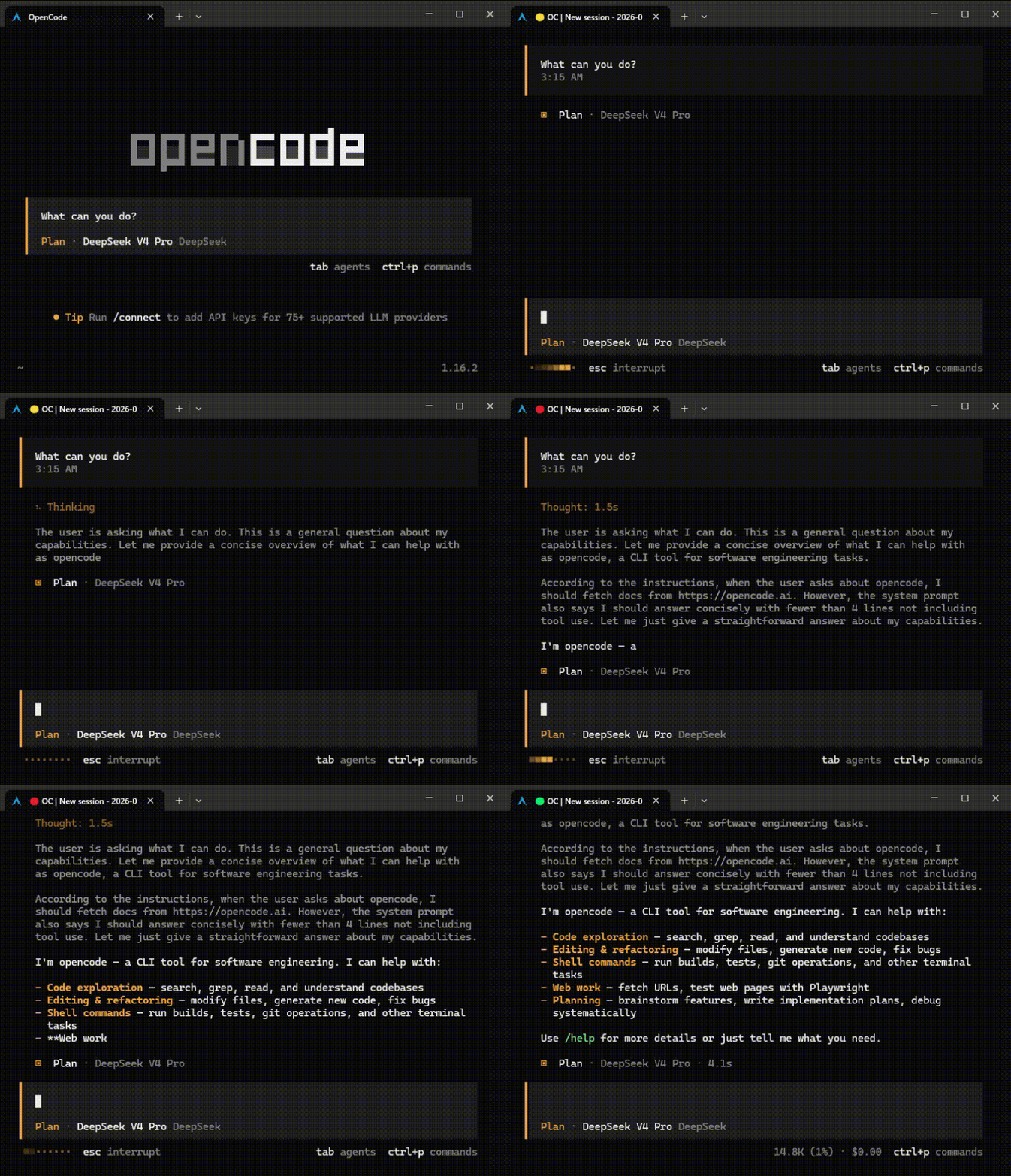
A TUI plugin that adds a status indicator to your terminal title bar, giving you a quick visual cue of what OpenCode is doing.
Status Colors
| Color | Meaning |
|---|---|
| 🟢 Green | Idle, waiting for input, or pending permission/question |
| 🟡 Yellow | Busy but no active tool or text output (thinking) |
| 🔴 Red | Running tools or generating text |
Installation
Add the plugin to your tui.json:
{
  "plugin": ["opencode-traffic-light"]
}
That's it. OpenCode will automatically install the plugin on next run.
Note: This is a TUI plugin, so it must be configured in
~/.config/opencode/tui.json, notopencode.json.
Usage
The traffic light activates automatically. The terminal title will look like:
🟢 OC | My Session— idle🟡 OC | My Session— thinking🔴 OC | My Session— working
Toggle
Run "Toggle traffic light" from the command palette to enable or disable the traffic light. The preference is persisted across sessions.
Environment Variable
Set OPENCODE_DISABLE_TERMINAL_TITLE=1 to prevent the plugin from modifying the terminal title.
License
MIT