
opencode-tabsSession tabs for the OpenCode TUI
5
+1 in 30 days
339
24 in 7 days
43.5
Multi-signal model
14 days ago
2026-08-05
Install and configure
opencode.jsonWrites to this project's opencode.json — applies to this repository only.
opencode.json
{
  "$schema": "https://opencode.ai/config.json",
  "plugin": ["opencode-tabs@0.2.0"]
}
Writes to ~/.config/opencode/opencode.json — applies to every project.
~/.config/opencode/opencode.json
{
  "$schema": "https://opencode.ai/config.json",
  "plugin": ["opencode-tabs@0.2.0"]
}
If you want to modify the plugin locally, install it into the project and reference the local path.
shell
pnpm add -D opencode-tabsopencode loads npm dependencies through its embedded runtime on startup and caches them locally — no manual global install needed.


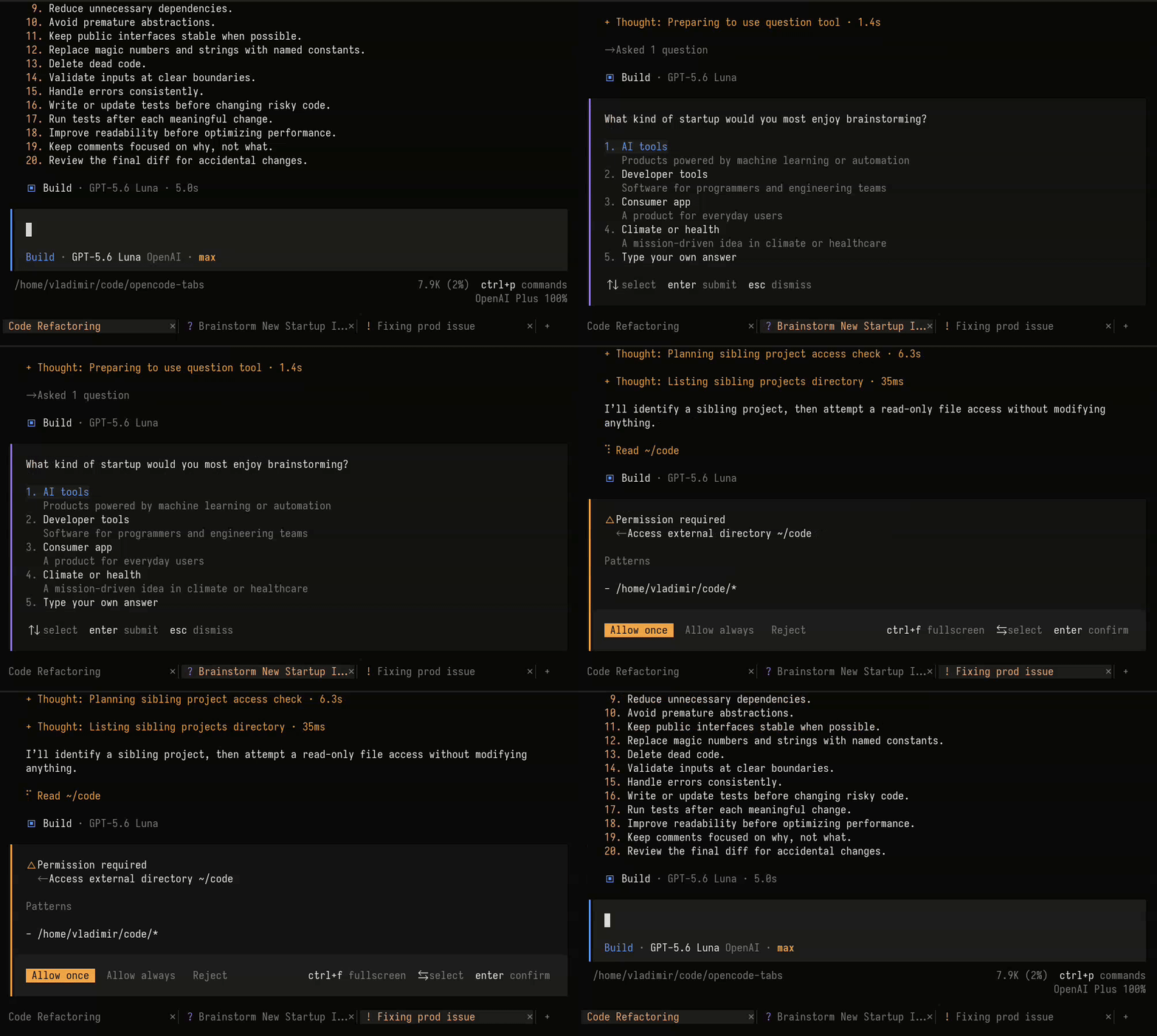
Session tabs for the OpenCode TUI.
- Quick navigation - Switch between sessions with a single click.
- Session status - See which sessions are busy or need attention.
Install
For the current project:
opencode plugin opencode-tabs
Or globally:
opencode plugin opencode-tabs --global
Or, add the package directly to .opencode/tui.json:
{
  "$schema": "https://opencode.ai/tui.json",
  "plugin": ["opencode-tabs"]
}
Restart OpenCode after the installation.
Keyboard navigation
The Next tab, Previous tab, and Close tab commands are available in the
command palette. They have no keybindings by default. To open a new tab, use
OpenCode's built-in New session command. Check the
OpenCode keybinds documentation.
To enable keyboard navigation, configure the plugin with options:
{
  "$schema": "https://opencode.ai/tui.json",
  "plugin": [
    [
      "opencode-tabs",
      {
        "keybinds": {
          "next": "<leader>]",
          "previous": "<leader>[",
          "close": "<leader>w"
        }
      }
    ]
  ]
}
Restart OpenCode after changing the configuration.