
opencode-stats-engineOpenCode Event-Sourced Stats Engine
2
232
15 in 7 days
37.3
Multi-signal model
26 days ago
2026-07-24
Install and configure
opencode.jsonWrites to this project's opencode.json — applies to this repository only.
opencode.json
{
  "$schema": "https://opencode.ai/config.json",
  "plugin": ["opencode-stats-engine@1.1.0"]
}
Writes to ~/.config/opencode/opencode.json — applies to every project.
~/.config/opencode/opencode.json
{
  "$schema": "https://opencode.ai/config.json",
  "plugin": ["opencode-stats-engine@1.1.0"]
}
If you want to modify the plugin locally, install it into the project and reference the local path.
shell
pnpm add -D opencode-stats-engineopencode loads npm dependencies through its embedded runtime on startup and caches them locally — no manual global install needed.
OpenCode Event-Sourced Stats Engine Plugin. Monitors OpenCode events, persists session/message/tool-execution data to local SQLite, and provides a local stats dashboard, REST API, and SSE real-time updates.
Features
- Event Capture: Listens to OpenCode sessions, messages, and tool execution events.
- Local Persistence: Appends events to SQLite (default:
~/.local/share/opencode-stats-engine/stats.db). - Statistical Projections: Projects raw events into aggregated statistics for sessions, messages, tool calls, etc.
- Local Dashboard: Serves a Vue 3 dashboard and
/api/v1/dashboard/*API via Hono. - Real-time Updates: Pushes SSE update notifications to the dashboard via
/api/v1/dashboard/stream. - Multi-instance Coordination: When multiple OpenCode instances run simultaneously, only the leader serves HTTP; followers continue writing local data.
Quick Start
Add the plugin to your opencode.json configuration:
{
  "$schema": "https://opencode.ai/config.json",
  "plugin": ["opencode-stats-engine"]
}
After saving the configuration, start OpenCode normally. OpenCode will load opencode-stats-engine according to the plugin configuration. Once loaded, the plugin initializes the local database, projection engine, and HTTP server, and processes OpenCode events via the generic event hook.
Then open your browser at:
http://127.0.0.1:11133
The default port is 11133, configurable via STATS_PORT.
Environment Variables
| Variable | Default | Description |
|---|---|---|
STATS_PORT |
11133 |
Local dashboard and API listening port |
STATS_DB_DIR |
~/.local/share/opencode-stats-engine/ |
Directory for SQLite database and log files |
STATS_DB_PATH |
$STATS_DB_DIR/stats.db |
SQLite database file path |
Dashboard & API
The plugin includes a pre-built Vue 3 dashboard and provides the following API endpoints:
GET /api/v1/dashboard/overviewGET /api/v1/dashboard/efficiencyGET /api/v1/dashboard/modelsGET /api/v1/dashboard/projectsGET /api/v1/dashboard/toolsGET /api/v1/dashboard/sessionsGET /api/v1/dashboard/sessions/:idGET /api/v1/dashboard/stream(SSE)
All Dashboard APIs support an optional tz query parameter (e.g., Asia/Shanghai, America/New_York). The tz parameter only affects date/hour bucketing in the response; timestamps in the database and all *_ms fields always remain in UTC milliseconds epoch.
Data & Privacy
- Data is written only to local SQLite and never uploaded to remote services.
- Dashboard APIs do not return message bodies, tool inputs, tool outputs, or raw payloads.
- Fields like
tool_input,tool_output,message_body,raw_input,raw_outputare excluded from displayable metadata. - Logs are written to
STATS_DB_DIR/stats.logby default for local troubleshooting.
Development
The following content is for developers of this repository. The project uses a Bun workspace monorepo containing packages/{plugin,engine,shared,dashboard}. The tech stack includes Bun, TypeScript, Biome, Hono, and a Vue 3 dashboard located in packages/dashboard/.
bun install
bun run biome:check
bun run typecheck
bun test
bun run build:dashboard
bun run build
Common test commands:
bun test
bun test packages/engine/tests/projection/engine.test.ts
bun test --test-name-pattern "routes"
The dashboard development server can be started separately, with /api proxied to http://127.0.0.1:11133 by default:
bun run --cwd packages/dashboard dev
Auto-fix:
bun run biome:fix
bun run biome:fix-unsafe
Dashboard Preview
Overview
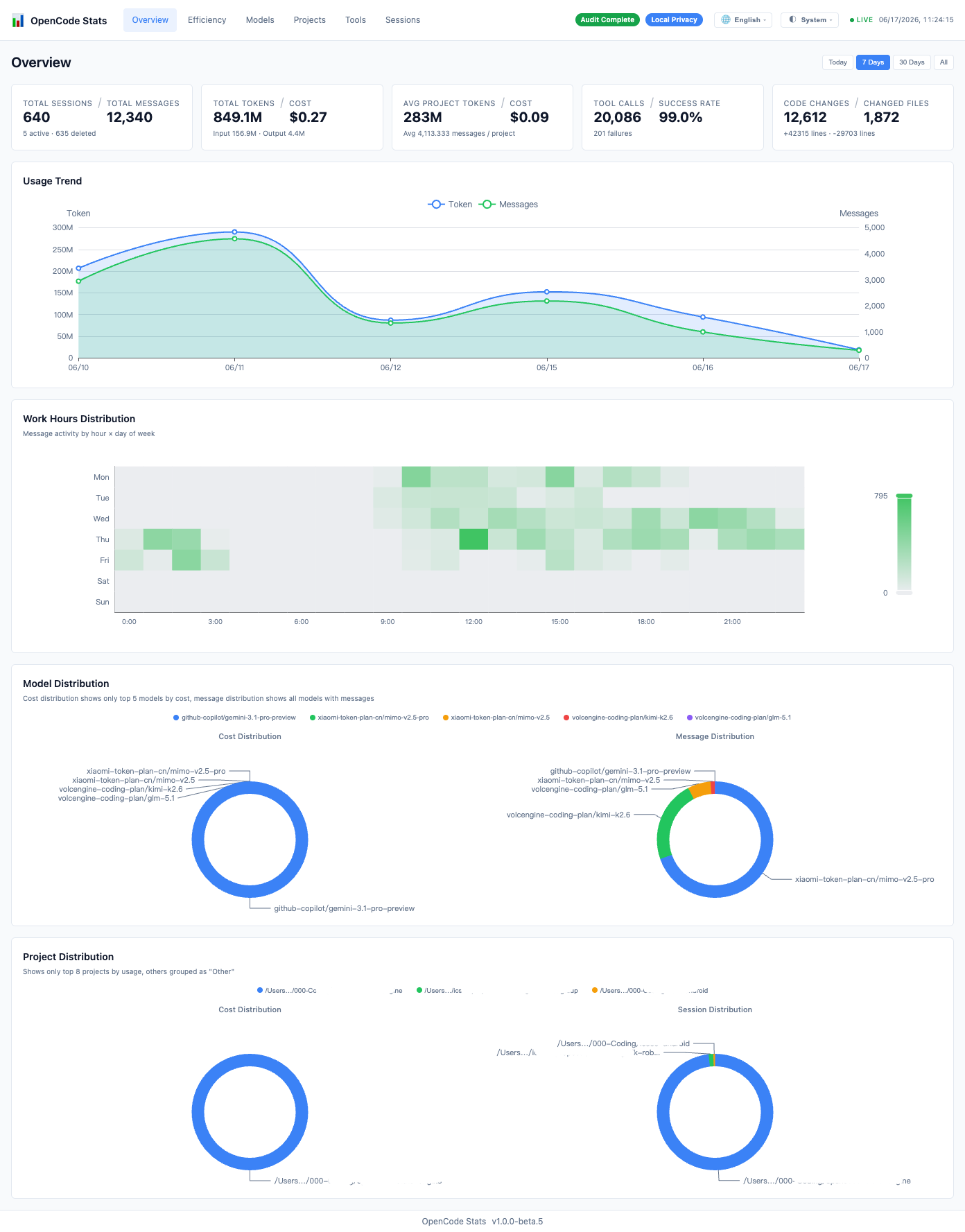
Efficiency Analysis
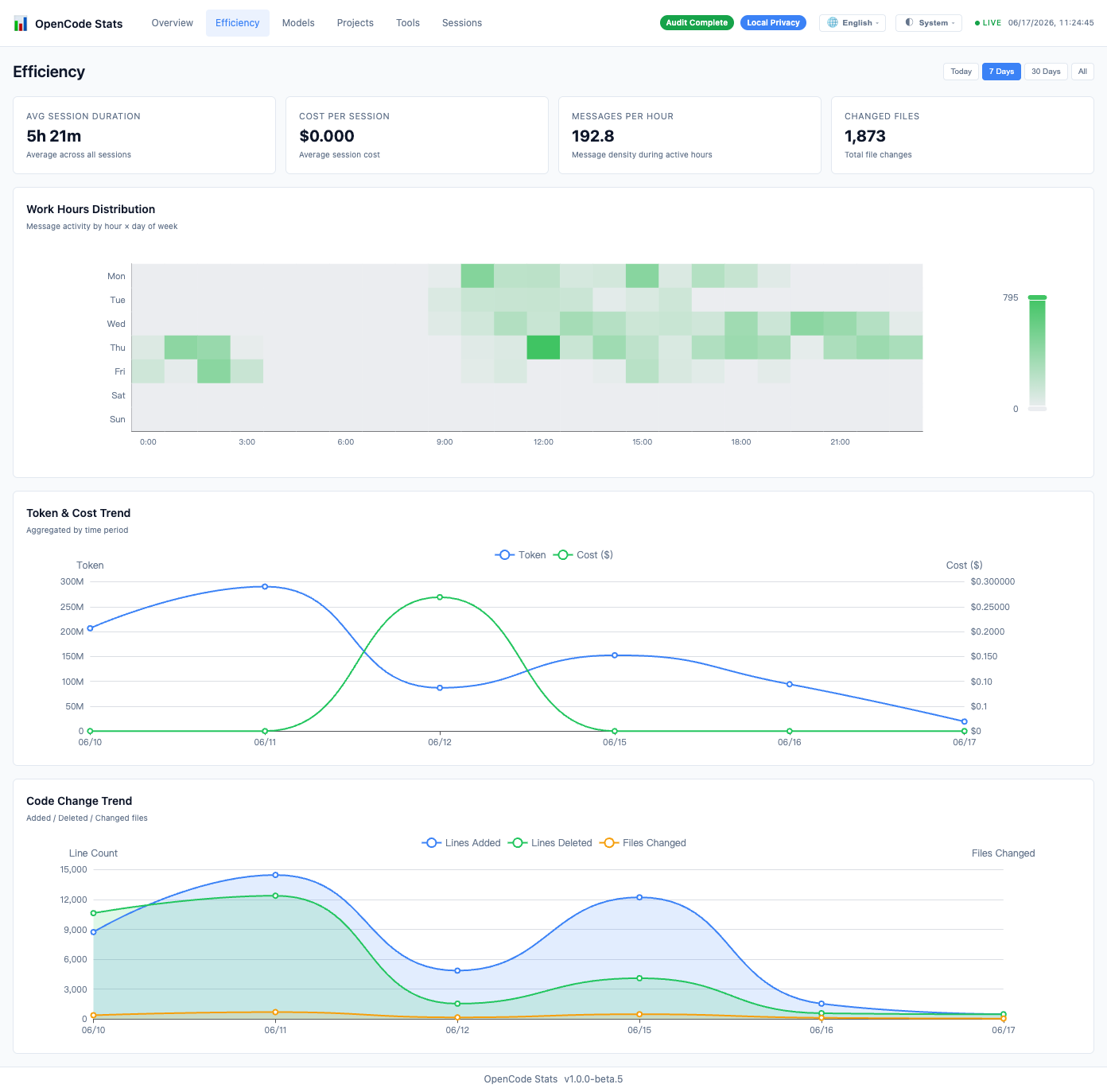
Model Statistics
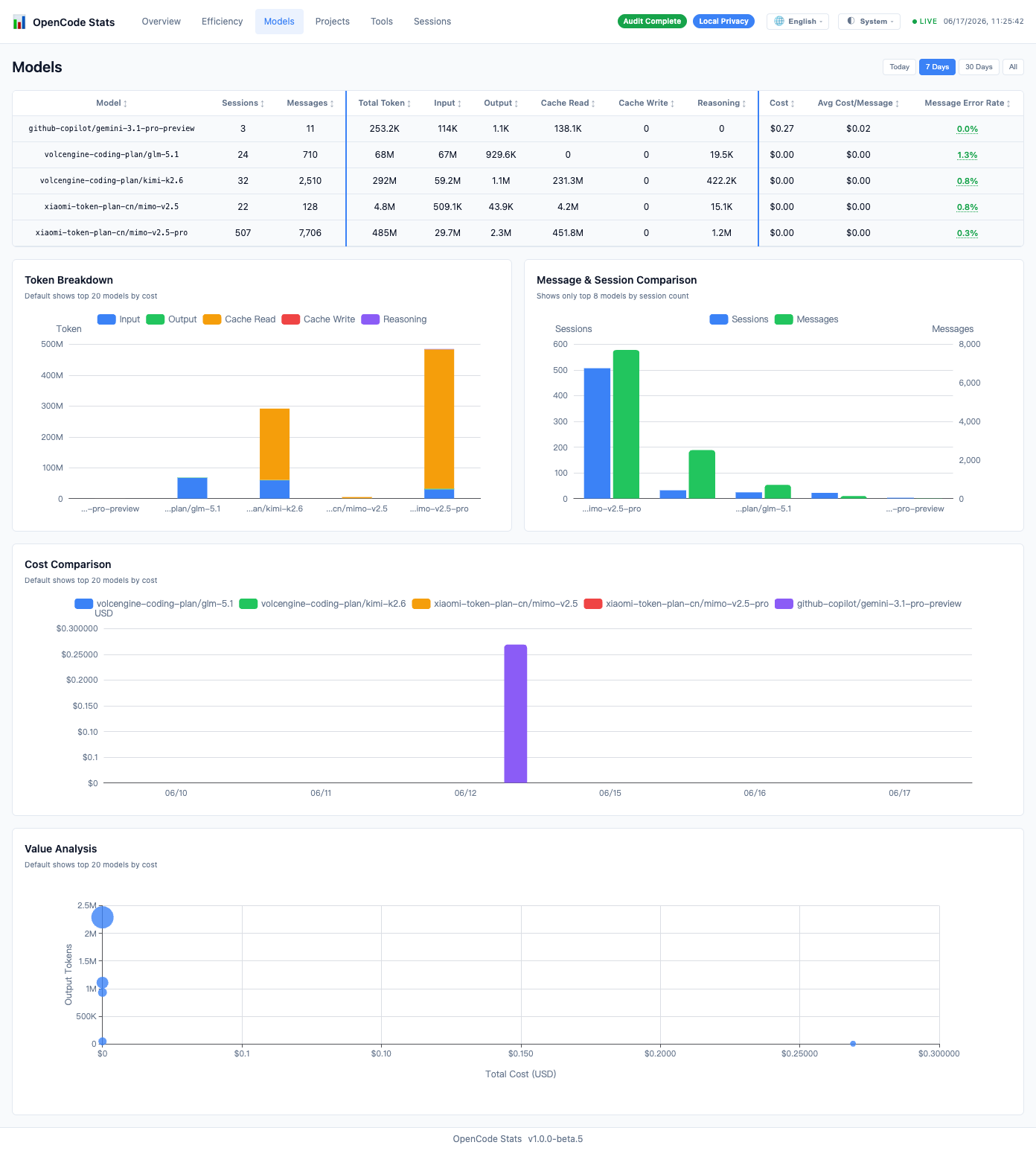
Projects Comparison
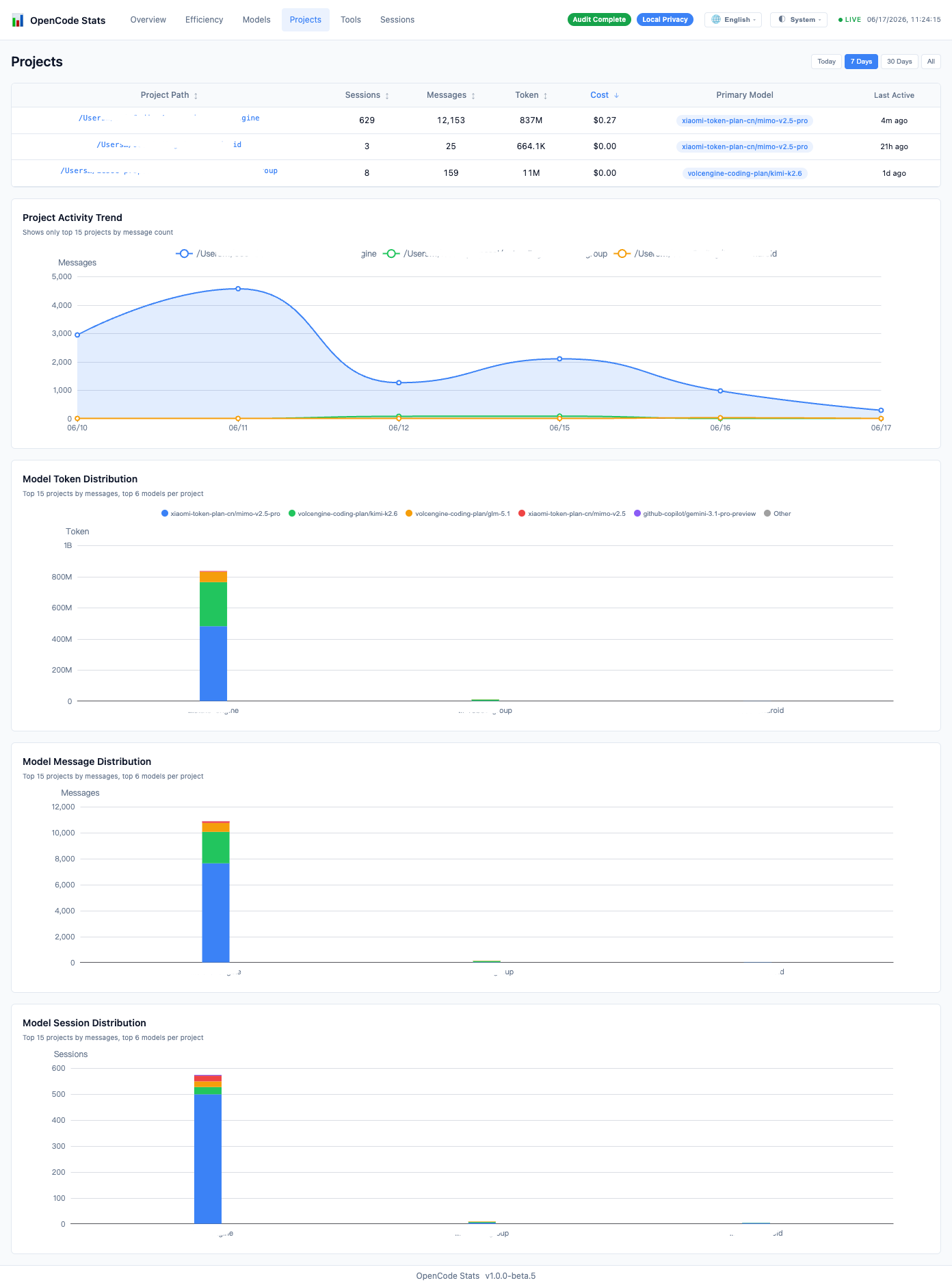
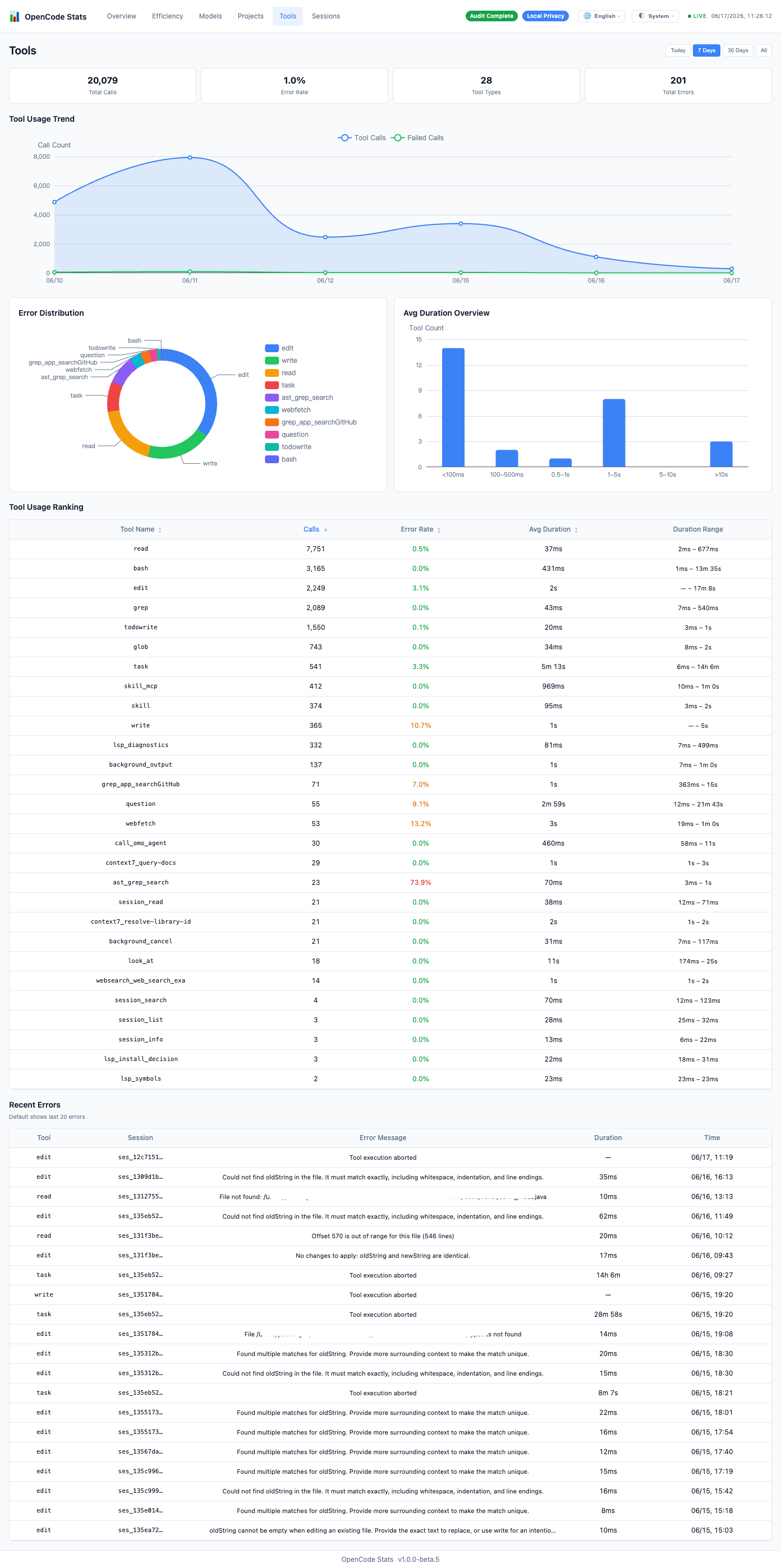
Tool Calls
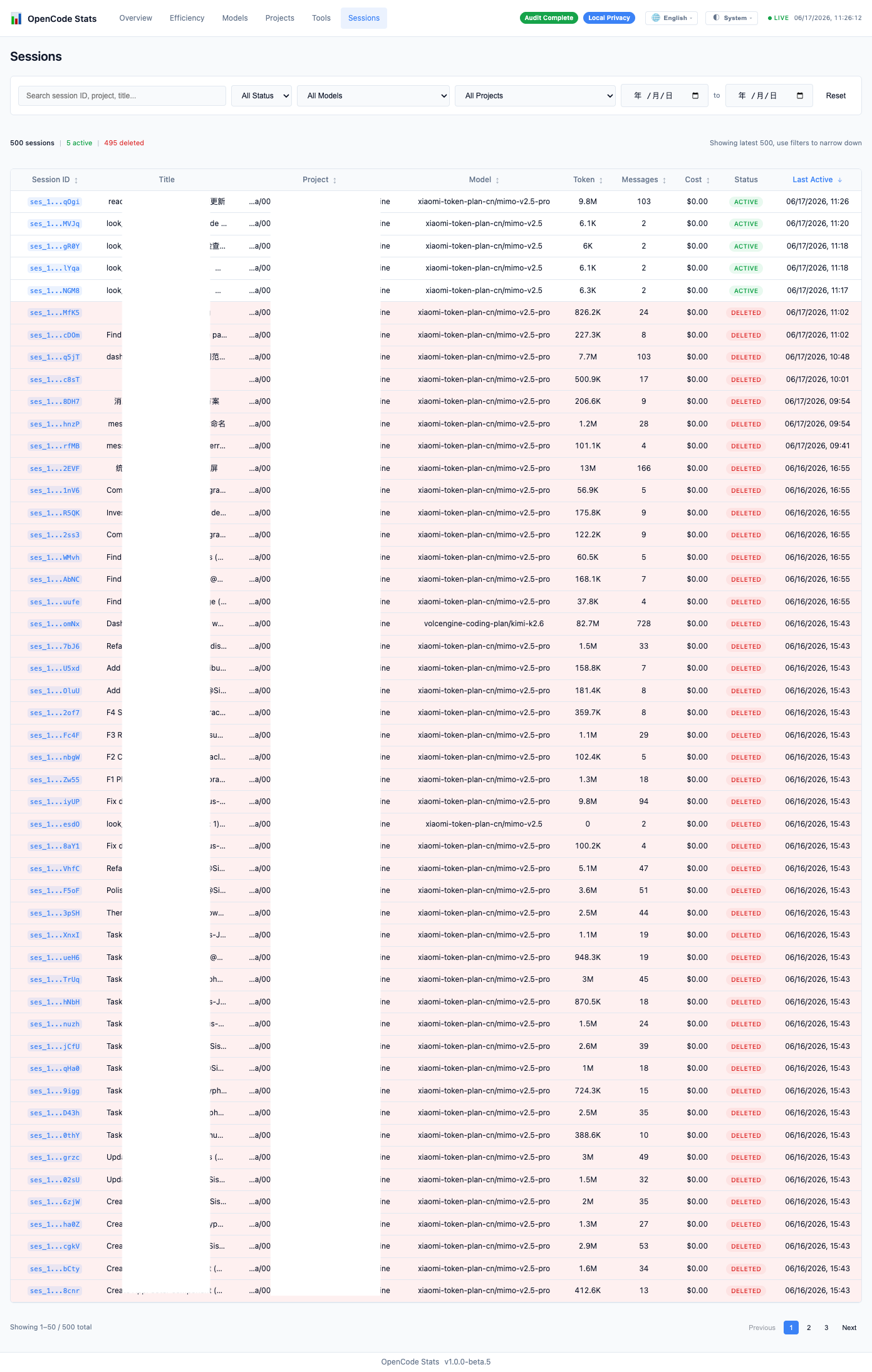
Session List
License
MIT