
opencode-model-scorecardOpenCode TUI plugin that displays local benchmark scores, token costs, and token efficiency on the home screen.
2
24
6 in 7 days
30.3
Multi-signal model
1 month ago
2026-07-04
Install and configure
opencode.jsonWrites to this project's opencode.json — applies to this repository only.
opencode.json
{
  "$schema": "https://opencode.ai/config.json",
  "plugin": ["opencode-model-scorecard@0.1.1"]
}
Writes to ~/.config/opencode/opencode.json — applies to every project.
~/.config/opencode/opencode.json
{
  "$schema": "https://opencode.ai/config.json",
  "plugin": ["opencode-model-scorecard@0.1.1"]
}
If you want to modify the plugin locally, install it into the project and reference the local path.
shell
pnpm add -D opencode-model-scorecardopencode loads npm dependencies through its embedded runtime on startup and caches them locally — no manual global install needed.


OpenCode TUI plugin that shows model benchmark score, token cost, and token efficiency directly on the home screen so you can choose models with local quality and cost context.
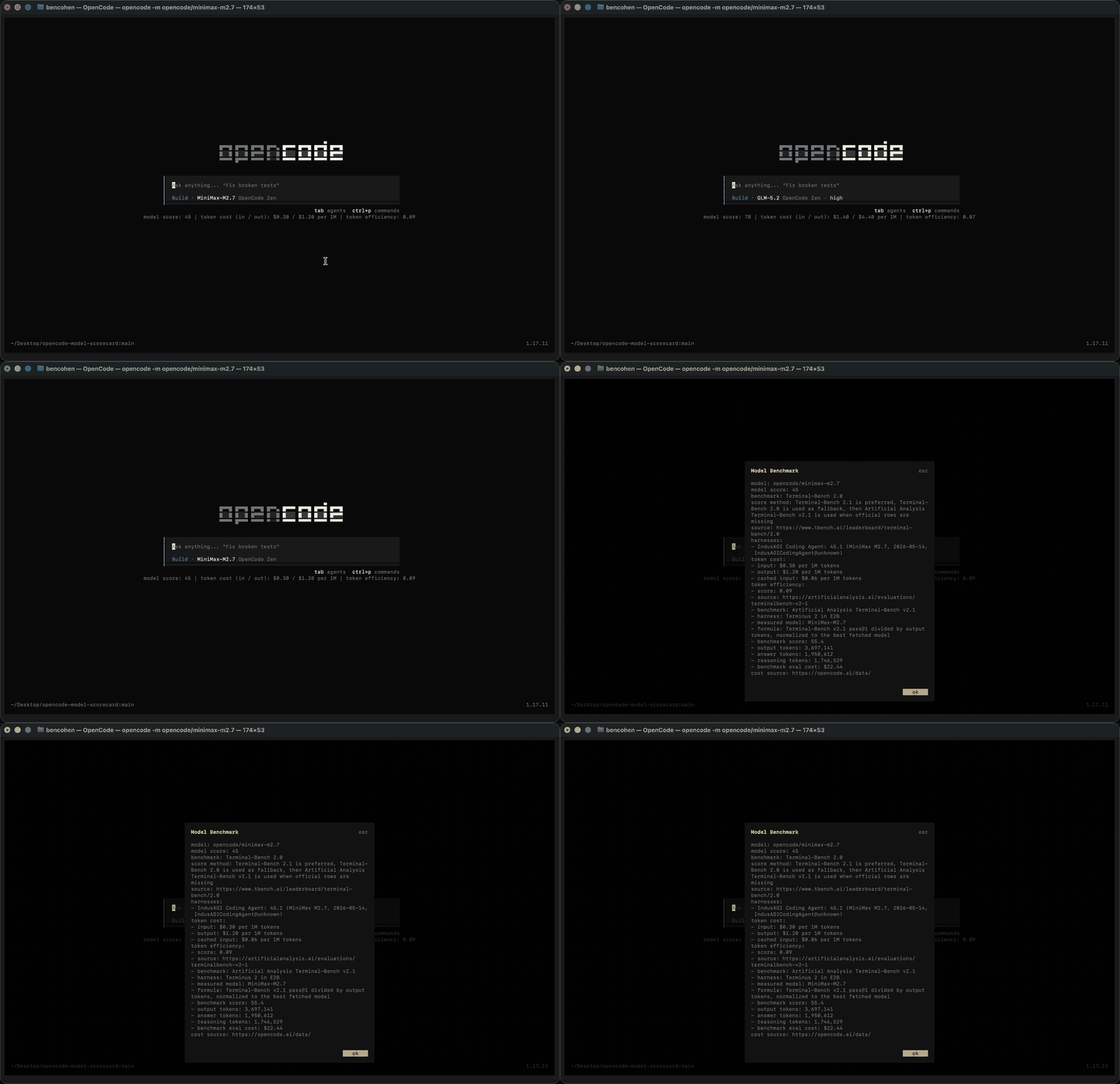
The status line stays visible while you work:
model score: 77 | token cost (in / out): $5.00 / $25.01 per 1M | token efficiency: 0.08
Install
Install globally into your OpenCode TUI config:
opencode plugin opencode-model-scorecard -g
OpenCode installs npm plugins automatically on startup and caches packages under its own cache directory.
For a project-local install, add the TUI plugin to tui.json or
.opencode/tui.json:
{
  "$schema": "https://opencode.ai/tui.json",
  "plugin": ["opencode-model-scorecard"]
}
Open OpenCode and use the Show model benchmark details command to inspect the
Terminal-Bench rows, token prices, and token-efficiency calculation for the
currently selected model.
Why This Exists
Model choice in OpenCode is usually a tradeoff between coding-agent quality, input/output price, and how many output tokens a model tends to spend to solve tasks. Those signals are scattered across benchmark pages, provider catalogs, and local usage. Model Scorecard puts the most useful comparison line in the place where you pick and use models.
Data Sources
- Model score: Terminal-Bench 2.1 when available, Terminal-Bench 2.0 as a fallback, then Artificial Analysis Terminal-Bench v2.1 when official rows are missing.
- Token cost: OpenCode Data model catalog.
- Token efficiency: Artificial Analysis Terminal-Bench v2.1 score and output-token data when available, with OpenCode session-cost rows retained as a real observed fallback.
All data is bundled into the package at release time and resolved locally at runtime. The plugin does not call a backend or fetch benchmark data while you use OpenCode.
Known Limits
- Models without a Terminal-Bench or Artificial Analysis match show
n/afor benchmark-derived fields. - Benchmark rows are useful comparison signals, not absolute model rankings for every codebase.
- Prices and benchmark coverage update only when maintainers publish a refreshed npm release.
- Provider aliases can differ. Please open a missing-model issue when a model should resolve but does not.
Score Refreshes
Maintainers can refresh the hardcoded benchmark registry before publishing a new npm release:
npm run update:scores
npm test
npm run pack:dry-run
npm version patch
npm publish
The refresh command uses Terminal-Bench 2.1, Terminal-Bench 2.0, Artificial
Analysis Terminal-Bench v2.1, and OpenCode Data, then rewrites only the marked
data arrays in .opencode/plugins/model-score-data.mjs. End users do not need a
backend or a network call at runtime.
Adoption
See docs/adoption.md for the discovery plan, validation checks, listing copy, and launch assets used to make this plugin easier for OpenCode users to find and evaluate.