
opencode-js-bountyOpencode plugin for automated JS bundle bug bounty analysis and UI tracking
3
37
3 in 7 days
28.3
Multi-signal model
4 months ago
2026-04-21
Install and configure
opencode.jsonWrites to this project's opencode.json — applies to this repository only.
opencode.json
{
  "$schema": "https://opencode.ai/config.json",
  "plugin": ["opencode-js-bounty@1.0.2"]
}
Writes to ~/.config/opencode/opencode.json — applies to every project.
~/.config/opencode/opencode.json
{
  "$schema": "https://opencode.ai/config.json",
  "plugin": ["opencode-js-bounty@1.0.2"]
}
If you want to modify the plugin locally, install it into the project and reference the local path.
shell
pnpm add -D opencode-js-bountyopencode loads npm dependencies through its embedded runtime on startup and caches them locally — no manual global install needed.




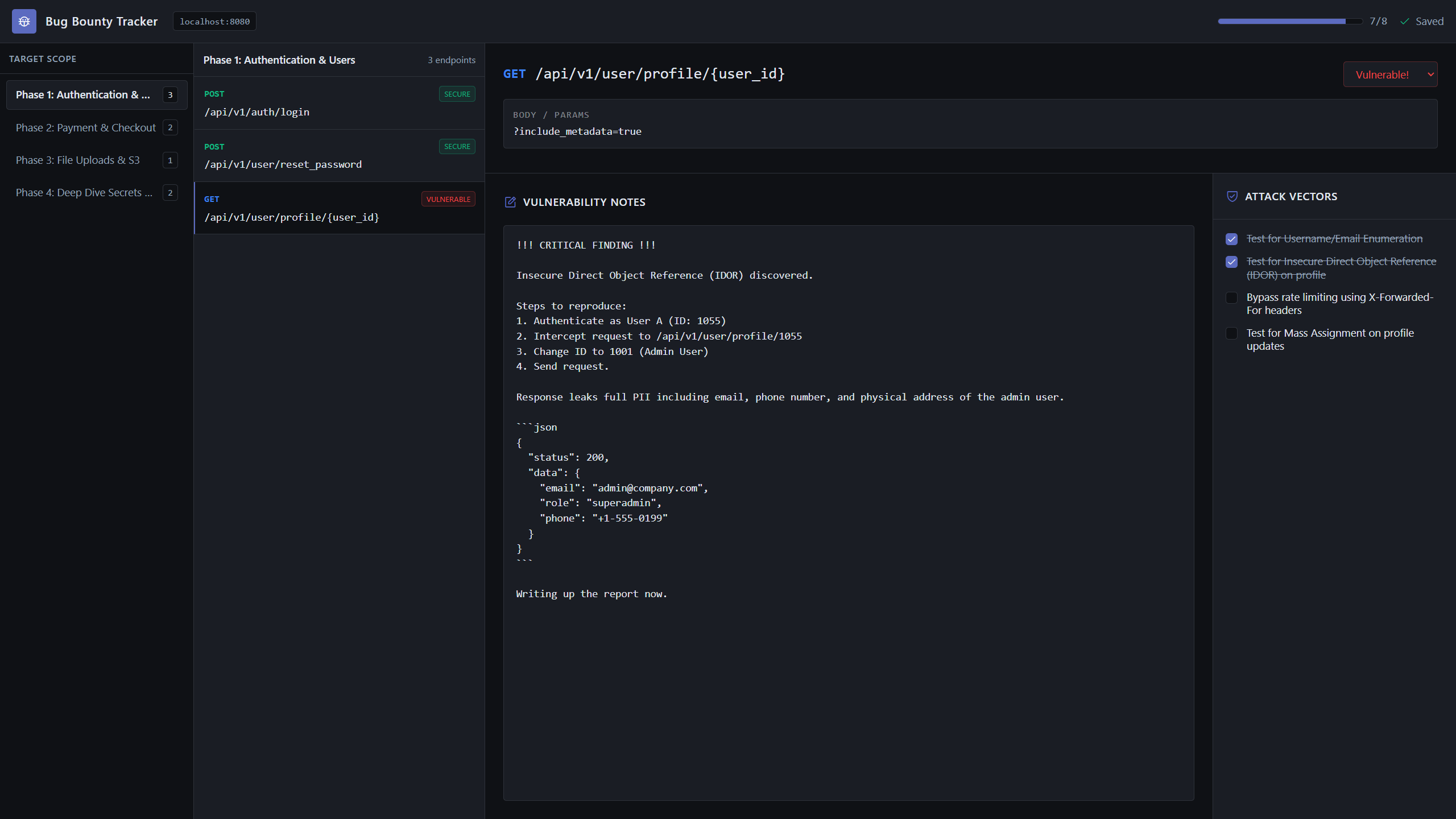
An official OpenCode plugin that automatically downloads js files, analyzes them for hidden API endpoints and local storage secrets, and spins up a beautiful local Bug Bounty Tracker UI to manage your hunt!
Installation
- Add the plugin to your OpenCode project by editing opencode.json:
{
  "$schema": "https://opencode.ai/config.json",
  "plugin": ["opencode-js-bounty"]
}
- Run
npm install opencode-js-bounty(or whatever your package manager uses to install it locally).
Note: The installation process will automatically register the /js-bounty command into your OpenCode CLI via a post-install hook.
Usage
Simply trigger the analysis inside OpenCode by passing a local file path or a remote URL:
/js-bounty https://example.com/assets/file.js
What happens next?
- OpenCode seamlessly intercepts the command and downloads the file.
- The plugin executes a high-speed extraction script, aggressively pulling out all `/api/`, `/v1/`, and `/jwt/` paths, along with cached `llab-` secrets.
- The data is saved to `tracker-state.json`.
- A stealthy local UI server boots up at http://localhost:49152.
- OpenCode replies with a single link to click. No terminal clutter!
Features
- Zero Configuration: Just pass a URL and get a full dashboard.
- Plannotator-Style UI: A dark-mode, split-pane React application built-in.
- Persistent State: Notes, statuses, and checkboxes are instantly saved to disk locally.
- Auto-Categorization: Automatically separates hidden localStorage keys from standard REST APIs.
Author & Support
Created with ❤️ by Ahmed Yasser
If this tool helped you secure a sweet bounty, consider starring the repo or reaching out on Twitter/X (@spxios)!