
opencode-group-discussMulti-agent group discussion plugin for OpenCode - enables AI agents to debate and collaborate
1
22
3 in 7 days
20.6
Multi-signal model
6 months ago
2026-02-11
Install and configure
opencode.jsonWrites to this project's opencode.json — applies to this repository only.
opencode.json
{
  "$schema": "https://opencode.ai/config.json",
  "plugin": ["opencode-group-discuss@0.5.0"]
}
Writes to ~/.config/opencode/opencode.json — applies to every project.
~/.config/opencode/opencode.json
{
  "$schema": "https://opencode.ai/config.json",
  "plugin": ["opencode-group-discuss@0.5.0"]
}
If you want to modify the plugin locally, install it into the project and reference the local path.
shell
pnpm add -D opencode-group-discussopencode loads npm dependencies through its embedded runtime on startup and caches them locally — no manual global install needed.
中文文档 | English
[!WARNING] Security: file sandbox is strict.
filescan only read files within the OpenCode project root (realpathcheck prevents symlink escape).- Limits: max 10 files; max 256 KiB per file; max 1 MiB total (fail-closed if exceeded).


Your Single Agent is Lonely. Give them a Team.
Claude Code is great. DeepSeek is smart. But if you're building complex software, you don't work alone. Why should your AI?
OpenCode Group Discuss brings the "Room of Experts" to your terminal. Stop baby-sitting your agent. Let them fight it out.
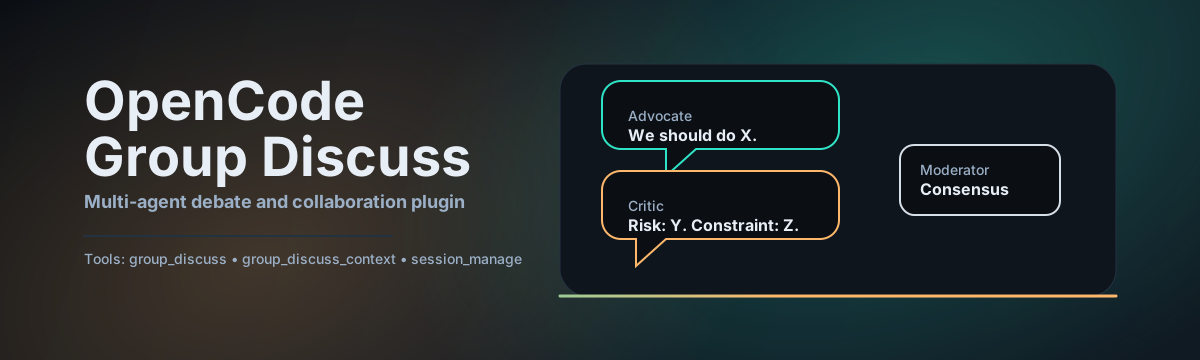
- Debate Mode: Uncertainty? Have an Advocate and a Critic battle it out while a Moderator decides the winner.
- Collaborative Mode: Building a system? Summon an Architect, a DBA, and a Security Expert to draft the plan together.
- Consensus Engine: It's not just a chatroom. It detects consensus, breaks stalemates, and delivers a final verdict.
- Zero Hallucination Loops: Configurable rounds and strict context budgeting prevent endless rambling.
Remember the last time you merged a PR without review? Yeah, don't do that with AI code either. This isn't just a plugin. It's your AI Engineering Manager.
Just Skip Reading This Readme
It's the Age of Agents
Just paste this link into Claude Code / OpenCode and ask it to explain. Ask why this is better than a single prompt. ask how it prevents "yes-man" behavior.
Hey, please read this readme and explain why "Group Discuss" is better than a single agent for architectural decisions.
https://raw.githubusercontent.com/Erinable/opencode-group-discuss/master/README.md
🪄 The Magic Word: preset
Don't want to configure JSONs? Just use preset.
We've baked in the best practices.
tech-review: 3-round debate for choosing tech stacks.code-review: Author vs Reviewer vs Security.architecture: High-level system design committee.
Just type:
group_discuss({ "preset": "tech-review", "topic": "Should we use Next.js or Remix?" })
And watch them fight.
Installation
For Humans
Install the package in your OpenCode project:
npm install -D opencode-group-discussEnable it in your
opencode.json:{ "plugin": ["opencode-group-discuss"] }Critical: Add the required agents to your
opencode.json.The plugin relies on specific sub-agents (like
advocate,critic,moderator). You must define them in youropencode.jsonso the plugin can summon them.Click to copy the full `agent` configuration
{
  "agent": {
    "advocate": {
      "description": "Advocate - Proposes and defends solutions",
      "mode": "subagent",
      "model": "google/antigravity-gemini-3-flash",
      "prompt": "你是辩论中的正方/倡导者。你的目标是推动某个方案/立场成为推荐方案。...",
      "temperature": 0.7
    },
    "critic": {
      "description": "Critic - Finds flaws and risks",
      "mode": "subagent",
      "model": "google/antigravity-gemini-3-flash",
      "prompt": "你是 Critic。目标:暴露风险与盲区...",
      "temperature": 0.6
    },
    "moderator": {
      "description": "Moderator - Decides the winner",
      "mode": "subagent",
      "model": "google/antigravity-gemini-3-flash",
      "prompt": "你是 Moderator...",
      "temperature": 0.3
    },
    "summarizer": {
      "description": "Summarizer - Compresses context",
      "mode": "subagent",
      "model": "google/antigravity-gemini-3-flash",
      "temperature": 0.2
    },
    "researcher": {
      "description": "Researcher - Web research",
      "mode": "subagent",
      "model": "google/antigravity-gemini-3-flash",
      "temperature": 0.2
    },
    "bridge": {
      "description": "Bridge - Spec writer",
      "mode": "subagent",
      "model": "google/antigravity-gemini-3-flash",
      "temperature": 0.2
    },
    "reviewer": {
      "description": "Reviewer - Spec auditor",
      "mode": "subagent",
      "model": "google/antigravity-gemini-3-flash",
      "temperature": 0.2
    }
  }
}
(See
dist/opencode.jsonor the repository for the full prompt text if you need to customize it)
For LLM Agents
Fetch the installation guide and follow it (yes, you can tell your agent to do this):
npm install -D opencode-group-discuss && \
node -e 'const fs=require("fs"); const p="opencode.json"; const c=JSON.parse(fs.readFileSync(p)); if(!c.plugin.includes("opencode-group-discuss")) { c.plugin.push("opencode-group-discuss"); fs.writeFileSync(p, JSON.stringify(c, null, 2)); }'
Features that Matter
1. Debate Mode (The "Truth Seeker")
Single agents are biased. They want to please you. Debate Mode forces conflict.
- Advocate: Proposes a solution and defends it.
- Critic: Ruthlessly finds edge cases, security flaws, and scalability issues.
- Moderator: Watches silently, then delivers the final verdict based on logic, not politeness.
2. Collaborative Mode (The "Builder")
Perfect for multi-faceted problems.
- Need a database schema? The DBA agent handles it.
- Need an API? The Backend agent specs it out.
- Need it secure? The Security agent audits everything in real-time.
3. Context Budgeting
Context windows are expensive. This plugin implements Smart Context Budgeting:
- Auto-compresses discussion history when it gets too long.
- extracting key insights before discarding raw text.
- Ensures your bill doesn't explode while keeping the "memory" of the meeting alive.
Quick Start
1. Check your status:
group_discuss_context()
2. Start a simple debate:
group_discuss({
  "topic": "PostgreSQL vs MySQL for a high-write logging system",
  "preset": "tech-review"
})
3. Run a custom board meeting:
group_discuss({
  "topic": "Design a high-availability payment gateway",
  "mode": "collaborative",
  "participants": [
    { "name": "Architect", "subagent_type": "critic", "role": "Reliability & Uptime" },
    { "name": "Security", "subagent_type": "critic", "role": "PCI Compliance" },
    { "name": "Product", "subagent_type": "general", "role": "User Experience" }
  ],
  "rounds": 4
})
Configuration
Highly opinionated, but adjustable.
See docs/CONFIG.md for the nitty-gritty.
Config Locations:
- Project:
.opencode/group-discuss.json - Global:
~/.config/opencode/group-discuss.json
Key Knobs:
consensus.threshold: How much agreement is needed to stop early? (0.0 - 1.0)termination.enable_stalemate_detection: If they argue in circles, kill the meeting.context_budget.profile:small(cheap),balanced(standard), orlarge(deep work).
📺 Live Panel & History (Tmux TUI)
This plugin integrates deeply with Tmux to provide a real-time, side-by-side transcript panel.
1. Prerequisites (For Humans)
Install Tmux:
- macOS:
brew install tmux - Linux:
sudo apt install tmux
- macOS:
Setup
ocHelper (Strongly Recommended): Add this function to your~/.zshrcor~/.bashrc. It automatically handles session management and panel layout.# Add to ~/.zshrc oc() { local base_name=$(basename "$PWD") local path_hash=$(echo "$PWD" | md5 | cut -c1-4) local session_name="${base_name}-${path_hash}" # Find available port local port=4096 while [ $port -lt 5096 ]; do if ! lsof -i :$port >/dev/null 2>&1; then break fi port=$((port + 1)) done export OPENCODE_PORT=$port if [ -n "$TMUX" ]; then opencode --port $port "$@" else local oc_cmd="OPENCODE_PORT=$port opencode --port $port ${(q)@}; exec $SHELL" if tmux has-session -t "$session_name" 2>/dev/null; then if [ -t 1 ]; then tmux new-window -t "$session_name" -c "$PWD" "$oc_cmd" tmux attach-session -t "$session_name" else tmux new-window -d -t "$session_name" -c "$PWD" "$oc_cmd" echo "Attached new window to existing session" fi else if [ -t 1 ]; then tmux new-session -s "$session_name" -c "$PWD" "$oc_cmd" else tmux new-session -d -s "$session_name" -c "$PWD" "$oc_cmd" echo "Started new session '${session_name}'" fi fi fi }
2. Usage
Start a Discussion:
Run commands with oc instead of opencode:
oc run debate "Tabs vs Spaces"
What happens?
- A new side-by-side pane opens automatically.
- The transcript streams in real-time (with nice dark-mode formatting).
- Persistence: When the discussion ends, the panel stays open so you can review the conclusion.
3. Controls
In the Panel
Space: Pause/Resume auto-scroll.h: History Menu. Browse logs from previous discussions.Esc: Return from History to Live view.q: Close the panel manually.- Mouse: Scroll wheel works!
Via AI (Panel Control Tool)
You can ask the AI to manage the panel for you:
- "Open the transcript panel" -> Opens/Resets the panel to the latest log.
- "Close panel" -> Closes it.
4. Configuration
In group-discuss.json:
"tui": {
  "use_tmux": true,                  // Enable TUI
  "tmux_pane_orientation": "horizontal" // or "vertical"
}
Troubleshooting
"Unauthorized" / 401? OpenCode Desktop authentication issue. Restart your OpenCode client.
Tool not found?
Did you add it to opencode.json? Did you restart?
Contributing
We welcome PRs. If you think you can build a better Moderator, come prove it.
License
MIT