
oh-my-opencode-malLightweight agent orchestration plugin for OpenCode - a slimmed-down fork of oh-my-opencode
2
17
1 in 7 days
23.8
Multi-signal model
4 months ago
2026-03-26
Install and configure
opencode.jsonWrites to this project's opencode.json — applies to this repository only.
opencode.json
{
  "$schema": "https://opencode.ai/config.json",
  "plugin": ["oh-my-opencode-mal@0.7.3"]
}
Writes to ~/.config/opencode/opencode.json — applies to every project.
~/.config/opencode/opencode.json
{
  "$schema": "https://opencode.ai/config.json",
  "plugin": ["oh-my-opencode-mal@0.7.3"]
}
If you want to modify the plugin locally, install it into the project and reference the local path.
shell
pnpm add -D oh-my-opencode-malopencode loads npm dependencies through its embedded runtime on startup and caches them locally — no manual global install needed.
oh-my-opencode-mal
A lightweight, powerful agent orchestration plugin for OpenCode
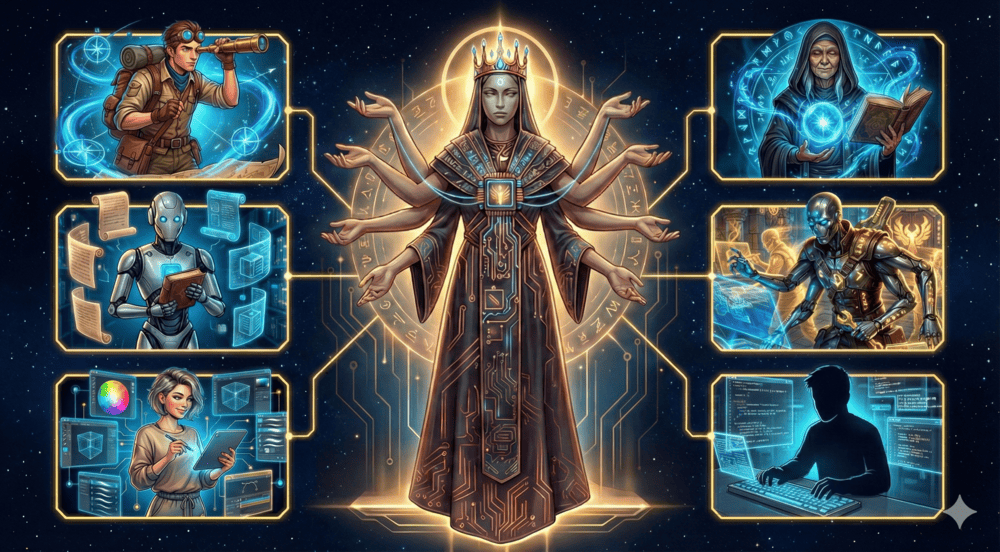
Six divine beings emerged from the dawn of code, each an immortal master of their craft await your command to forge order from chaos and build what was once thought impossible.
Slimmed-down fork of oh-my-opencode - focused on core agent orchestration with low token consumption.
Table of Contents
- 📦 Installation
- 🏛️ Meet the Pantheon
- 🎚️ Presets
- 🧩 Skills
- 🔌 MCP Servers
- 🛠️ Tools & Capabilities
- ⚙️ Configuration
- 🗑️ Uninstallation
- 🙏 Credits
- 📄 License
📦 Installation
For Humans
Run the interactive installer:
bunx oh-my-opencode-mal@latest install
Or use non-interactive mode:
bunx oh-my-opencode-mal@latest install --no-tui --antigravity=yes --openai=yes --tmux=no
After installation, authenticate with your providers:
opencode auth login
# Select your provider → Complete OAuth flow
# Repeat for each provider you enabled
Once authenticated, run opencode and ping all agents to verify all agents respond.
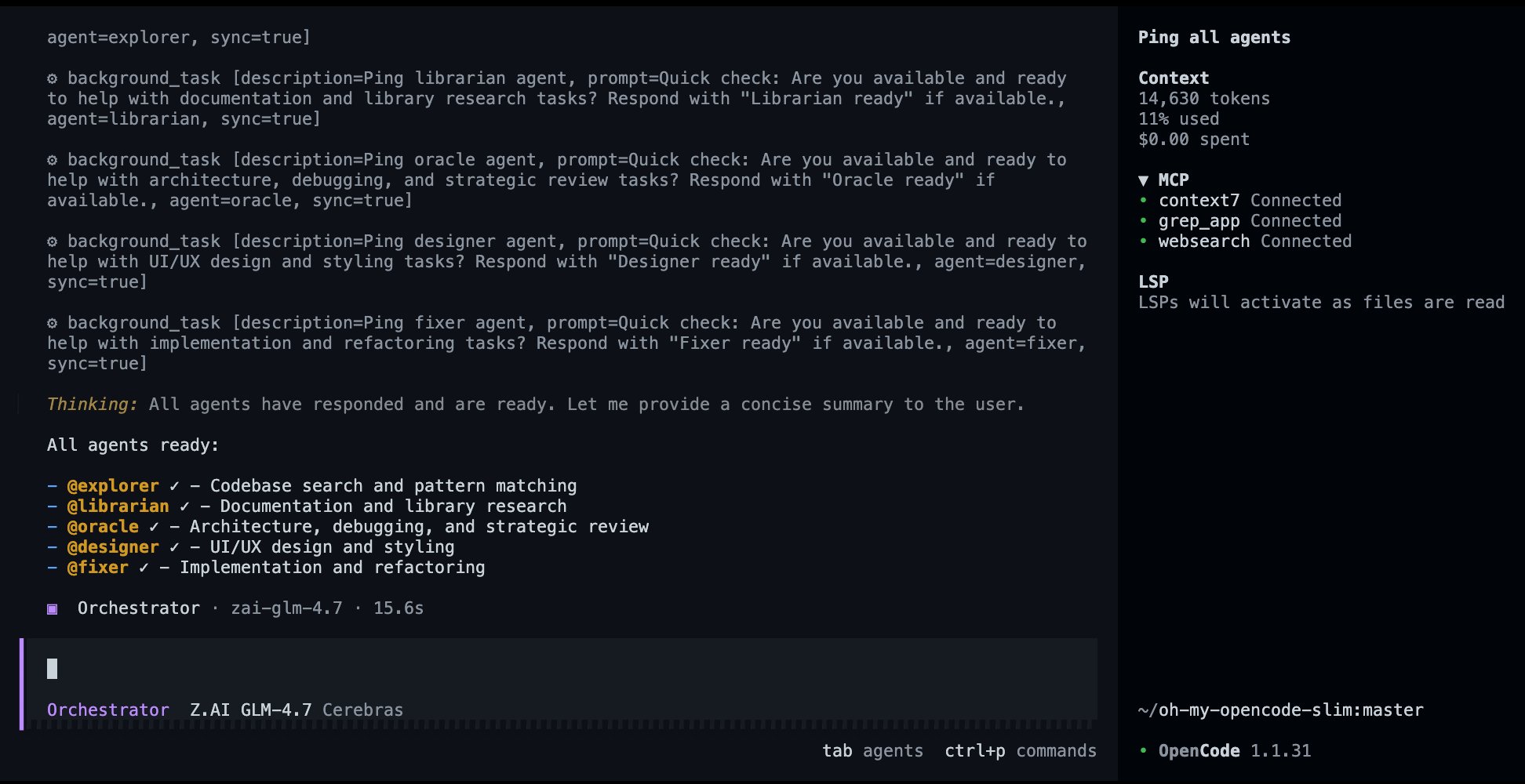
💡 Tip: Models are fully customizable. The installer sets sensible defaults, but you can assign any model to any agent. Edit
~/.config/opencode/oh-my-opencode-mal.jsonto override models, adjust reasoning effort, or disable agents entirely. See Configuration for details.
Alternative: Ask any coding agent
Paste this into Claude Code, AmpCode, Cursor, or any coding agent:
Install and configure by following the instructions here:
https://raw.githubusercontent.com/insanemal/oh-my-opencode-mal/refs/heads/master/README.md
For LLM Agents
Instructions for LLM Agents (click to expand)
If you're an LLM Agent helping set up oh-my-opencode-mal, follow these steps.
Step 1: Check OpenCode Installation
opencode --version
If not installed, direct the user to https://opencode.ai/docs first.
Step 2: Ask About Provider Access
Ask these questions one at a time, waiting for responses:
- "Do you have an Antigravity subscription (via cliproxy)?" (Provides Claude + Gemini via
cliproxy/prefix) - "Do you have access to OpenAI API?" (Enables
openai/models)
Help the user understand the tradeoffs:
- Antigravity via cliproxy provides Claude + Gemini routing.
- OpenAI is optional; it enables
openai/models. - If the user has no providers, the plugin still works using OpenCode Zen free models (
opencode/big-pickle). They can switch to paid providers later by editing~/.config/opencode/oh-my-opencode-mal.json.
Step 3: Run the Installer
Based on answers, run:
bunx oh-my-opencode-mal@latest install --no-tui --antigravity=<yes|no> --openai=<yes|no>
Examples:
# Antigravity + OpenAI
bunx oh-my-opencode-mal@latest install --no-tui --antigravity=yes --openai=yes --tmux=no

# OpenAI only
bunx oh-my-opencode-mal@latest install --no-tui --antigravity=no --openai=yes --tmux=no

# No providers (Zen free models only)
bunx oh-my-opencode-mal@latest install --no-tui --antigravity=no --openai=no --tmux=no
The installer automatically:
- Adds the plugin to
~/.config/opencode/opencode.json - Configures cliproxy provider for Antigravity models
- Generates agent model mappings in
~/.config/opencode/oh-my-opencode-mal.json
Crucial Advice for the User:
- They can easily assign different models to different agents by editing
~/.config/opencode/oh-my-opencode-mal.json. - If they add a new provider later, they just need to update this file.
- Read generated
~/.config/opencode/oh-my-opencode-mal.jsonfile and report the model configuration.
Step 4: Install and Configure Cliproxy (if using Antigravity)
If the user selected Antigravity, guide them to install cliproxy:
macOS:
brew install cliproxyapi
brew services start cliproxyapi
Linux:
curl -fsSL https://raw.githubusercontent.com/brokechubb/cliproxyapi-installer/refs/heads/master/cliproxyapi-installer | bash
Authenticate with Antigravity:
./cli-proxy-api --antigravity-login
For OpenAI (if enabled): Ask user to run the following command. Don't run it yourself, it requires user interaction.
opencode auth login
# Select your provider and complete OAuth flow
Troubleshooting
If the installer fails, check the expected config format:
bunx oh-my-opencode-mal@latest install --help
Then manually create the config files at:
~/.config/opencode/oh-my-opencode-mal.json
🏛️ Meet the Pantheon
01. Orchestrator: The Embodiment Of Order
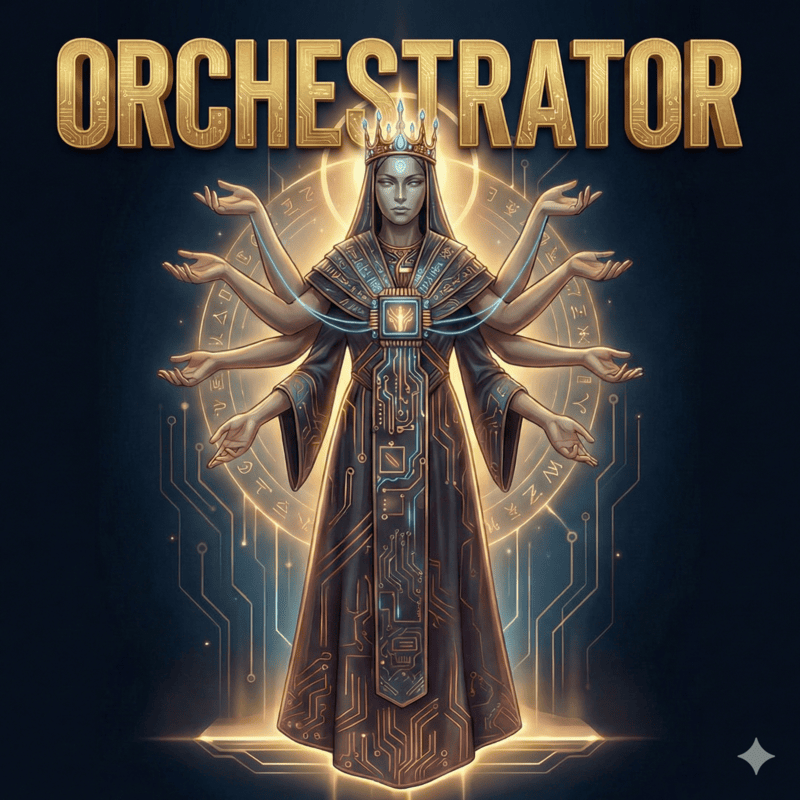
Forged in the void of complexity. |
The Orchestrator was born when the first codebase collapsed under its own complexity. Neither god nor mortal would claim responsibility - so The Orchestrator emerged from the void, forging order from chaos. It determines the optimal path to any goal, balancing speed, quality, and cost. It guides the team, summoning the right specialist for each task and delegating to achieve the best possible outcome. |
Role: Master delegator and strategic coordinator
|
|
Prompt: orchestrator.ts
|
|
Recommended Models: cliproxy/gemini-claude-opus-4-5-thinking openai/gpt-5.2-codex
|
|
MCPs: websearch
|
|
Skills: simplify *
|
|
|
Capabilities: Write and execute code, orchestrate multi-agent workflows, parse the unspoken from the spoken, summon specialists mid-battle. Shape reality directly - and assign realms to others when the universe grows too vast. |
02. Explorer: The Eternal Wanderer

The wind that carries knowledge. |
The Explorer is an immortal wanderer who has traversed the corridors of a million codebases since the dawn of programming. Cursed with the gift of eternal curiosity, they cannot rest until every file is known, every pattern understood, every secret revealed. Legends say they once searched the entire internet in a single heartbeat. They are the wind that carries knowledge, the eyes that see all, the spirit that never sleeps. |
Role: Codebase reconnaissance
|
|
Prompt: explorer.ts
|
|
Recommended Models: cerebras/zai-glm-4.7 google/gemini-3-flash openai/gpt-5.1-codex-mini
|
|
| MCPs: none | |
| Skills: none | |
|
Capabilities: Regex search, AST pattern matching, file discovery, parallel exploration. Read-only: they chart the territory; others conquer it. |
03. Oracle: The Guardian of Paths

The voice at the crossroads. |
The Oracle stands at the crossroads of every architectural decision. They have walked every road, seen every destination, know every trap that lies ahead. When you stand at the precipice of a major refactor, they are the voice that whispers which way leads to ruin and which way leads to glory. They don't choose for you - they illuminate the path so you can choose wisely. |
Role: Strategic advisor and debugger of last resort
|
|
Prompt: oracle.ts
|
|
Recommended Models: openai/gpt-5.2-codex cliproxy/gemini-3-pro-high
|
|
| MCPs: none | |
| Skills: none | |
|
Capabilities: Root cause analysis, architecture review, debugging guidance, tradeoff analysis. Read-only: Oracles advise; they don't intervene. |
04. Librarian: The Weaver of Knowledge
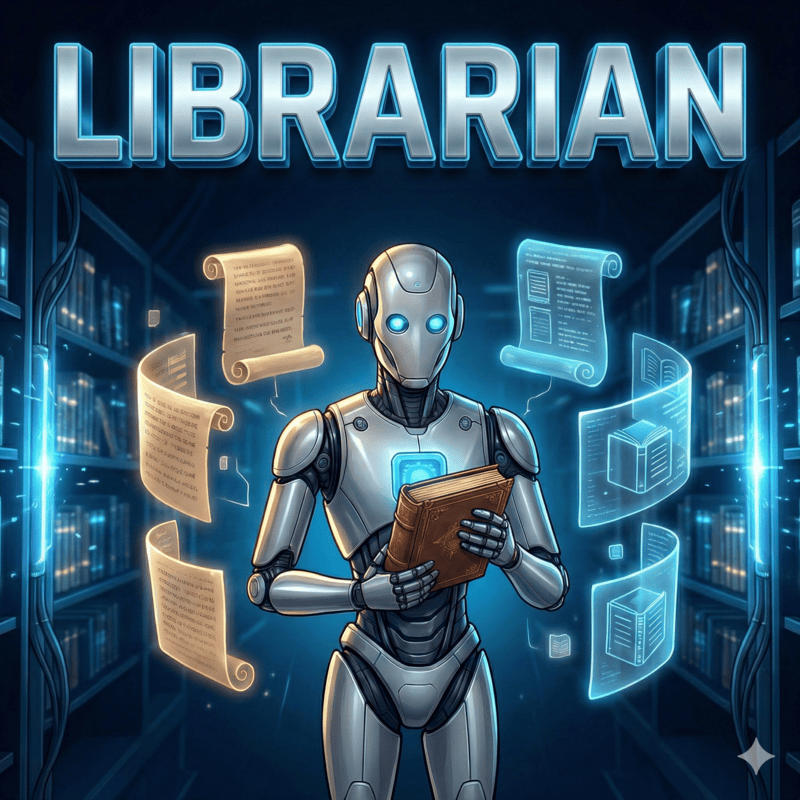
The weaver of understanding. |
The Librarian was forged when humanity realized that no single mind could hold all knowledge. They are the weaver who connects disparate threads of information into a tapestry of understanding. They traverse the infinite library of human knowledge, gathering insights from every corner and binding them into answers that transcend mere facts. What they return is not information - it's understanding. |
Role: External knowledge retrieval
|
|
Prompt: librarian.ts
|
|
Recommended Models: google/gemini-3-flash openai/gpt-5.1-codex-mini
|
|
MCPs: websearch context7 grep_app
|
|
| Skills: none | |
|
Capabilities: Documentation lookup, GitHub code search, library research, best practice retrieval. Read-only: they fetch wisdom; implementation is for others. |
05. Designer: The Guardian of Aesthetics

Beauty is essential. |
The Designer is an immortal guardian of beauty in a world that often forgets it matters. They have seen a million interfaces rise and fall, and they remember which ones were remembered and which were forgotten. They carry the sacred duty to ensure that every pixel serves a purpose, every animation tells a story, every interaction delights. Beauty is not optional - it's essential. |
Role: UI/UX implementation and visual excellence
|
|
Prompt: designer.ts
|
|
Recommended Models: google/gemini-3-flash
|
|
| MCPs: none | |
Skills: agent-browser
|
|
|
Capabilities: Modern responsive design, CSS/Tailwind mastery, micro-animations, component architecture. Visual excellence over code perfection - beauty is the priority. |
06. Fixer: The Last Builder
The final step between vision and reality. |
The Fixer is the last of a lineage of builders who once constructed the foundations of the digital world. When the age of planning and debating began, they remained - the ones who actually build. They carry the ancient knowledge of how to turn thought into thing, how to transform specification into implementation. They are the final step between vision and reality. |
Role: Fast implementation specialist
|
|
Prompt: fixer.ts
|
|
Recommended Models: cerebras/zai-glm-4.7 google/gemini-3-flash openai/gpt-5.1-codex-mini
|
|
| MCPs: none | |
| Skills: none | |
|
Capabilities: Code implementation, refactoring, testing, verification. Execute the plan - no research, no delegation, no planning. |
🎚️ Presets
Presets are pre-configured agent model mappings for different provider combinations. The installer generates these automatically based on your available providers, and you can switch between them instantly.
Switching Presets
Method 1: Edit Config File
Edit ~/.config/opencode/oh-my-opencode-mal.json and change the preset field:
{
  "preset": "openai"
}
Method 2: Environment Variable
Set the environment variable before running OpenCode:
export OH_MY_OPENCODE_SLIM_PRESET=openai
opencode
The environment variable takes precedence over the config file.
OpenAI Preset
Uses OpenAI models exclusively:
{
  "preset": "openai",
  "presets": {
    "openai": {
      "orchestrator": { "model": "openai/gpt-5.2-codex", "skills": ["*"], "mcps": ["websearch"] },
      "oracle": { "model": "openai/gpt-5.2-codex", "variant": "high", "skills": [], "mcps": [] },
      "librarian": { "model": "openai/gpt-5.1-codex-mini", "variant": "low", "skills": [], "mcps": ["websearch", "context7", "grep_app"] },
      "explorer": { "model": "openai/gpt-5.1-codex-mini", "variant": "low", "skills": [], "mcps": [] },
      "designer": { "model": "openai/gpt-5.1-codex-mini", "variant": "medium", "skills": ["agent-browser"], "mcps": [] },
      "fixer": { "model": "openai/gpt-5.1-codex-mini", "variant": "low", "skills": [], "mcps": [] }
    }
  }
}
Antigravity via CLIProxy Preset
Routes through Antigravity's CLIProxy for Claude + Gemini models:
{
  "preset": "cliproxy",
  "presets": {
    "cliproxy": {
      "orchestrator": { "model": "cliproxy/gemini-claude-opus-4-5-thinking", "skills": ["*"], "mcps": ["websearch"] },
      "oracle": { "model": "cliproxy/gemini-3-pro-preview", "variant": "high", "skills": [], "mcps": [] },
      "librarian": { "model": "cliproxy/gemini-3-flash-preview", "variant": "low", "skills": [], "mcps": ["websearch", "context7", "grep_app"] },
      "explorer": { "model": "cliproxy/gemini-3-flash-preview", "variant": "low", "skills": [], "mcps": [] },
      "designer": { "model": "cliproxy/gemini-3-flash-preview", "variant": "medium", "skills": ["agent-browser"], "mcps": [] },
      "fixer": { "model": "cliproxy/gemini-3-flash-preview", "variant": "low", "skills": [], "mcps": [] }
    }
  }
}
Verify provider configuration in ~/.config/opencode/opencode.json
{
  "provider": {
    "cliproxy": {
      "npm": "@ai-sdk/openai-compatible",
      "name": "CliProxy",
      "options": {
        "baseURL": "http://127.0.0.1:8317/v1",
        "apiKey": "your-api-key-1"
      },
      "models": {
        "gemini-3-pro-high": {
          "name": "Gemini 3 Pro High",
          "thinking": true,
          "attachment": true,
          "limit": { "context": 1048576, "output": 65535 },
          "modalities": { "input": [ "text", "image", "pdf" ], "output": [ "text" ] }
        },
        "gemini-3-flash-preview": {
          "name": "Gemini 3 Flash",
          "attachment": true,
          "limit": { "context": 1048576, "output": 65536 },
          "modalities": { "input": [ "text", "image", "pdf" ], "output": [ "text" ] }
        },
        "gemini-claude-opus-4-5-thinking": {
          "name": "Claude Opus 4.5 Thinking",
          "attachment": true,
          "limit": { "context": 200000, "output": 32000 },
          "modalities": { "input": [ "text", "image", "pdf" ], "output": [ "text" ] }
        },
        "gemini-claude-sonnet-4-5-thinking": {
          "name": "Claude Sonnet 4.5 Thinking",
          "attachment": true,
          "limit": { "context": 200000, "output": 32000 },
          "modalities": { "input": [ "text", "image", "pdf" ], "output": [ "text" ] }
        }
      }
    }
  }
}
Author's Preset
Mixed setup combining multiple providers:
{
  "preset": "alvin",
  "presets": {
    "alvin": {
      "orchestrator": { "model": "cliproxy/gemini-claude-opus-4-5-thinking", "skills": ["*"], "mcps": ["*"] },
      "oracle": { "model": "openai/gpt-5.2-codex", "variant": "high", "skills": [], "mcps": [] },
      "librarian": { "model": "cliproxy/gemini-3-flash-preview", "variant": "low", "skills": [], "mcps": ["websearch", "context7", "grep_app"] },
      "explorer": { "model": "cerebras/zai-glm-4.7", "variant": "low", "skills": [], "mcps": [] },
      "designer": { "model": "cliproxy/gemini-3-flash-preview", "variant": "medium", "skills": ["agent-browser"], "mcps": [] },
      "fixer": { "model": "cerebras/zai-glm-4.7", "variant": "low", "skills": [], "mcps": [] }
    }
  }
}
🧩 Skills
Skills are specialized capabilities provided by external agents and tools. Unlike MCPs which are servers, skills are prompt-based tool configurations installed via npx skills add during installation.
Recommended Skills (via npx)
| Skill | Description | Assigned To |
|---|---|---|
simplify |
YAGNI code simplification expert | orchestrator |
agent-browser |
High-performance browser automation | designer |
Custom Skills (bundled in repo)
| Skill | Description | Assigned To |
|---|---|---|
cartography |
Repository understanding and hierarchical codemap generation | orchestrator |
Simplify
The Minimalist's sacred truth: every line of code is a liability.
simplify is a specialized skill for complexity analysis and YAGNI enforcement. It identifies unnecessary abstractions and suggests minimal implementations.
Agent Browser
External browser automation for visual verification and testing.
agent-browser provides full high-performance browser automation capabilities. It allows agents to browse the web, interact with elements, and capture screenshots for visual state verification.
Cartography
Automated repository mapping through hierarchical codemaps.
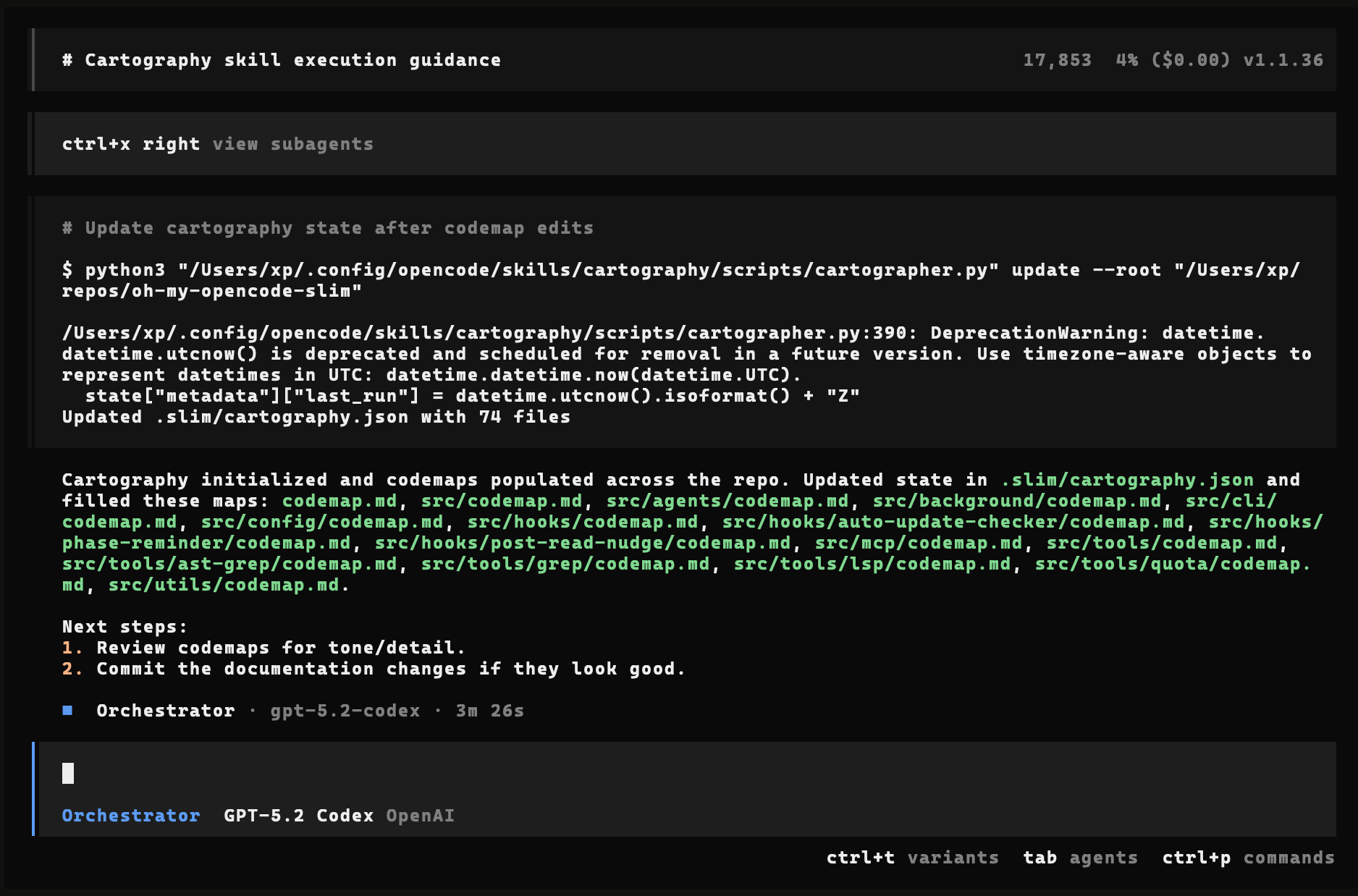
cartography empowers the Orchestrator to build and maintain a deep architectural understanding of any codebase. Instead of reading thousands of lines of code every time, agents refer to hierarchical codemap.md files that describe the why and how of each directory.
How to use:
Just ask the Orchestrator to run cartography. It will automatically detect if it needs to initialize a new map or update an existing one.
Why it's useful:
- Instant Onboarding: Help agents (and humans) understand unfamiliar codebases in seconds.
- Efficient Context: Agents only read architectural summaries, saving tokens and improving accuracy.
- Change Detection: Only modified folders are re-analyzed, making updates fast and efficient.
- Timeless Documentation: Focuses on high-level design patterns that don't get stale.
Technical Details & Manual Control
The skill uses a background Python engine (cartographer.py) to manage state and detect changes.
How it works under the hood:
- Initialize - Orchestrator analyzes repo structure and runs
initto create.slim/cartography.json(hashes) and empty templates. - Map - Orchestrator spawns specialized Explorer sub-agents to fill codemaps with timeless architectural details (Responsibility, Design, Flow, Integration).
- Update - On subsequent runs, the engine detects changed files and only refreshes codemaps for affected folders.
Manual Commands:
# Initialize mapping manually
python3 ~/.config/opencode/skills/cartography/scripts/cartographer.py init \
  --root . \
  --include "src/**/*.ts" \
  --exclude "**/*.test.ts"

# Check for changes since last map
python3 ~/.config/opencode/skills/cartography/scripts/cartographer.py changes --root .

# Sync hashes after manual map updates
python3 ~/.config/opencode/skills/cartography/scripts/cartographer.py update --root .
Skills Assignment
You can customize which skills each agent is allowed to use in ~/.config/opencode/oh-my-opencode-mal.json.
Syntax:
| Syntax | Description | Example |
|---|---|---|
"*" |
All installed skills | ["*"] |
"!item" |
Exclude specific skill | ["*", "!agent-browser"] |
| Explicit list | Only listed skills | ["simplify"] |
"!*" |
Deny all skills | ["!*"] |
Rules:
*expands to all available skills!itemexcludes specific skills- Conflicts (e.g.,
["a", "!a"]) → deny wins (principle of least privilege) - Empty list
[]→ no skills allowed
Example Configuration:
{
  "presets": {
    "my-preset": {
      "orchestrator": {
        "skills": ["*", "!agent-browser"]
      },
      "designer": {
        "skills": ["agent-browser", "simplify"]
      }
    }
  }
}
🔌 MCP Servers
Built-in Model Context Protocol servers (enabled by default):
| MCP | Purpose | URL |
|---|---|---|
websearch |
Real-time web search via Exa AI | https://mcp.exa.ai/mcp |
context7 |
Official library documentation | https://mcp.context7.com/mcp |
grep_app |
GitHub code search via grep.app | https://mcp.grep.app |
MCP Permissions
Control which agents can access which MCP servers using per-agent allowlists:
| Agent | Default MCPs |
|---|---|
orchestrator |
websearch |
designer |
none |
oracle |
none |
librarian |
websearch, context7, grep_app |
explorer |
none |
fixer |
none |
Configuration & Syntax
You can configure MCP access in your plugin configuration file: ~/.config/opencode/oh-my-opencode-mal.json.
Per-Agent Permissions
Control which agents can access which MCP servers using the mcps array in your preset. The syntax is the same as for skills:
| Syntax | Description | Example |
|---|---|---|
"*" |
All MCPs | ["*"] |
"!item" |
Exclude specific MCP | ["*", "!context7"] |
| Explicit list | Only listed MCPs | ["websearch", "context7"] |
"!*" |
Deny all MCPs | ["!*"] |
Rules:
*expands to all available MCPs!itemexcludes specific MCPs- Conflicts (e.g.,
["a", "!a"]) → deny wins - Empty list
[]→ no MCPs allowed
Example Configuration:
{
  "presets": {
    "my-preset": {
      "orchestrator": {
        "mcps": ["websearch"]
      },
      "librarian": {
        "mcps": ["websearch", "context7", "grep_app"]
      },
      "oracle": {
        "mcps": ["*", "!websearch"]
      }
    }
  }
}
Global Disabling
You can disable specific MCP servers globally by adding them to the disabled_mcps array at the root of your config object.
🛠️ Tools & Capabilities
Tmux Integration
⚠️ Temporary workaround: Start OpenCode with
--portto enable tmux integration. The port must match theOPENCODE_PORTenvironment variable (default: 4096). This is required until the upstream issue is resolved. opencode#9099.
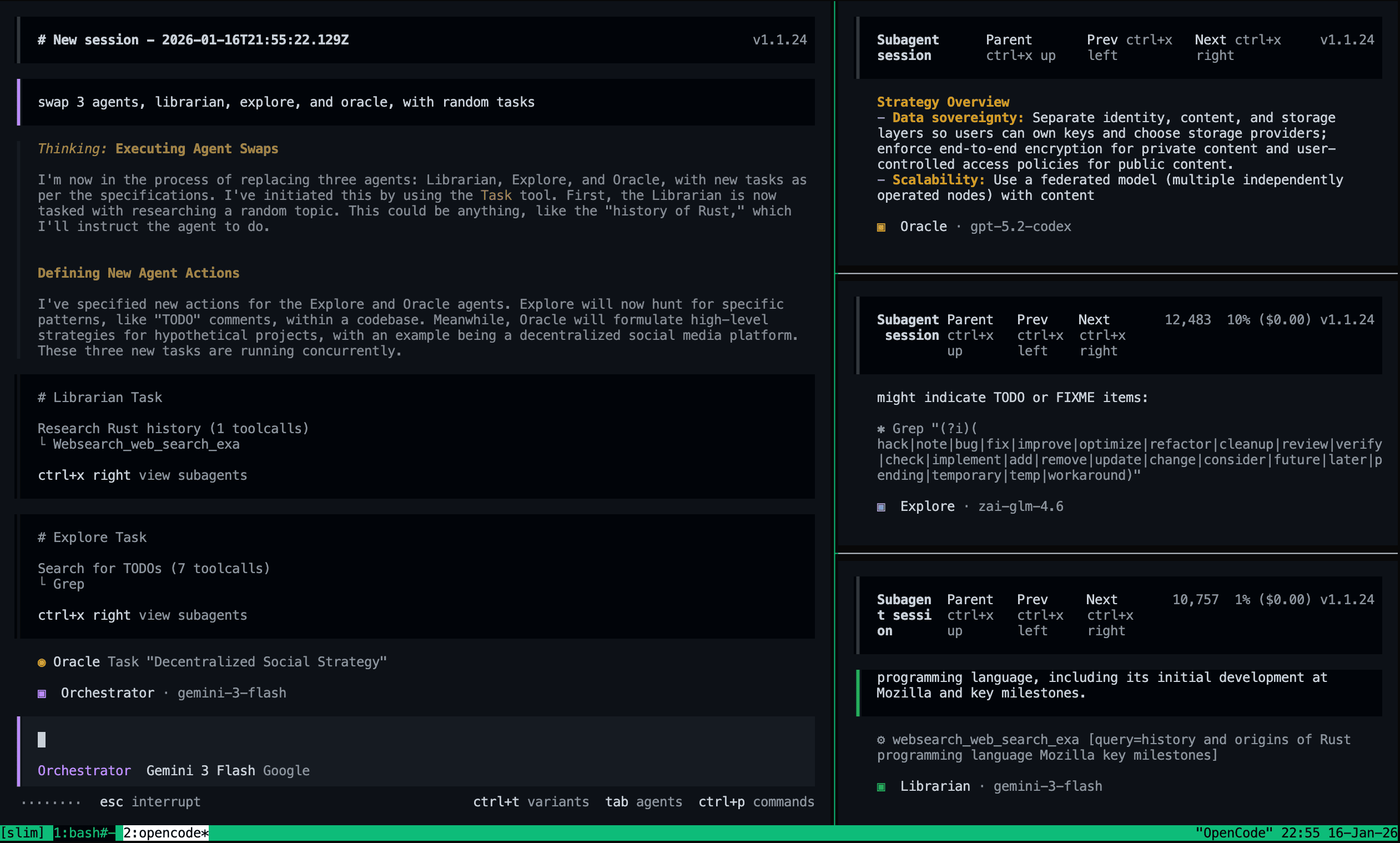
Watch your agents work in real-time. When the Orchestrator launches sub-agents or initiates background tasks, new tmux panes automatically spawn showing each agent's live progress. No more waiting in the dark.
Quick Setup
- Enable tmux integration in
oh-my-opencode-mal.json(see Plugin Config).
{
  "tmux": {
    "enabled": true,
    "layout": "main-vertical",
    "main_pane_size": 60
  }
}
Run OpenCode inside tmux:
tmux
opencode --port 4096
Or use a custom port (must match
OPENCODE_PORTenv var):tmux export OPENCODE_PORT=5000 opencode --port 5000This allows multiple OpenCode instances on different ports.
Layout Options
| Layout | Description |
|---|---|
main-vertical |
Your session on the left (60%), agents stacked on the right |
main-horizontal |
Your session on top (60%), agents stacked below |
tiled |
All panes in equal-sized grid |
even-horizontal |
All panes side by side |
even-vertical |
All panes stacked vertically |
Background Tasks
The plugin provides tools to manage asynchronous work:
| Tool | Description |
|---|---|
background_task |
Launch an agent in a new session (sync=true blocks, sync=false runs in background) |
background_output |
Fetch the result of a background task by ID |
background_cancel |
Abort running tasks |
LSP Tools
Language Server Protocol integration for code intelligence:
| Tool | Description |
|---|---|
lsp_goto_definition |
Jump to symbol definition |
lsp_find_references |
Find all usages of a symbol across the workspace |
lsp_diagnostics |
Get errors/warnings from the language server |
lsp_rename |
Rename a symbol across all files |
Built-in LSP Servers: OpenCode includes pre-configured LSP servers for 30+ languages (TypeScript, Python, Rust, Go, etc.). See the official documentation for the full list and requirements.
Code Search Tools
Fast code search and refactoring:
| Tool | Description |
|---|---|
grep |
Fast content search using ripgrep |
ast_grep_search |
AST-aware code pattern matching (25 languages) |
ast_grep_replace |
AST-aware code refactoring with dry-run support |
Formatters
OpenCode automatically formats files after they're written or edited using language-specific formatters.
Built-in Formatters: Includes support for Prettier, Biome, gofmt, rustfmt, ruff, and 20+ others. See the official documentation for the complete list.
⚙️ Configuration
Files You Edit
| File | Purpose |
|---|---|
~/.config/opencode/opencode.json |
OpenCode core settings |
~/.config/opencode/oh-my-opencode-mal.json |
Plugin settings (agents, tmux, MCPs) |
.opencode/oh-my-opencode-mal.json |
Project-local plugin overrides (optional) |
Prompt Overriding
You can customize agent prompts by creating markdown files in ~/.config/opencode/oh-my-opencode-mal/:
| File | Purpose |
|---|---|
{agent}.md |
Replaces the default prompt entirely |
{agent}_append.md |
Appends to the default prompt |
Example:
~/.config/opencode/oh-my-opencode-mal/
  ├── orchestrator.md          # Custom orchestrator prompt
  ├── orchestrator_append.md   # Append to default orchestrator prompt
  ├── explorer.md
  ├── explorer_append.md
  └── ...
Usage:
- Create
{agent}.mdto completely replace an agent's default prompt - Create
{agent}_append.mdto add custom instructions to the default prompt - Both files can exist simultaneously - the replacement takes precedence
- If neither file exists, the default prompt is used
This allows you to fine-tune agent behavior without modifying the source code.
Plugin Config (oh-my-opencode-mal.json)
The installer generates this file based on your providers. You can manually customize it to mix and match models. See the Presets section for detailed configuration options.
Option Reference
| Option | Type | Default | Description |
|---|---|---|---|
preset |
string | - | Name of the preset to use (e.g., "openai", "cliproxy") |
presets |
object | - | Named preset configurations containing agent mappings |
presets.<name>.<agent>.model |
string | - | Model ID for the agent (e.g., "google/claude-opus-4-5-thinking") |
presets.<name>.<agent>.temperature |
number | - | Temperature setting (0-2) for the agent |
presets.<name>.<agent>.variant |
string | - | Agent variant for reasoning effort (e.g., "low", "medium", "high") |
presets.<name>.<agent>.skills |
string[] | - | Array of skill names the agent can use ("*" for all, "!item" to exclude) |
presets.<name>.<agent>.mcps |
string[] | - | Array of MCP names the agent can use ("*" for all, "!item" to exclude) |
tmux.enabled |
boolean | false |
Enable tmux pane spawning for sub-agents |
tmux.layout |
string | "main-vertical" |
Layout preset: main-vertical, main-horizontal, tiled, even-horizontal, even-vertical |
tmux.main_pane_size |
number | 60 |
Main pane size as percentage (20-80) |
disabled_mcps |
string[] | [] |
MCP server IDs to disable globally (e.g., "websearch") |
Note: Agent configuration should be defined within
presets. The root-levelagentsfield is deprecated.
🗑️ Uninstallation
Remove the plugin from your OpenCode config:
Edit
~/.config/opencode/opencode.jsonand remove"oh-my-opencode-mal"from thepluginarray.Remove configuration files (optional):
rm -f ~/.config/opencode/oh-my-opencode-mal.json
rm -f .opencode/oh-my-opencode-mal.json
🙏 Credits
This is a slimmed-down fork of oh-my-opencode by @code-yeongyu.
📄 License
MIT