
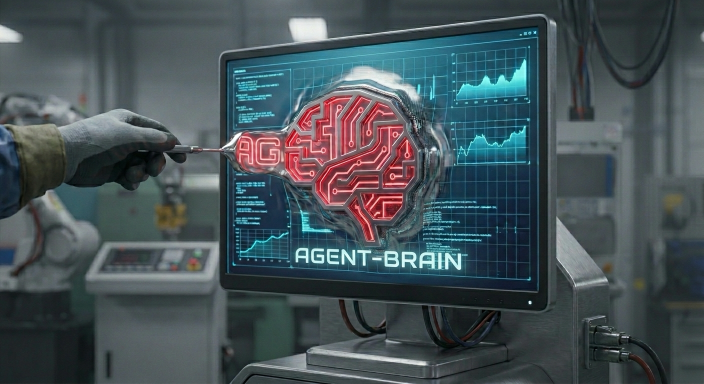
@brianluby/agent-brainGive Claude Code photographic memory in ONE portable file
1
35
5 in 7 days
30.8
Multi-signal model
29 days ago
2026-07-22
Install and configure
opencode.jsonWrites to this project's opencode.json — applies to this repository only.
opencode.json
{
  "$schema": "https://opencode.ai/config.json",
  "plugin": ["@brianluby/agent-brain@1.1.2"]
}
Writes to ~/.config/opencode/opencode.json — applies to every project.
~/.config/opencode/opencode.json
{
  "$schema": "https://opencode.ai/config.json",
  "plugin": ["@brianluby/agent-brain@1.1.2"]
}
If you want to modify the plugin locally, install it into the project and reference the local path.
shell
pnpm add -D @brianluby/agent-brainopencode loads npm dependencies through its embedded runtime on startup and caches them locally — no manual global install needed.

Memvid Shoutout
Memvid's creative approach to data storage—encoding text in video frames and using decades of video codec R&D for superior compression—inspired me to fork their Claude Brain project into an agent-agnostic version. None of this would be possible without their dedication to open source. If you're working on AI memory, check them out at github.com/memvid —it's seriously clever engineering.
The Problem
You: "Remember that auth bug we fixed?"
Agent 1: "I don't have memory of previous conversations."
Agent 2: "I did not work on this code yesterday.
You: "We spent 3 hours on it yesterday"
Agent 1: "I'd be happy to help debug from scratch!"
Agent 2: "Let me review the codebase to get an understanding" *sound of tokens burning*
small context window. Zero memory between sessions.
You're paying for a dory with a PhD.
The Fix
You: "What did we decide about auth?"
Agent 1: "We chose JWT over sessions for your microservices.
        The refresh token issue - here's exactly what we fixed..."
Agent 2: " JWT overs sessions is a more secure implementation, Here is the code we fixed"
One file. All your agents remember everything.
Installation
Claude Code (Marketplace)
# Optional one-time setup (if GitHub plugin URLs fail)
git config --global url."https://github.com/".insteadOf "git@github.com:"
# In Claude Code
/plugin add marketplace brianluby/Agent-brain
Then in Claude Code:
- Open
/plugins - Go to Installed
- Enable mind
- Restart Claude Code
On first run, memory is created at:
.agent-brain/mind.mv2
If you already have a legacy file at .claude/mind.mv2, migrate it safely to .agent-brain/mind.mv2:
if [ ! -f ".agent-brain/mind.mv2" ]; then
  mkdir -p ".agent-brain" && mv ".claude/mind.mv2" ".agent-brain/mind.mv2"
else
  echo "Destination .agent-brain/mind.mv2 already exists. Back up both .claude/mind.mv2 and .agent-brain/mind.mv2, then reconcile manually."
fi
OpenCode
Add this plugin package to your OpenCode config:
{
  "$schema": "https://opencode.ai/config.json",
  "plugin": ["@brianluby/agent-brain"]
}
Or use a local checkout while developing:
{
  "$schema": "https://opencode.ai/config.json",
  "plugin": ["file:///absolute/path/to/agent-brain"]
}
Then restart OpenCode. The plugin will:
- inject memory context on the first message of each session
- capture tool outputs to persistent memory
- expose a
mindtool (search,ask,recent,stats,remember)
Optional: install OpenCode slash commands globally for all projects:
mkdir -p ~/.config/opencode/commands
cp .opencode/commands/mind-*.md ~/.config/opencode/commands/
Project-local command files are already included in .opencode/commands/.
How it Works
After install, Your Agent's memory lives in one file:
your-project/
└── .agent-brain/
    └── mind.mv2   # Agent's brain. That's it.
No database. No cloud. No API keys.
What gets captured:
- Session context, decisions, bugs, solutions
- Auto-injected at session start
- Searchable anytime
Why one file?
git commit→ version control Agent's brainscp→ transfer anywhere- Send to teammate → instant onboarding
Commands
In Claude Code:
/mind stats                       # memory statistics
/mind search "authentication"     # find past context
/mind ask "why did we choose X?"  # ask your memory
/mind recent                      # what happened lately
In OpenCode (slash commands):
/mind-stats
/mind-search authentication
/mind-ask "why did we choose X?"
/mind-recent
/mind-remember "Project uses pnpm, not npm"
These are provided in .opencode/commands/ for project-local usage.
To use them in every repo, copy them to ~/.config/opencode/commands/.
Or just ask naturally: "mind stats", "search my memory for auth bugs", etc.
OpenCode Support
Agent Brain supports the same core memory lifecycle through a platform adapter model.
- Claude and OpenCode sessions can share project memory continuity.
- Unknown or incompatible platforms fail open (session continues, memory capture safely skips).
- Adapter contracts are SemVer-checked and validated through regression and contract tests.
- OpenCode packaging is published through the npm package
@brianluby/agent-brain.
CLI (Optional)
No separate CLI install is required. Use the built-in memory commands in Claude Code (/mind ...) or OpenCode (/mind-* ...) for direct access.
FAQ
How big is the file?
Empty: ~70KB. Grows ~1KB per memory. A year of use stays under 5MB.
Is it private?
100% local. Nothing leaves your machine. Ever.
How fast?
Sub-millisecond. Native Rust core. Searches 10K+ memories in <1ms.
Reset memory?
rm .agent-brain/mind.mv2
Built as a local-first, single-file memory plugin for Claude Code and OpenCode.
If this saved you time, star the repo
Send me your .mv2 file and I'll tell you what's wrong with your code. No context needed - I already know everything.